1. Main Features
Pluschronometer Platform is a fully integrated, scalable solution that combines advanced search engines, complete document and mail management, and robust security across mobile, tablet, PC, and embedded devices. Designed for both local and cloud environments, it supports real-time communication, customizable configurations, multi-currency and multi-language operations, and multi-company with multi-branch architecture. The system works seamlessly online and offline, featuring a comprehensive notification system, fast responsiveness, real-time reporting, location tracking, and activity timers. It unifies CRM, ERP, and POS into one powerful application, delivering a flexible, high-performance platform for modern businesses.
 Unlimited Storage
 Unlimited Users
 Unlimited Reports
 Unlimited Accounting Nodes
 Unlimited Branches
 Production Lines and Departments
 Unlimited Languages
 Local / Cloud
 e-invoice
2. Architecture
 Angular 12
 SQL Server 2018
 ElasticSearch 6
 Docker
 Kubernetes
 Node JS
 Java 1.8
 TypeScript
 SSL
SSL
 Nginx
Nginx
3. Accounting
The Accounting module manages all financial transactions and records of an organization. It provides comprehensive tools for handling general ledger, accounts payable, accounts receivable, fixed assets, and financial reporting. This module ensures accurate bookkeeping, supports regulatory compliance, and enables real-time financial analysis. With automation of invoicing, payment processing, and reconciliation, the Accounting module helps improve efficiency, reduce errors, and provide transparent financial insights for better decision-making..
Settings
- Accounts
- Cost Centers
- Journals
- Caisse
- Accounting Links
- Bank Account
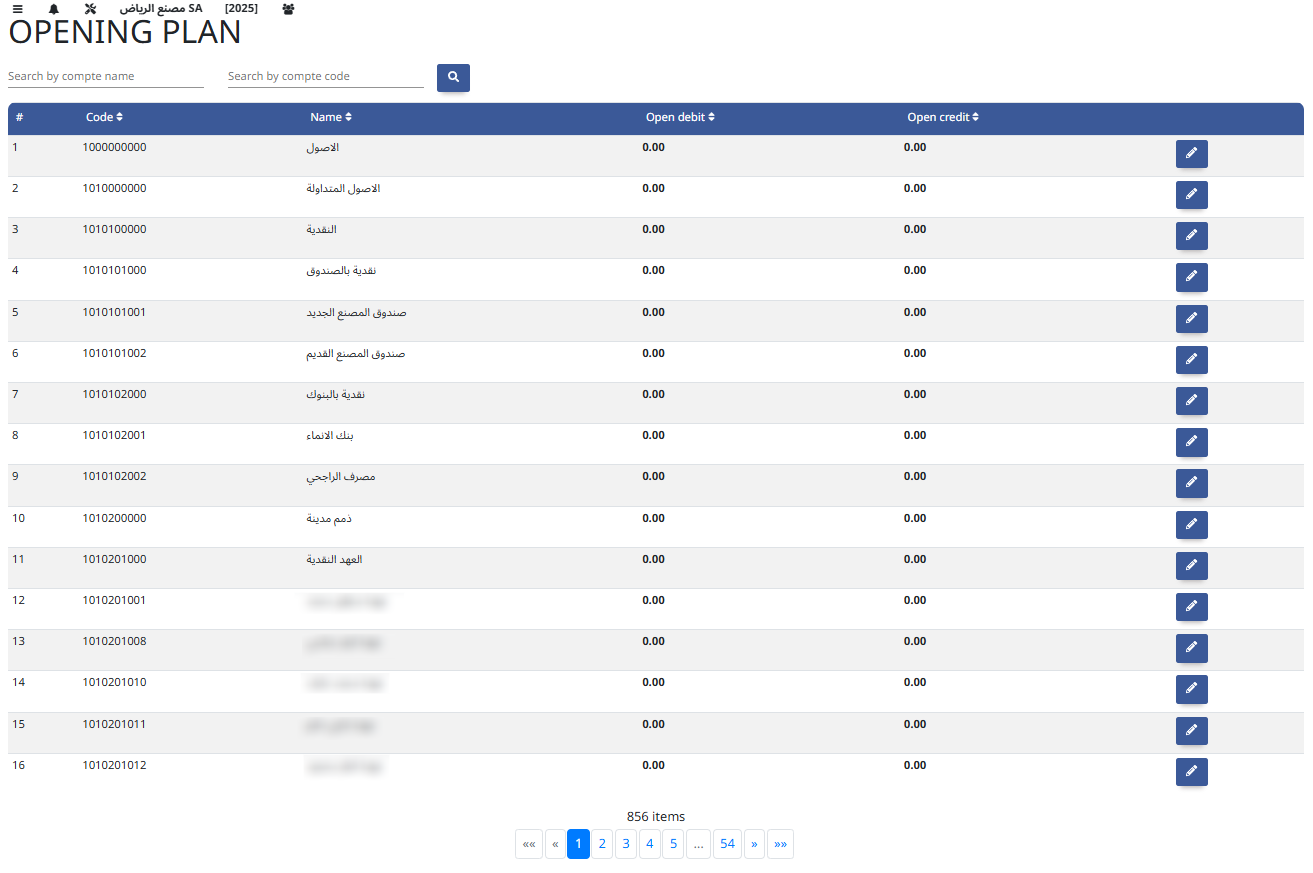
- Opening Plan
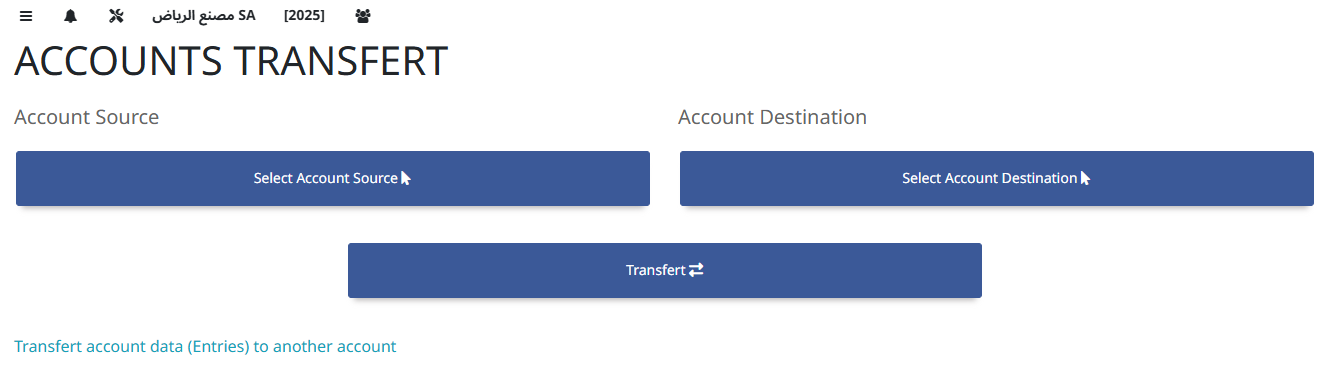
- Accounts Transfer
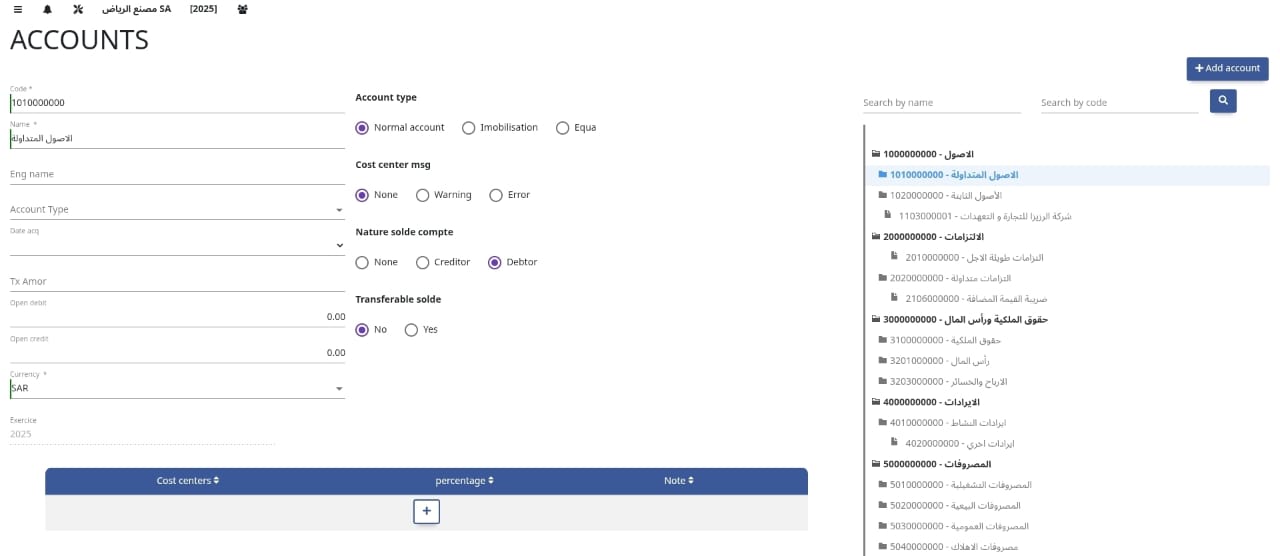
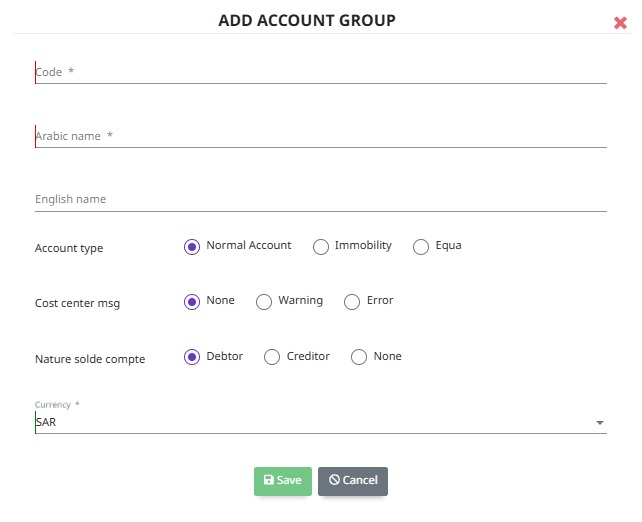
The Chart of Accounts (COA) is a structured listing of all financial accounts used by an organization in its general ledger. It organizes accounts into a hierarchical tree structure, grouping them by categories such as assets, liabilities, equity, revenues, and expenses. This accounts tree provides a clear framework to record and classify all financial transactions consistently. It enables easy tracking, reporting, and analysis of financial data by defining account codes and descriptions, helping maintain accurate and transparent financial records in compliance with accounting standards.
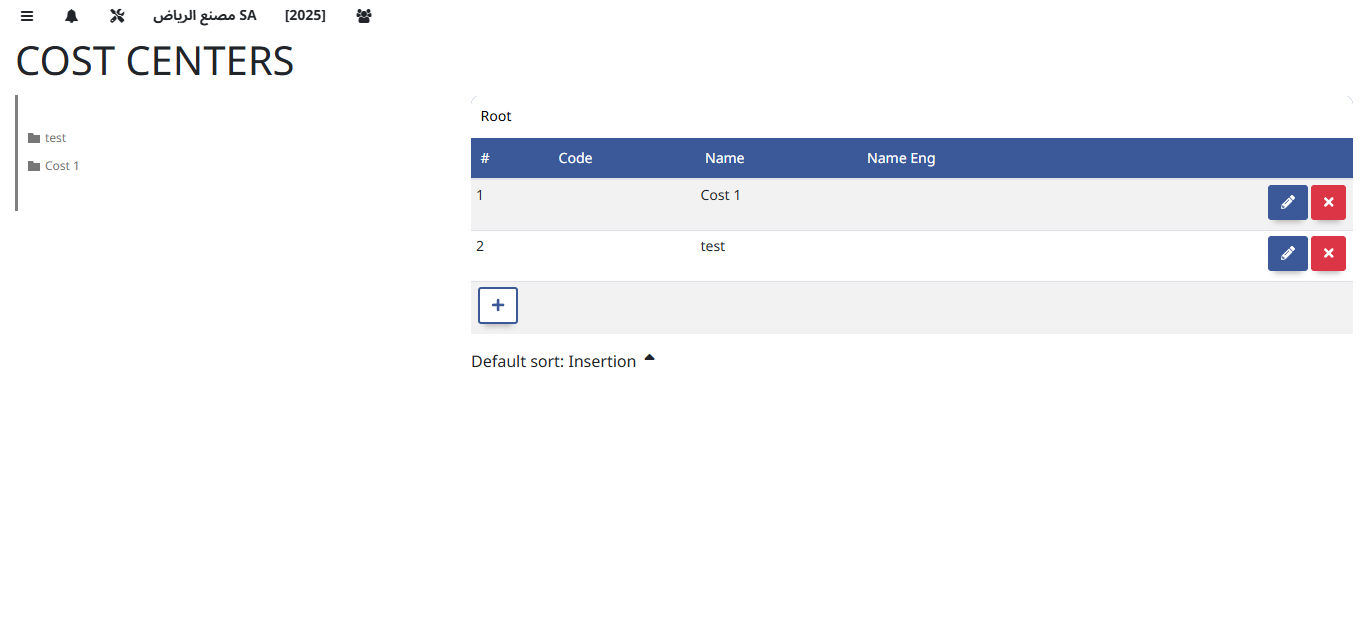
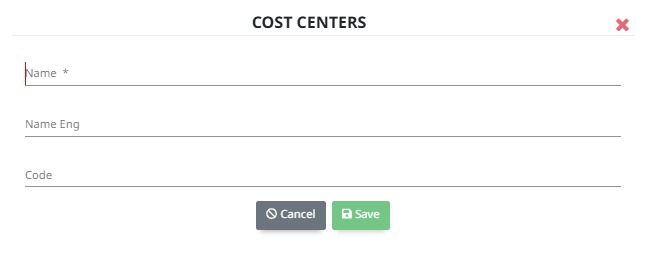
Cost Centers track expenses and revenues by specific departments or projects. They help allocate costs accurately, monitor budgets, and improve financial control and accountability within the organization.
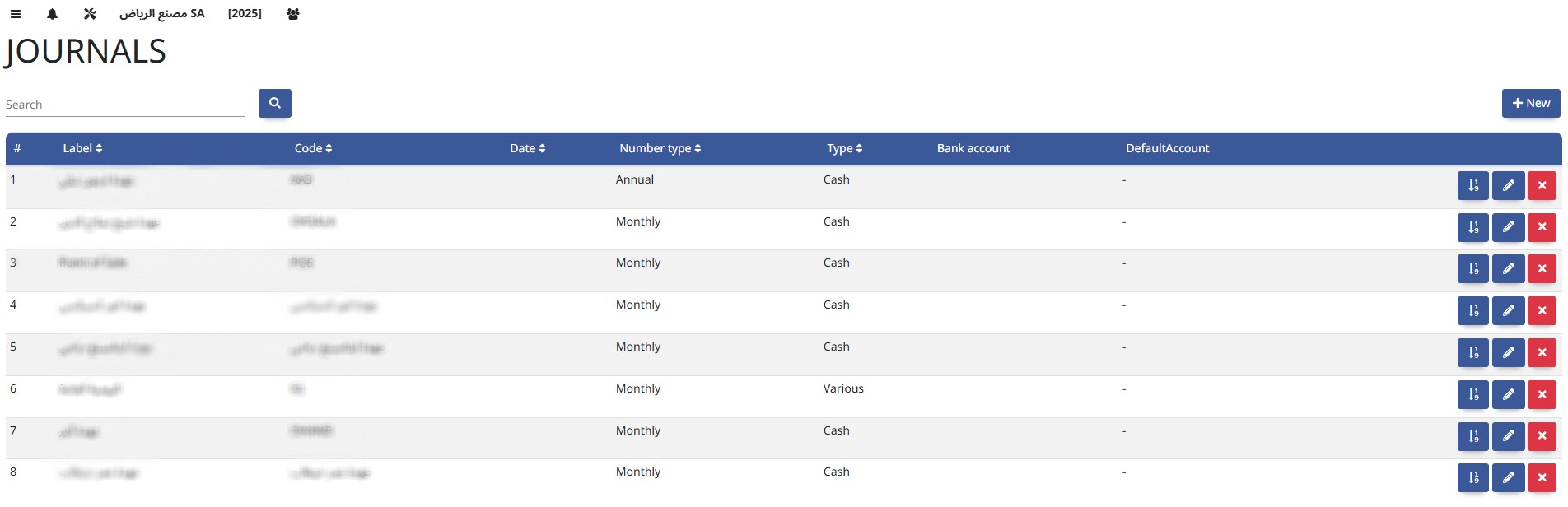
Journals record all financial transactions in chronological order, serving as the primary source for posting entries to the General Ledger.
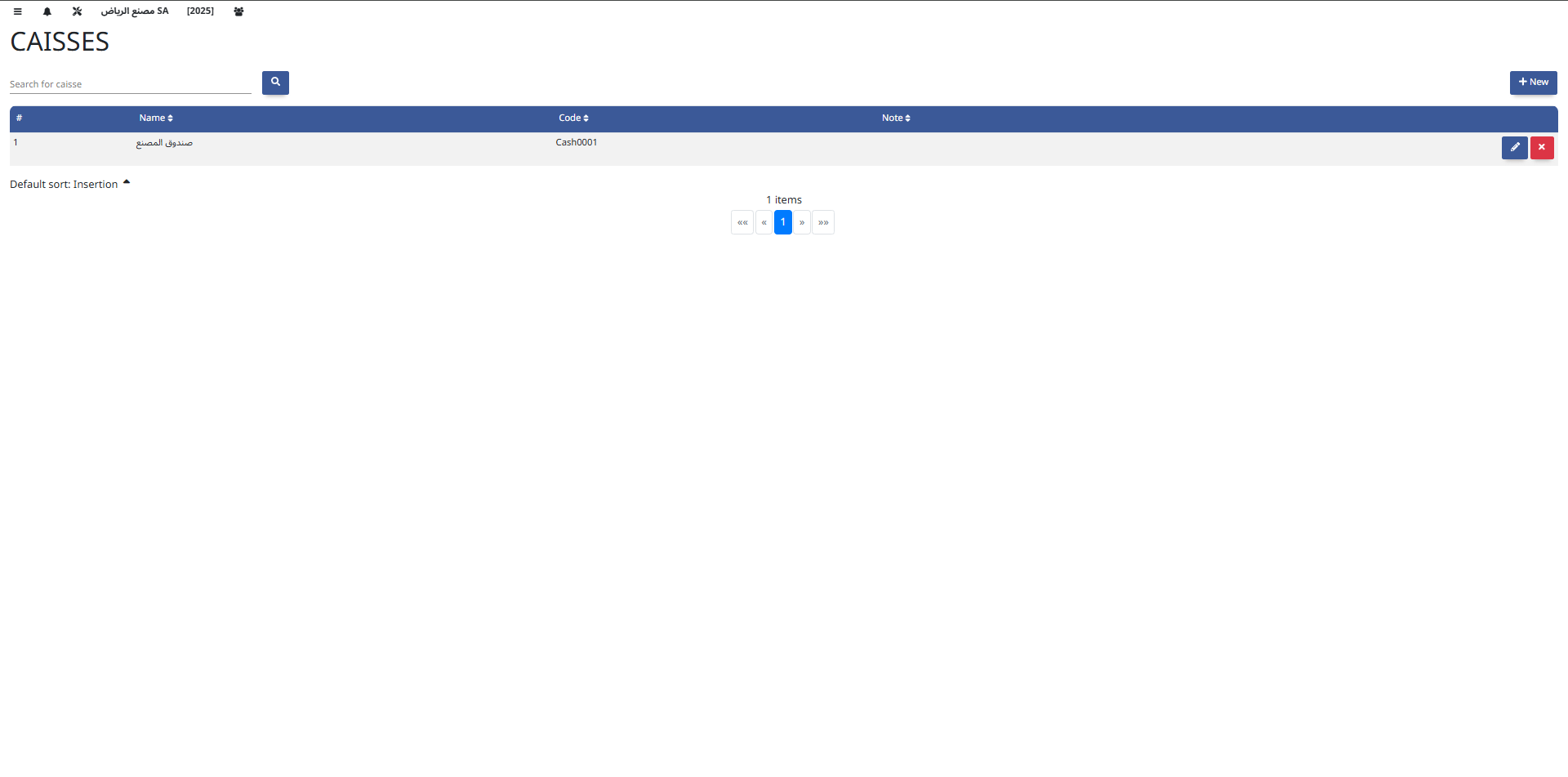
The Caisse module manages all cash transactions, including cash receipts and payments. It helps track cash flow, maintain cash balances, and ensure accurate recording of petty cash operations.
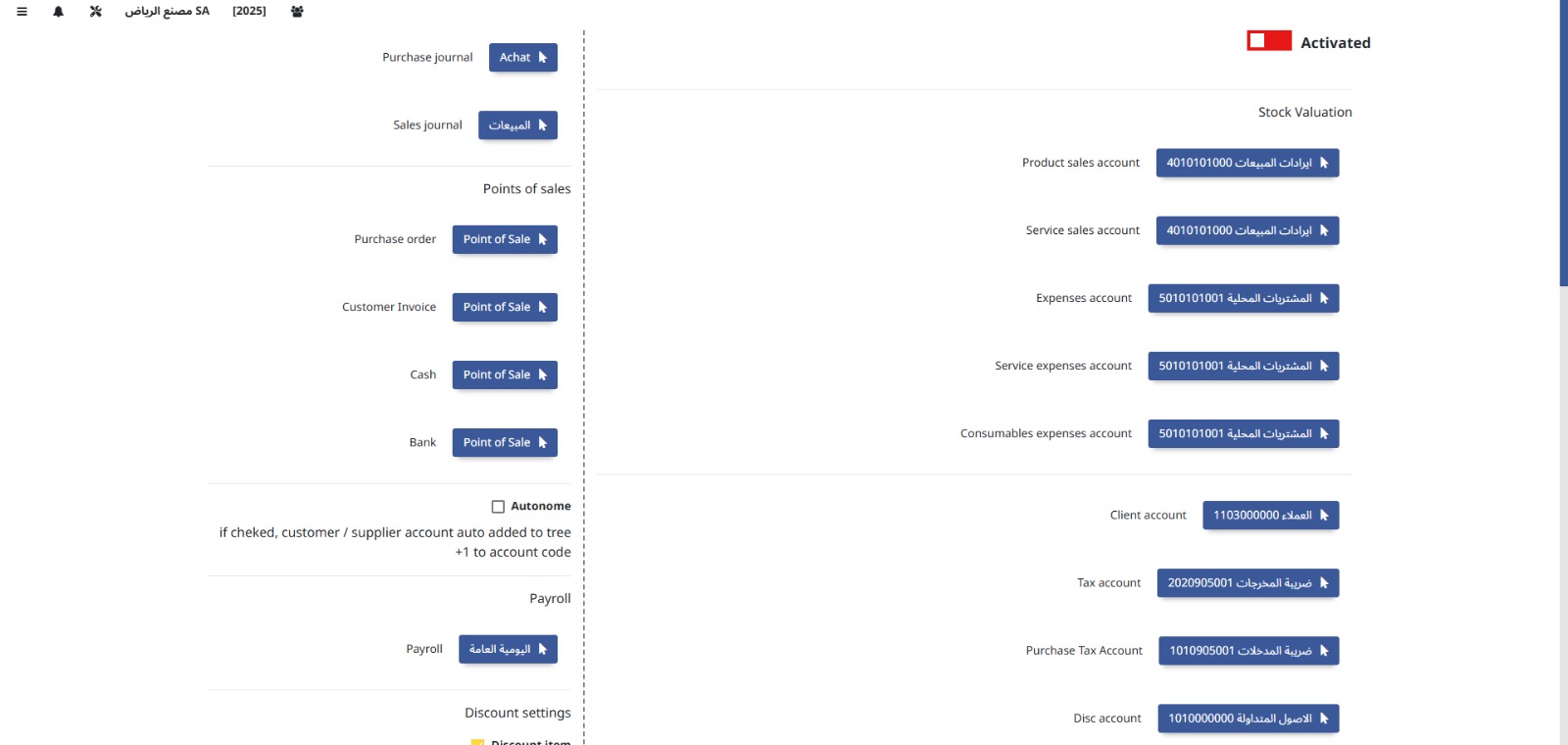
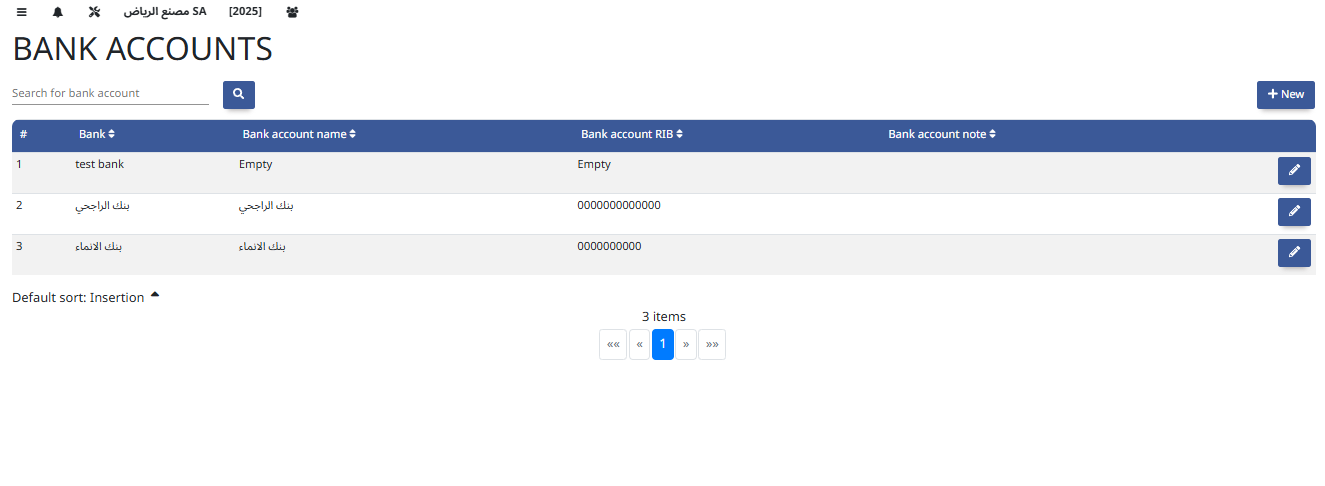
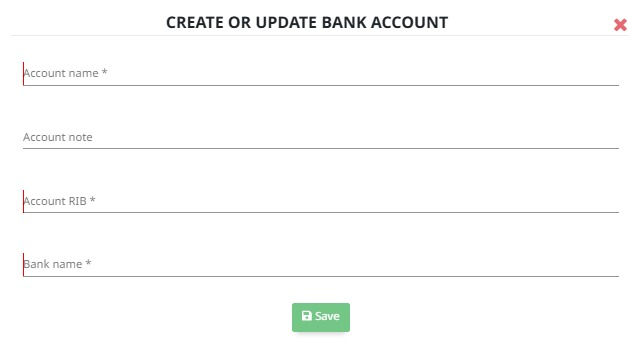
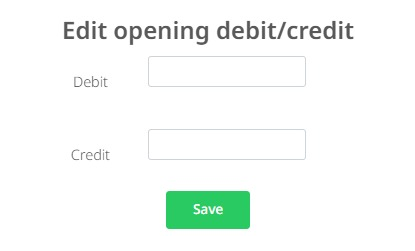
The Opening Plan defines the initial balances of accounts at the start of a new financial period or system implementation, ensuring a smooth transition and accurate financial reporting.
Core Operations
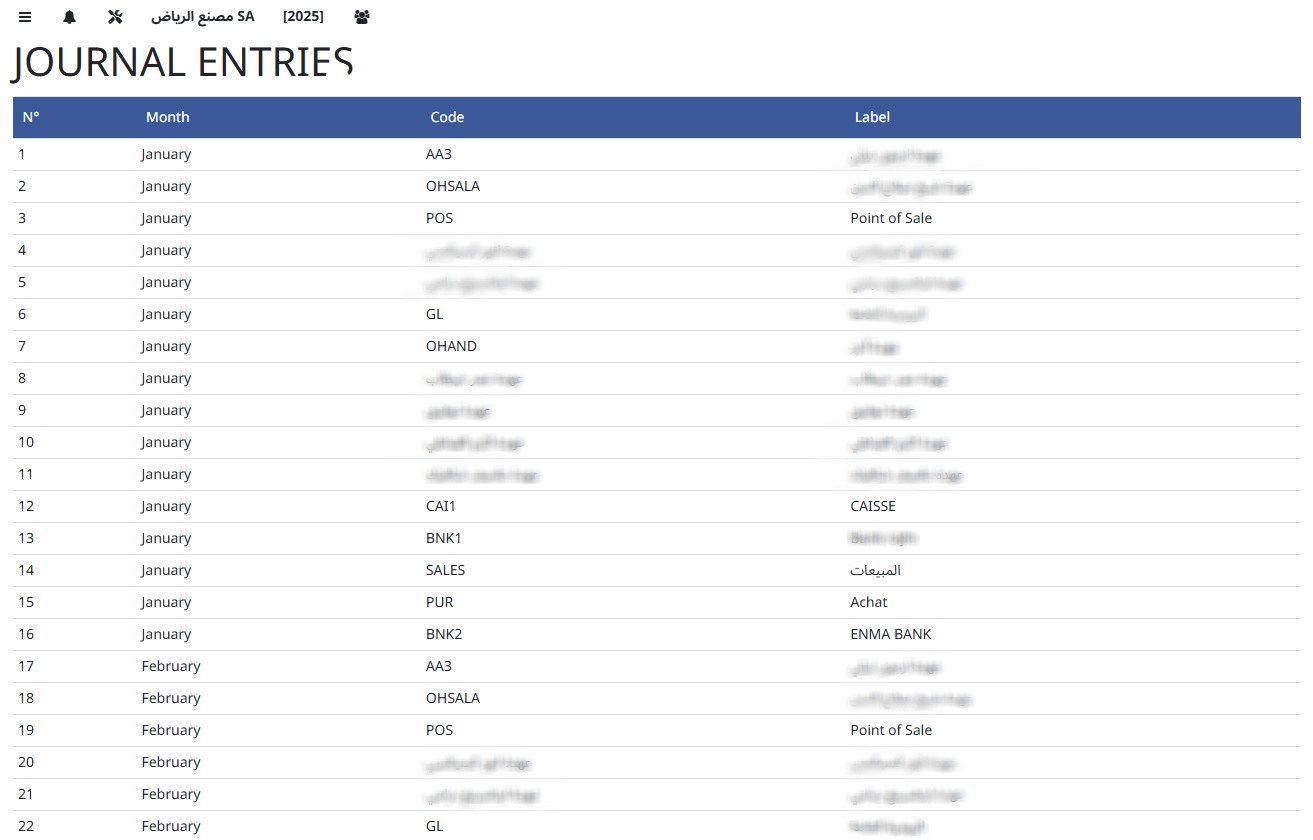
- Journal Entries
- Accounting Entries
- Payments
- Receipts
- Vouchers
- Debit Note
- Credit Note
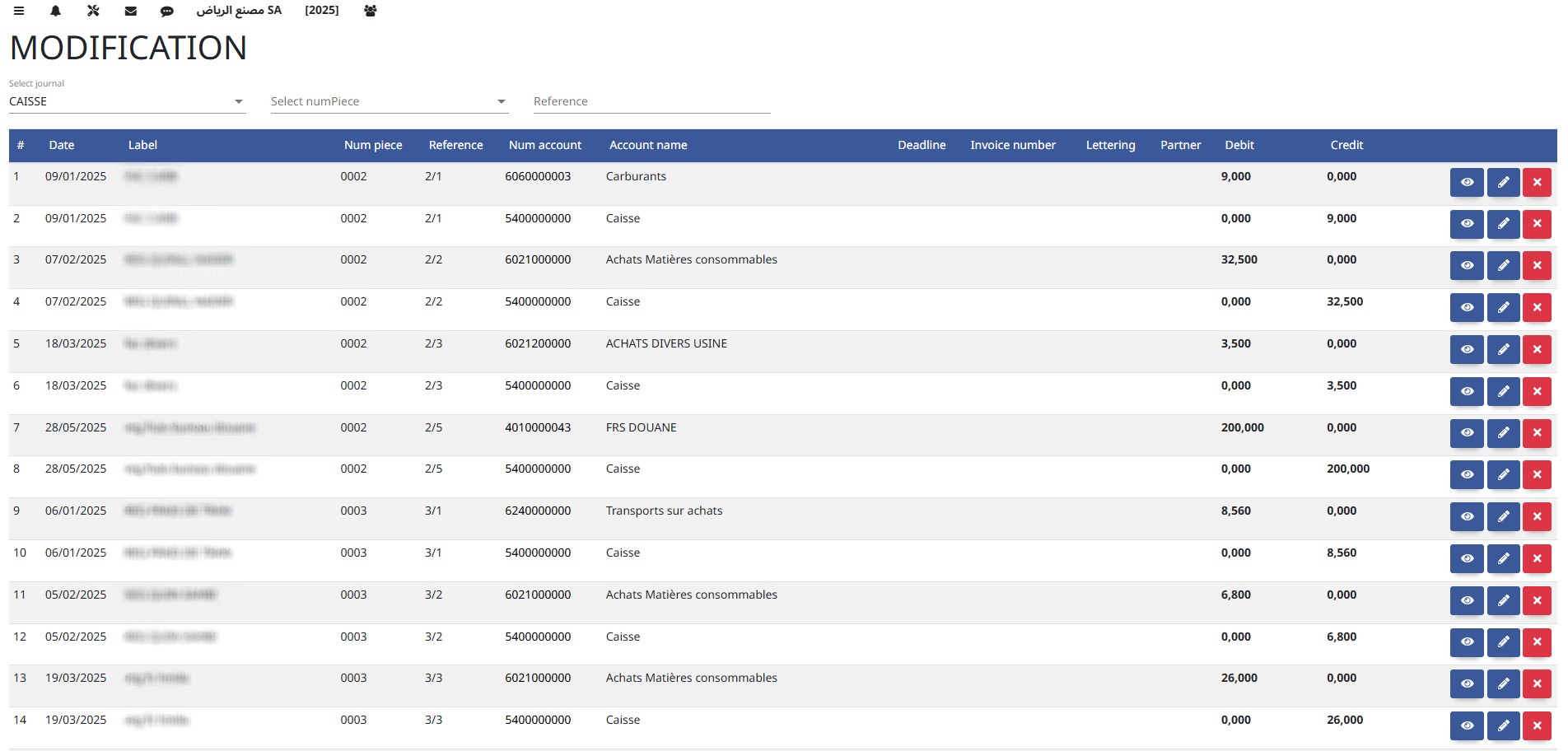
- Modification
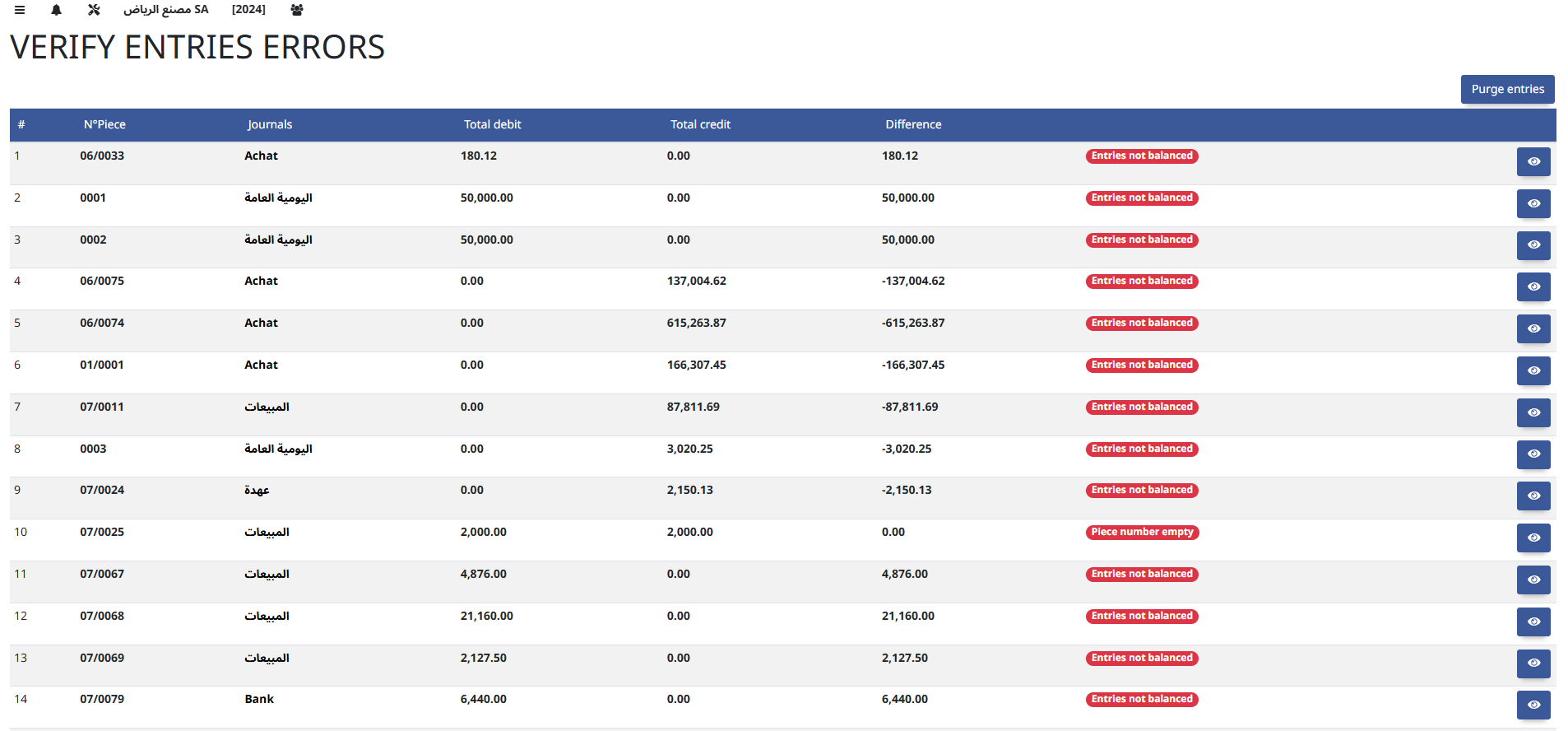
- Verify Entry Error
- Transfers
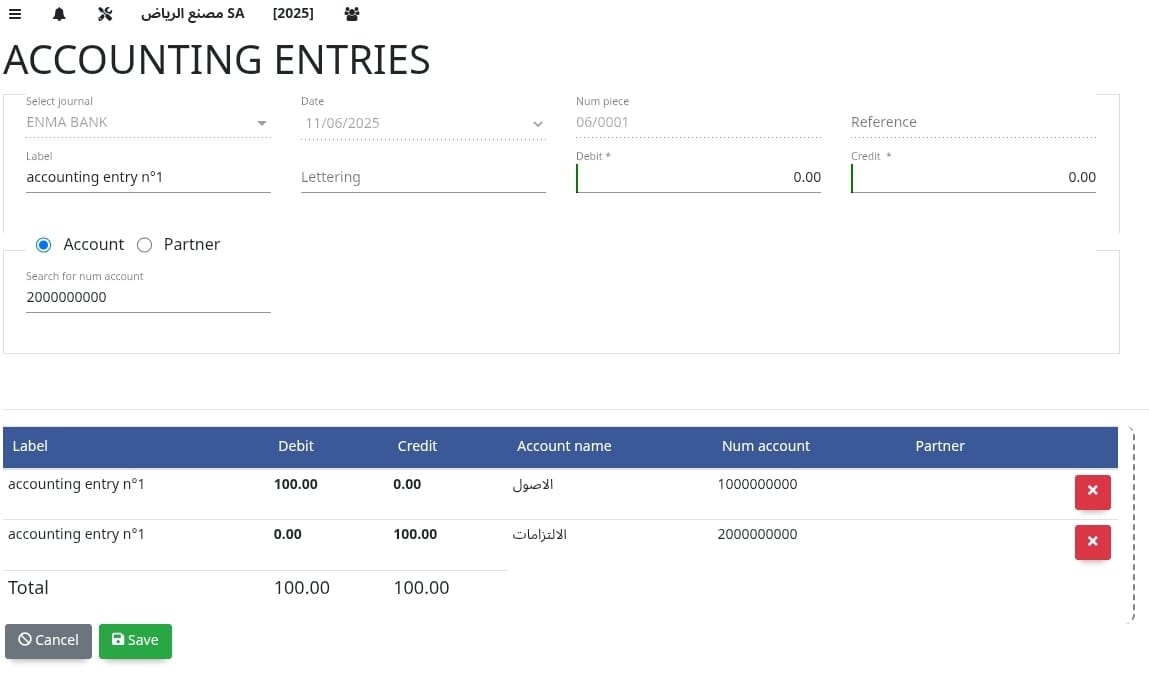
Accounting Entries record all financial transactions in the system, detailing debit and credit amounts to update the general ledger accurately.
The Payments module manages outgoing funds, processing invoices, vendor payments, and disbursements to ensure timely and accurate financial transactions
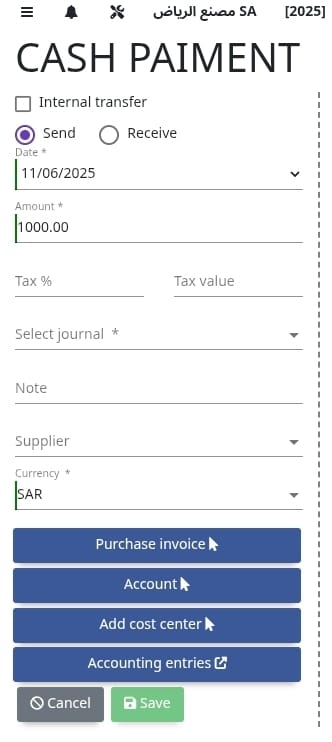
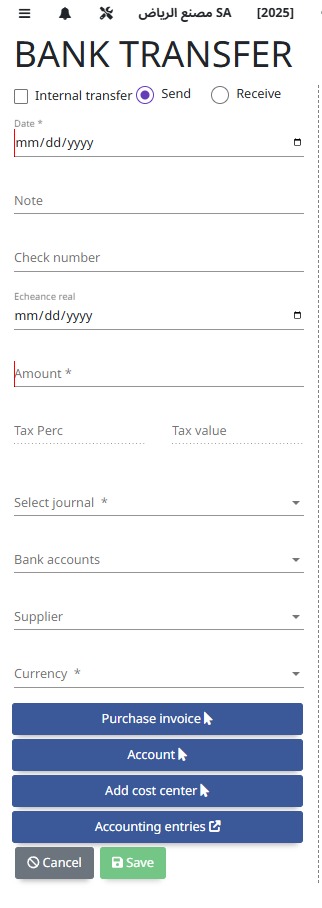
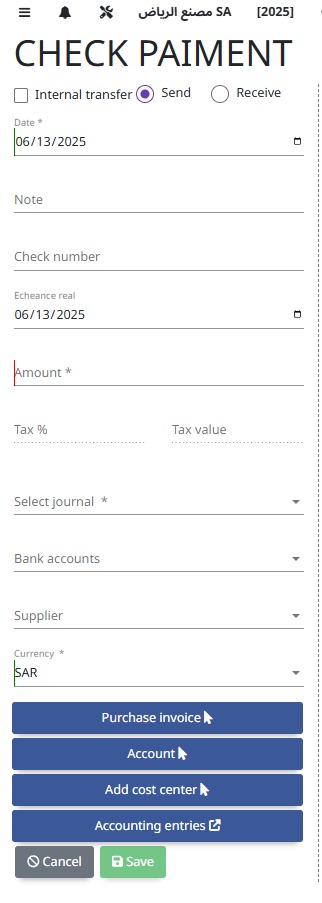
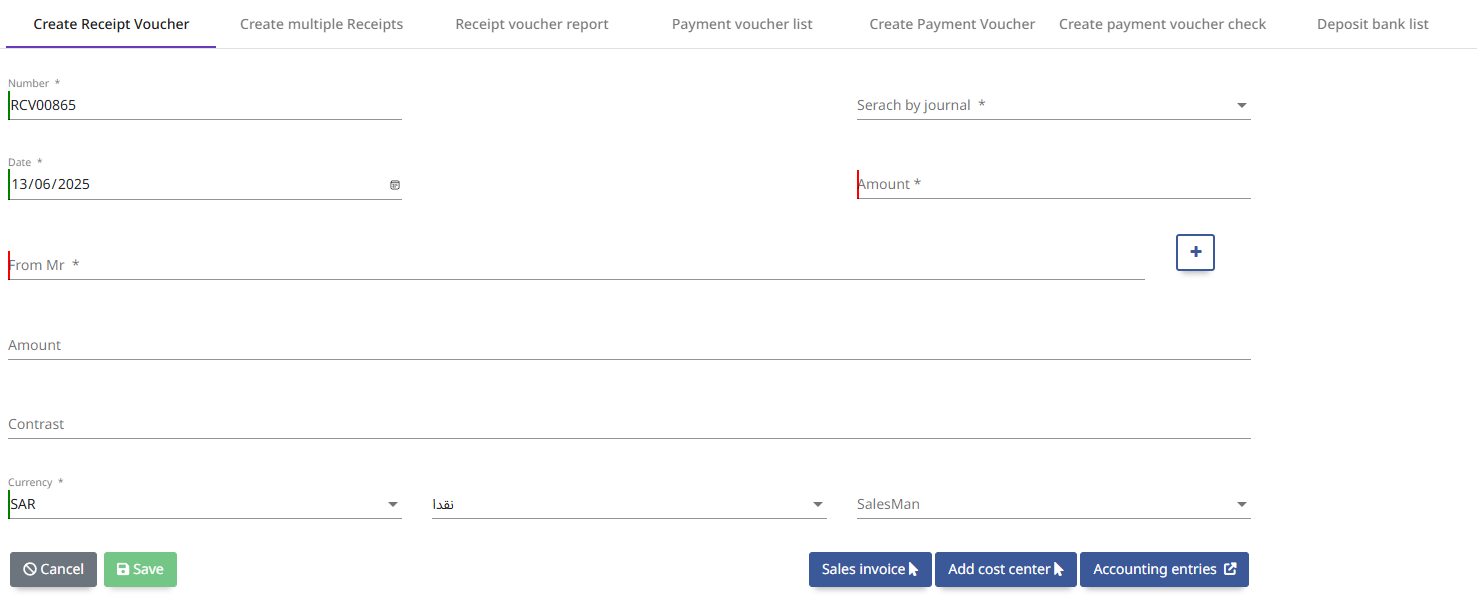
The Receipts module handles incoming payments from customers, recording cash or electronic transfers to ensure accurate accounts receivable management.
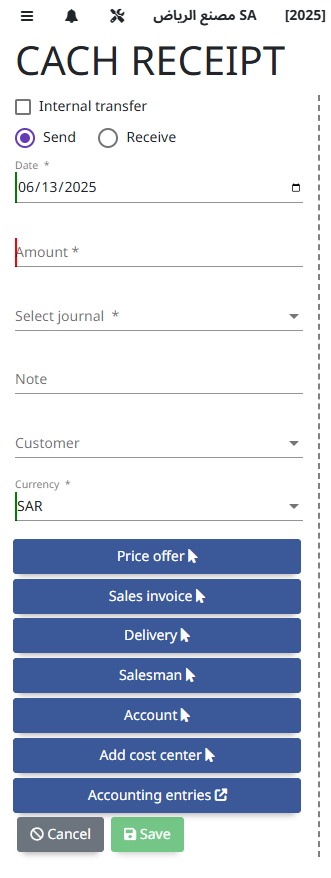
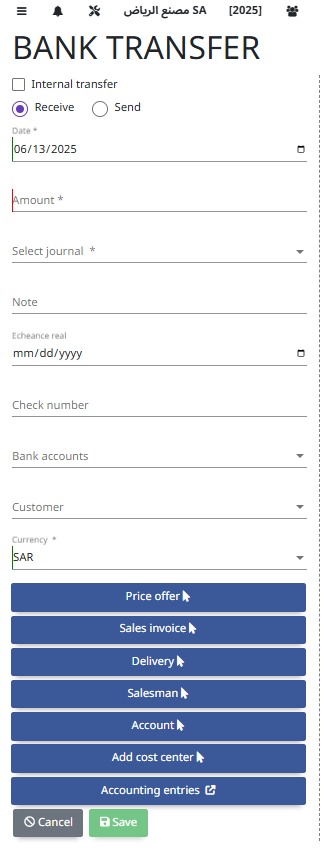
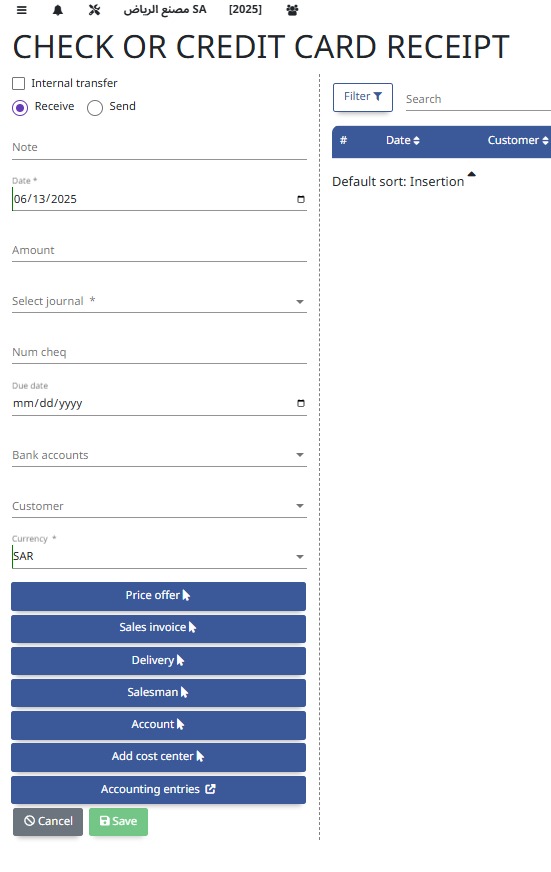
Vouchers are documents that authorize and record financial transactions like payments or receipts, ensuring proper approval and audit trails.
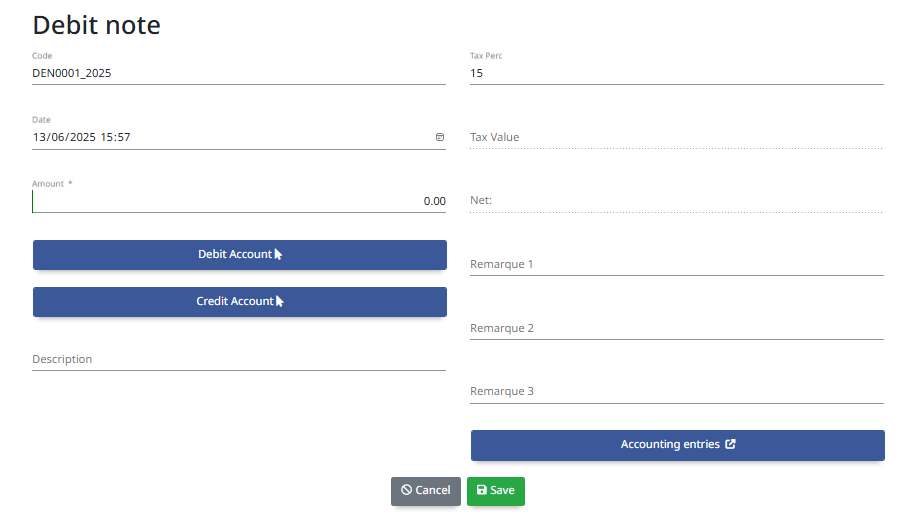
A Debit Note is a document issued to record an increase in the amount payable by a customer, often used to correct invoices or adjust returns.
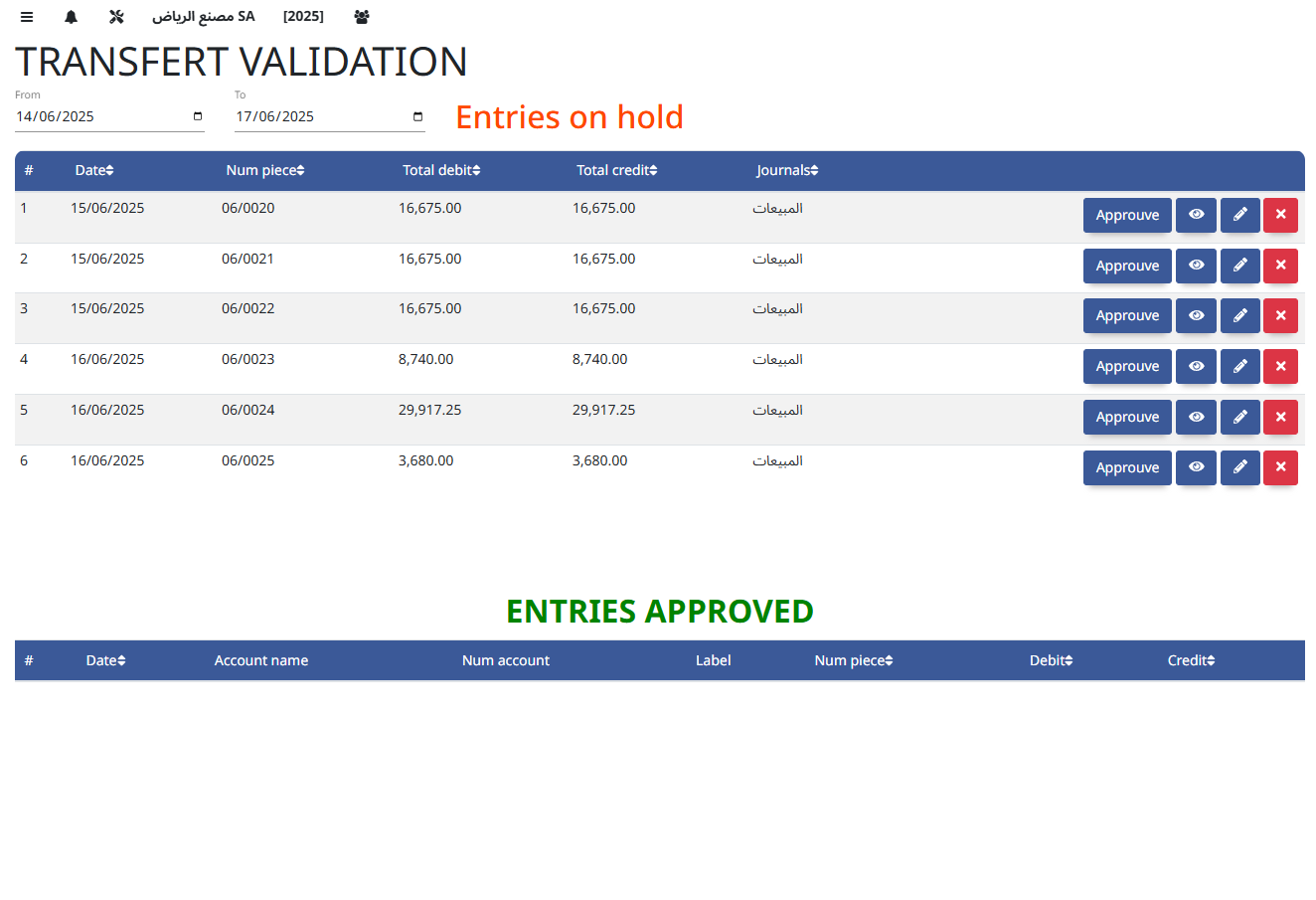
This process moves accounting entries from a pending “on hold” status to an approved status, allowing them to be posted to the ledger and reflected in financial reports.
Reports
- Accounts Extract
- Cost Center Extract
- Accounts Extract Partners
- General Ledger
- Partner Ledger
- General Balance
- Financial Lists
- Consultation
- Vouchers Report
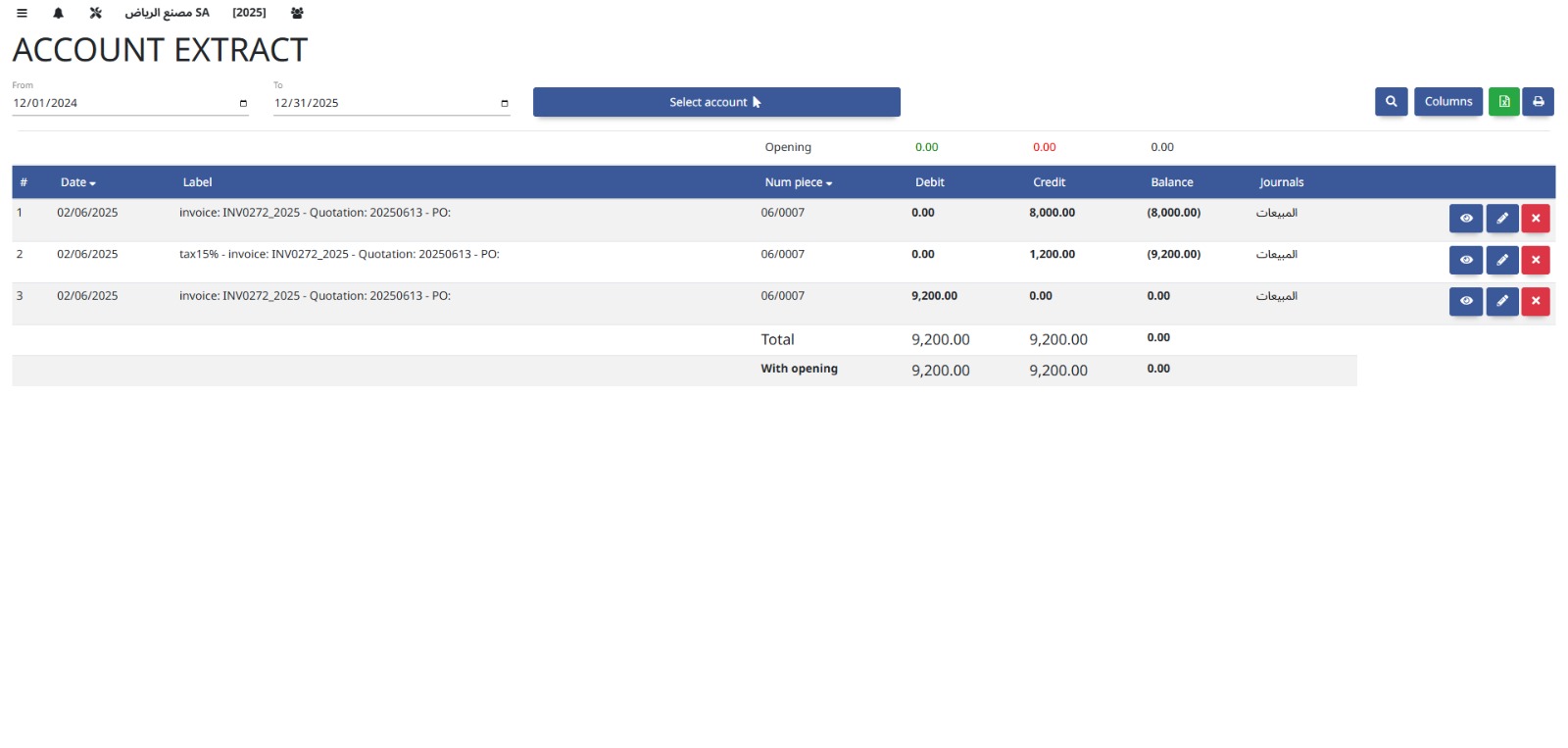
Accounts Extract provides detailed reports of account transactions and balances, helping users analyze financial data and audit account activity.
Cost Center Extract generates detailed reports on expenses and revenues for specific cost centers, enabling focused financial analysis and budget control.
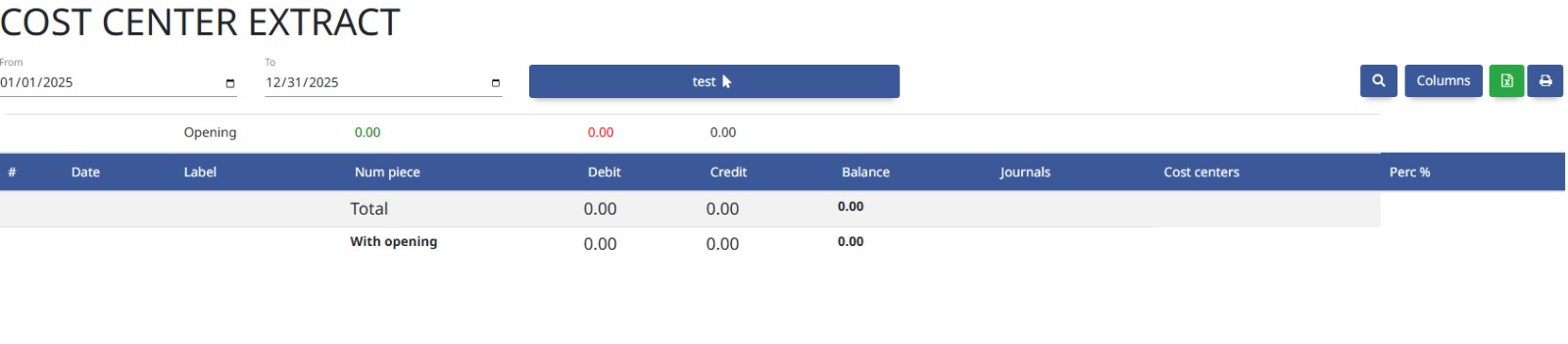
This report provides detailed account transaction data linked to business partners, helping track financial interactions and balances with customers or suppliers.

The General Ledger is the central record of all financial transactions, summarizing accounts to provide a complete view of the company’s financial position.
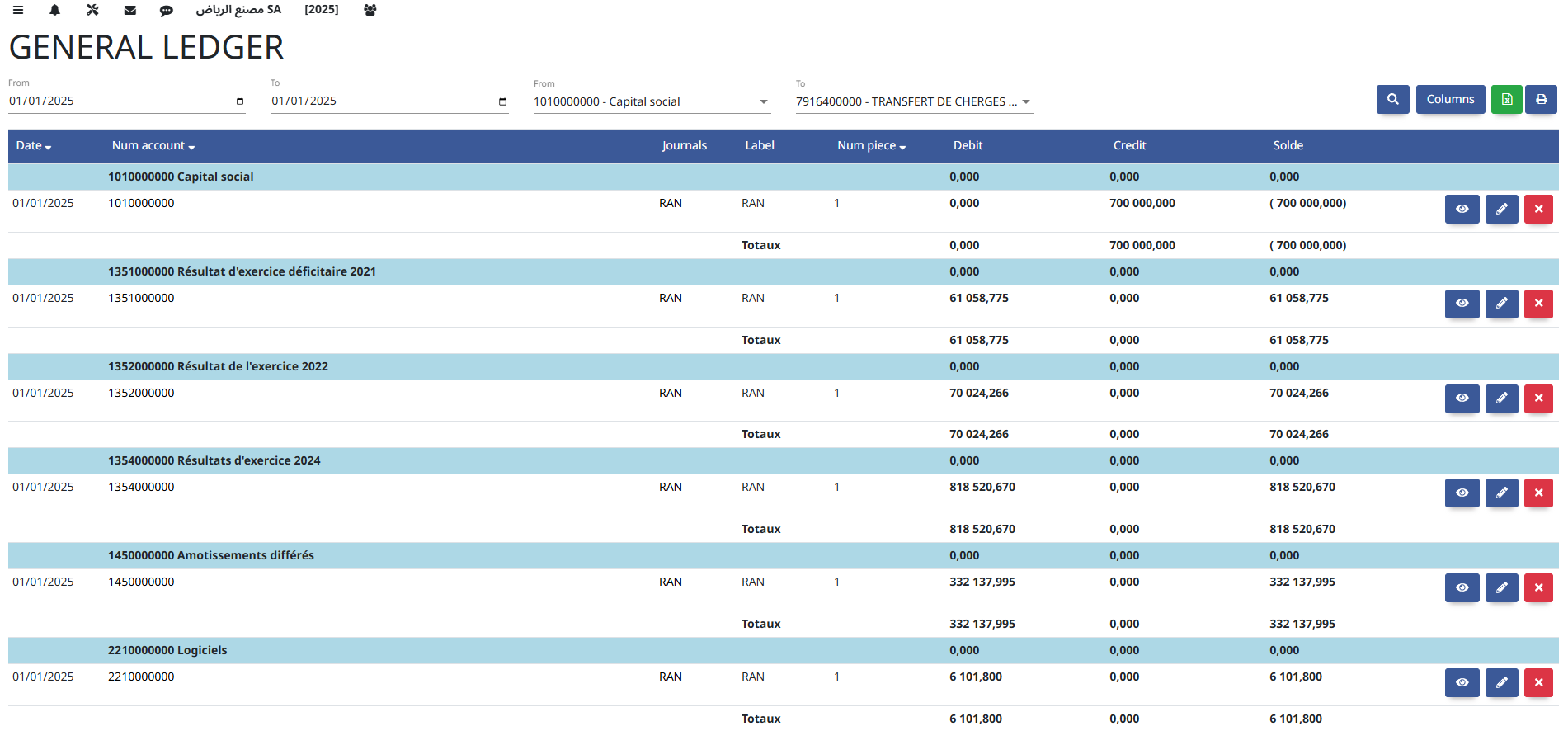
The Partner Ledger tracks all financial transactions and balances related to individual business partners, such as customers or suppliers, for clear account management.

The General Balance summarizes the total debits and credits across all accounts, providing an overview of the company’s financial standing at a specific date.
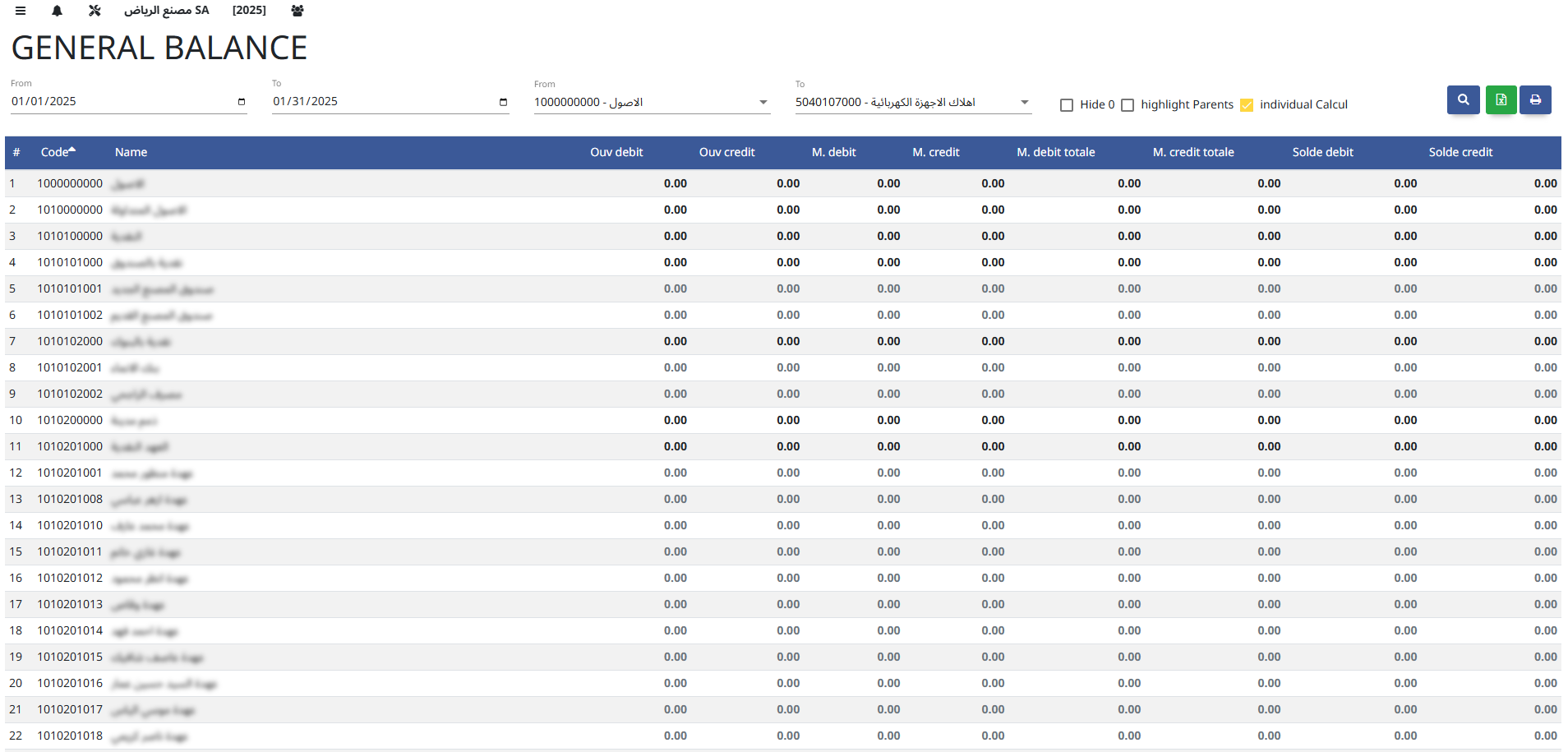
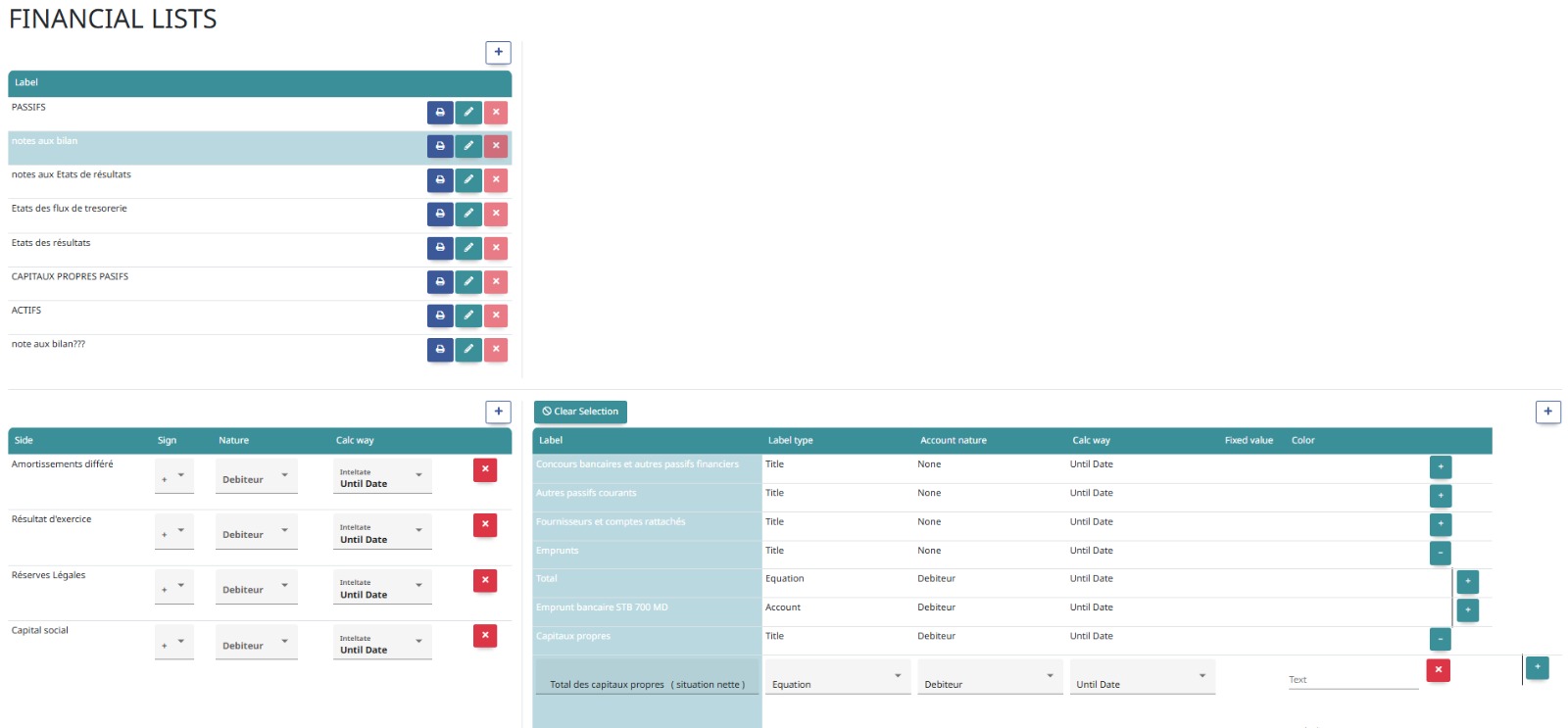
Financial Lists are comprehensive reports that organize and display key financial data such as account summaries, transaction details, and balances for analysis and decision-making.
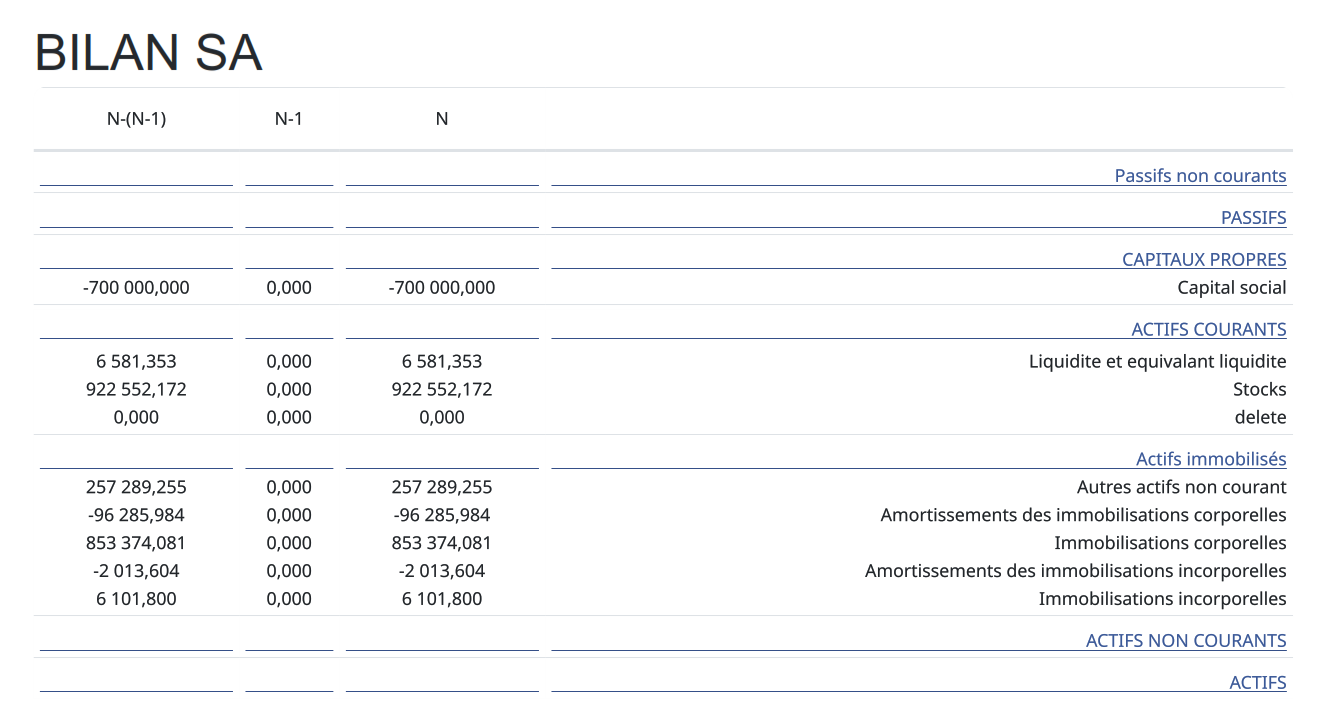
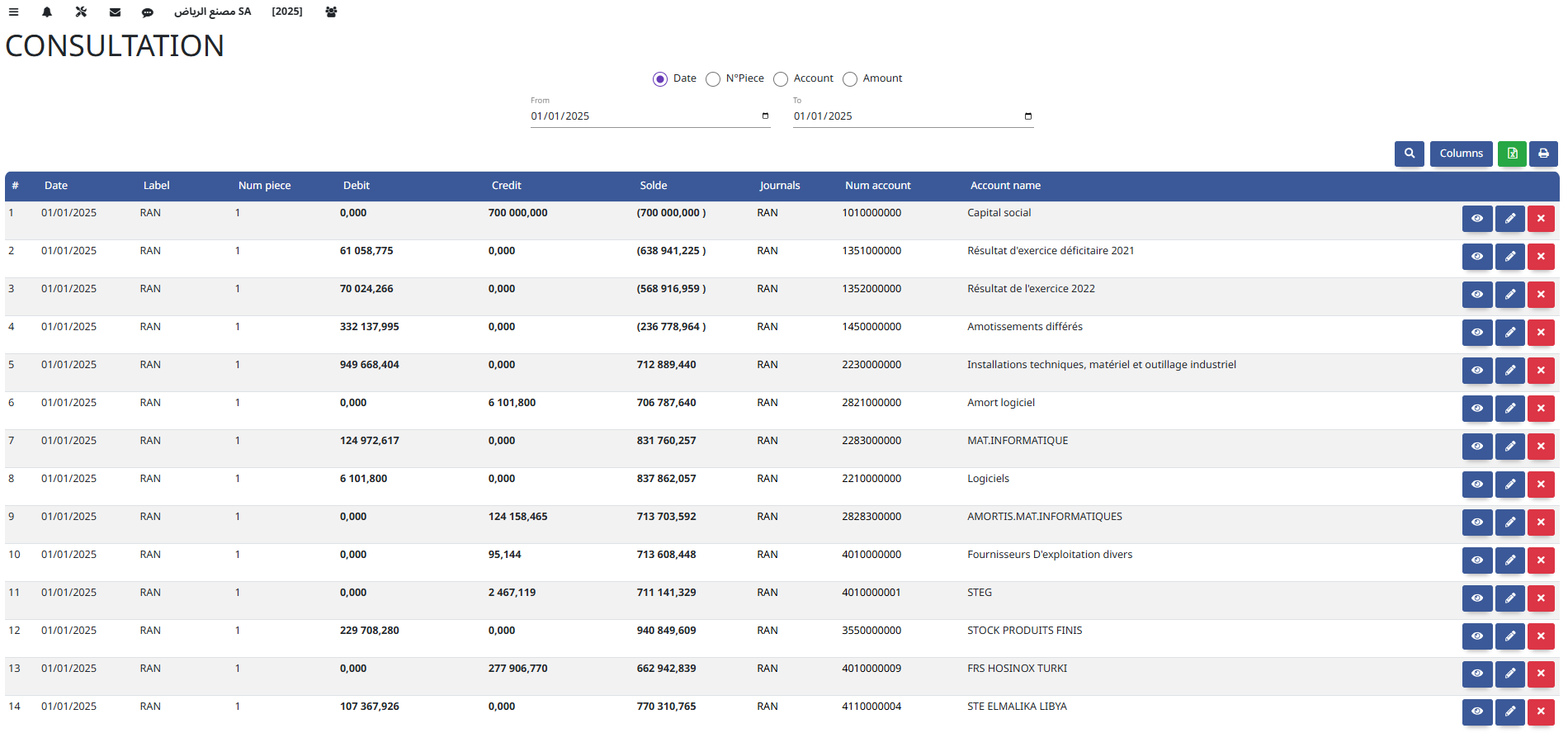
Consultation allows users to view and analyze financial data, reports, and account details without making changes, supporting informed decision-making and audits.
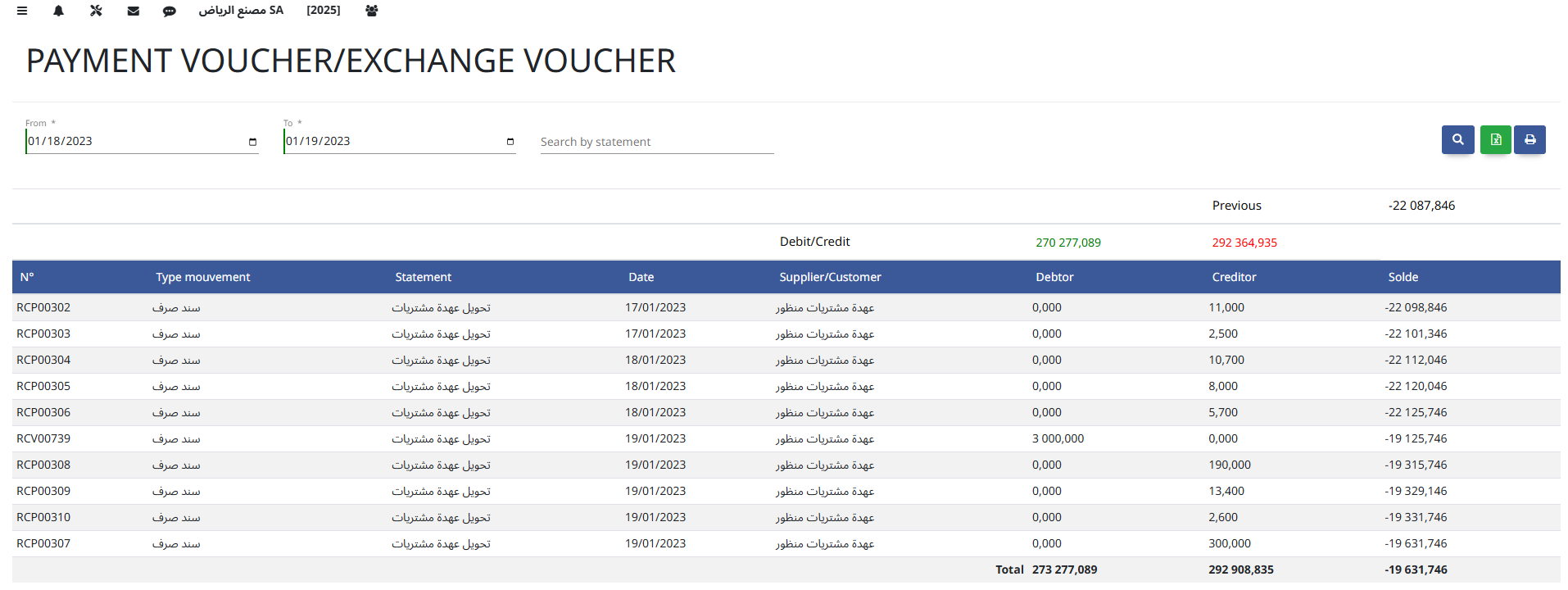
The Vouchers Report provides a detailed list of all voucher transactions, including payments and receipts, for review, audit, and financial tracking.
4. Human Resources
Manage employee data, attendance, payroll, contracts, and HR reporting.
Settings
- HR Settings
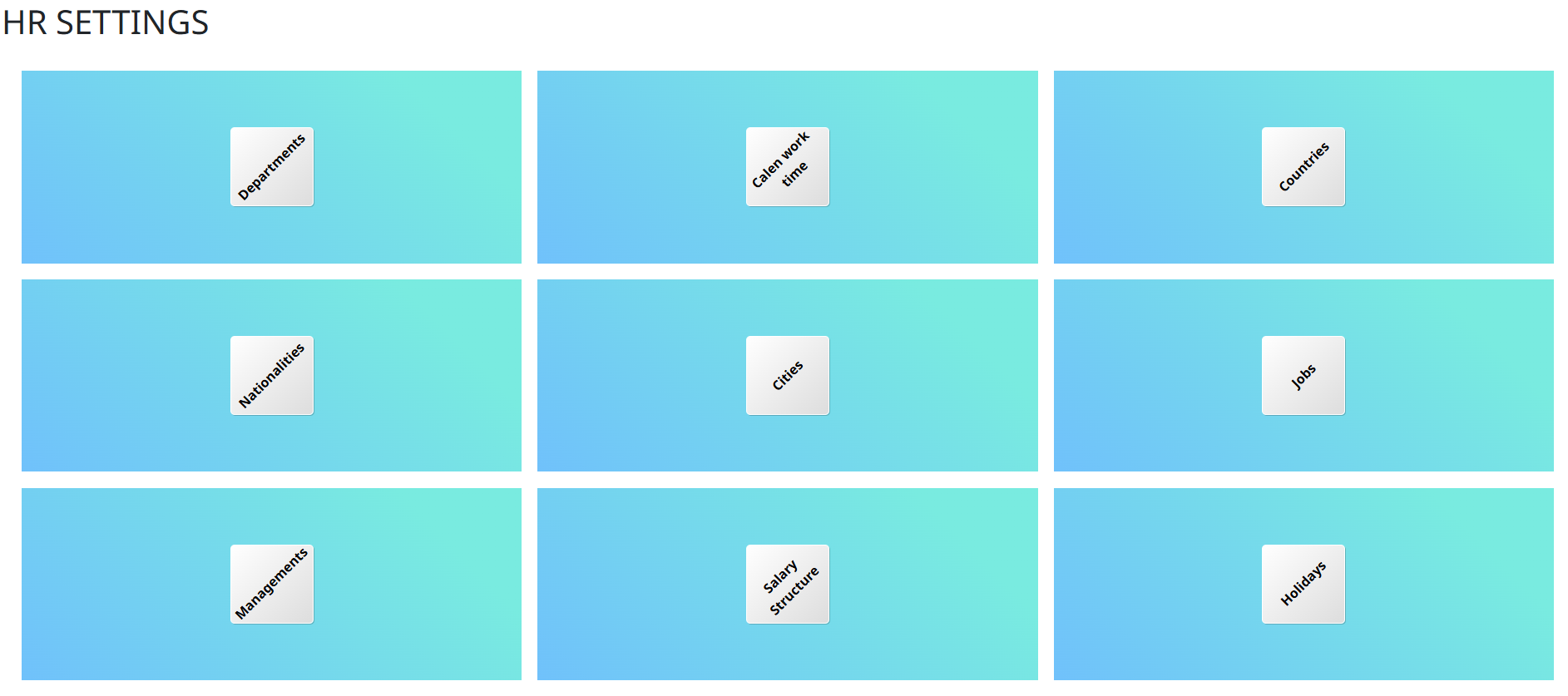
HR Settings configure the parameters and policies for managing employee data, payroll, attendance, leave, and other human resources functions within the ERP system.
Core Operations
- Presence
- Absence / Overtime
- Payslips
- Salary Adjustments
- Allowances
- Job Demands
- Employees
- Contracts
- Loan / Advance / Discount
- Vacations
- Allocation Vacations
- Current Location
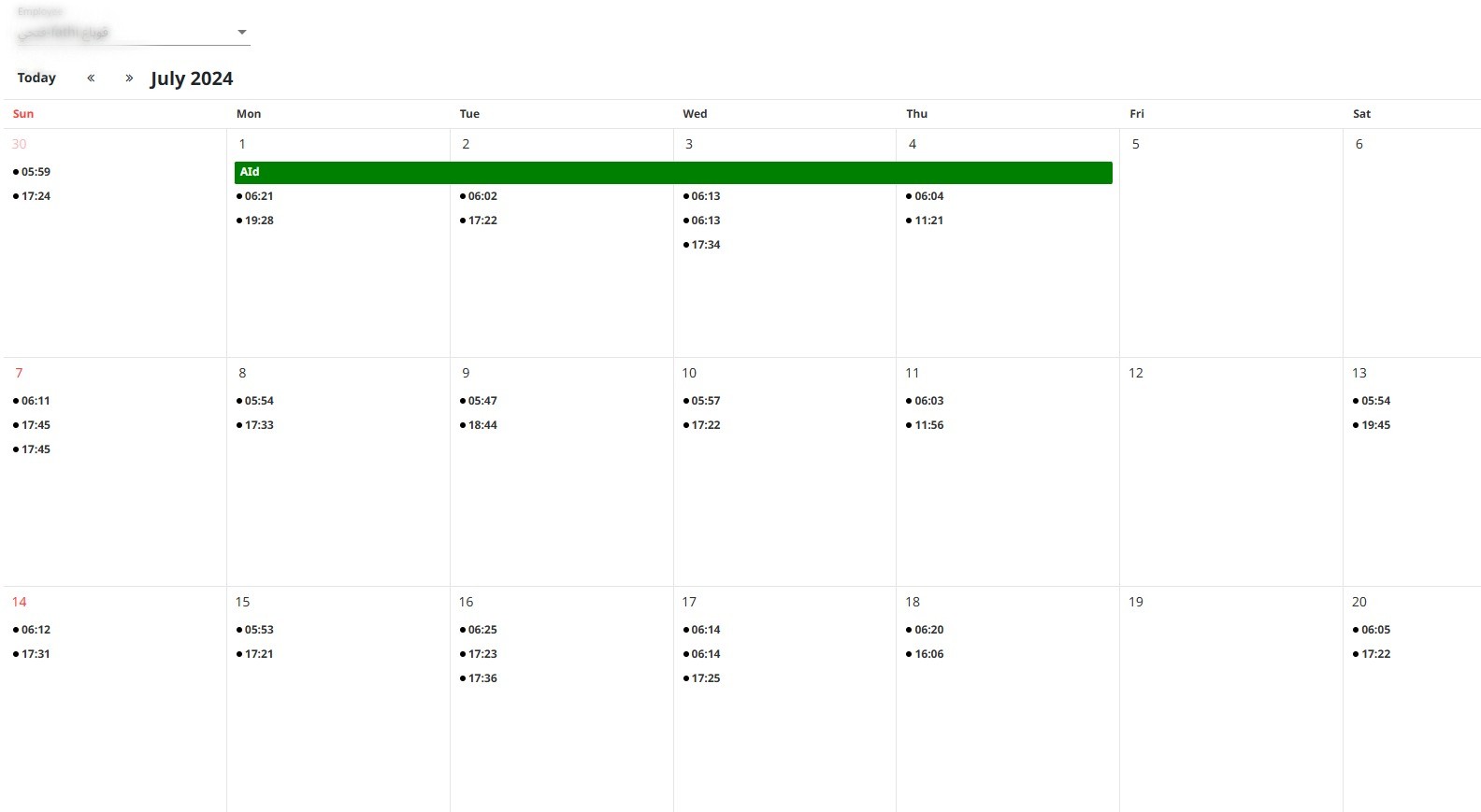
The Presence module tracks employee attendance, work hours, and punctuality to ensure accurate time management and payroll processing.
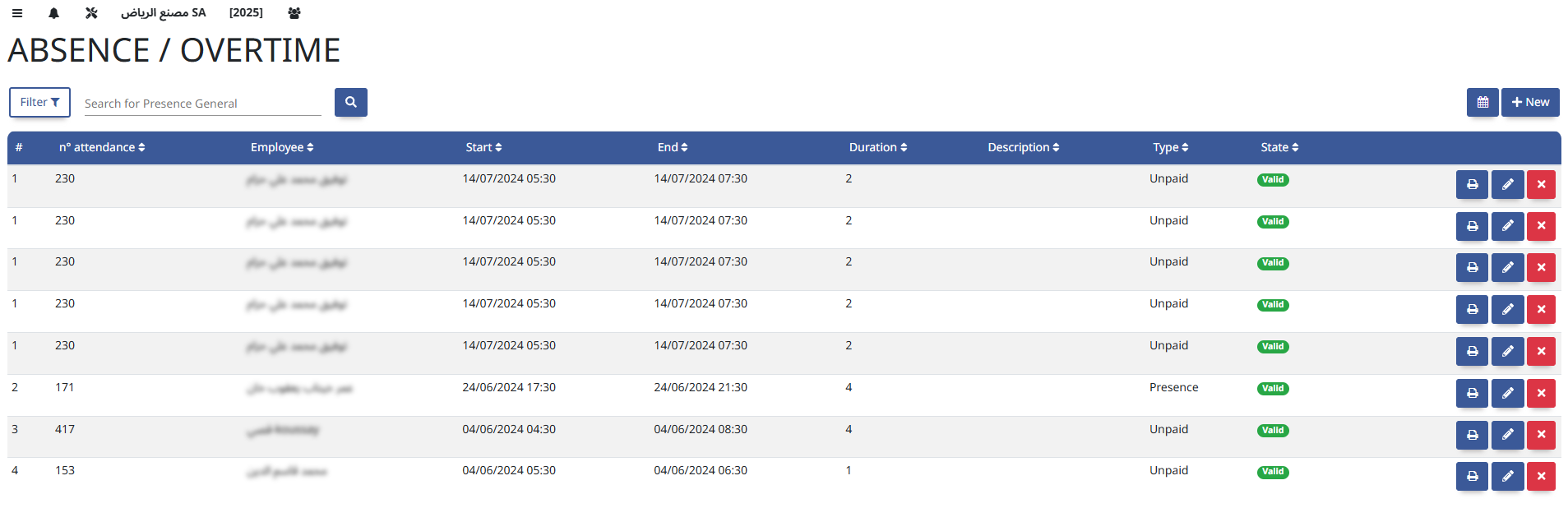
This module manages employee leave requests and tracks overtime hours, helping to monitor workforce availability and calculate accurate compensation.
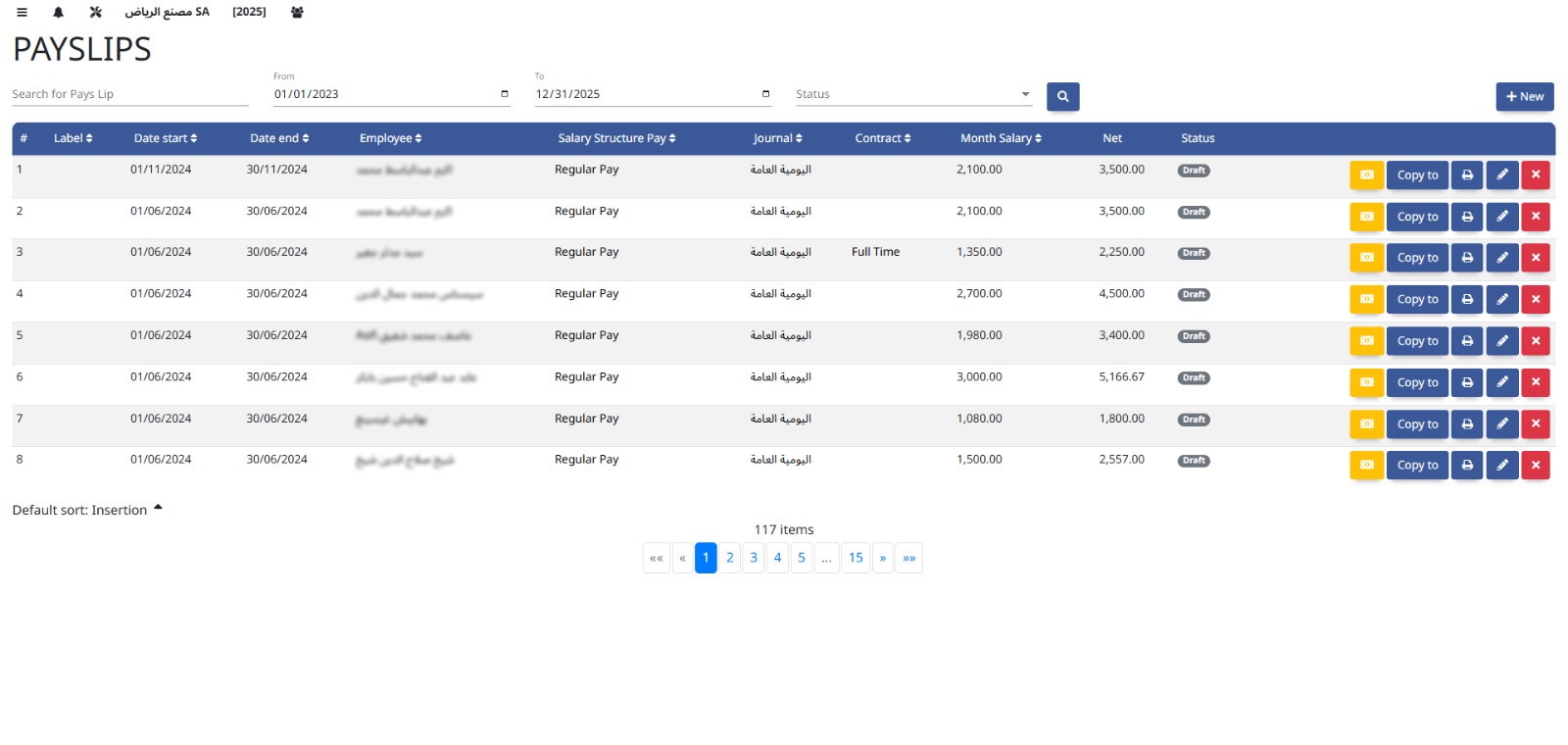
Payslips provide employees with detailed summaries of their salary, deductions, bonuses, and net pay for each pay period.
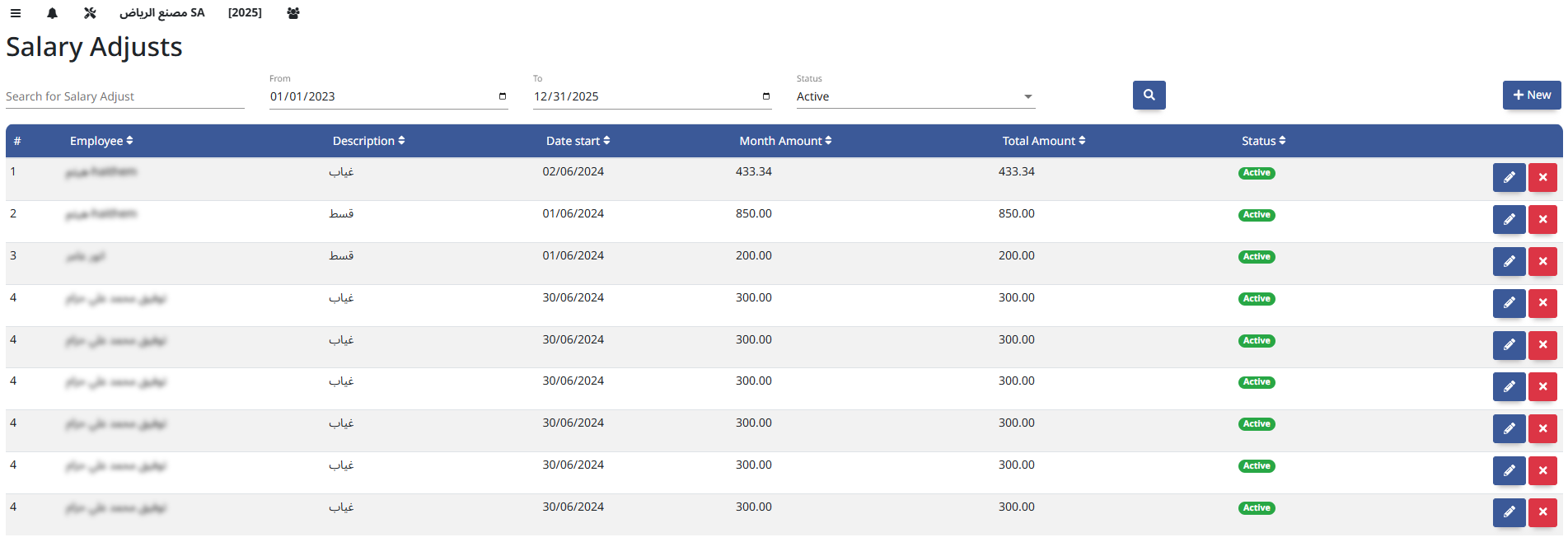
This module handles changes to employee compensation, including raises, bonuses, deductions, and corrections, ensuring accurate payroll processing.
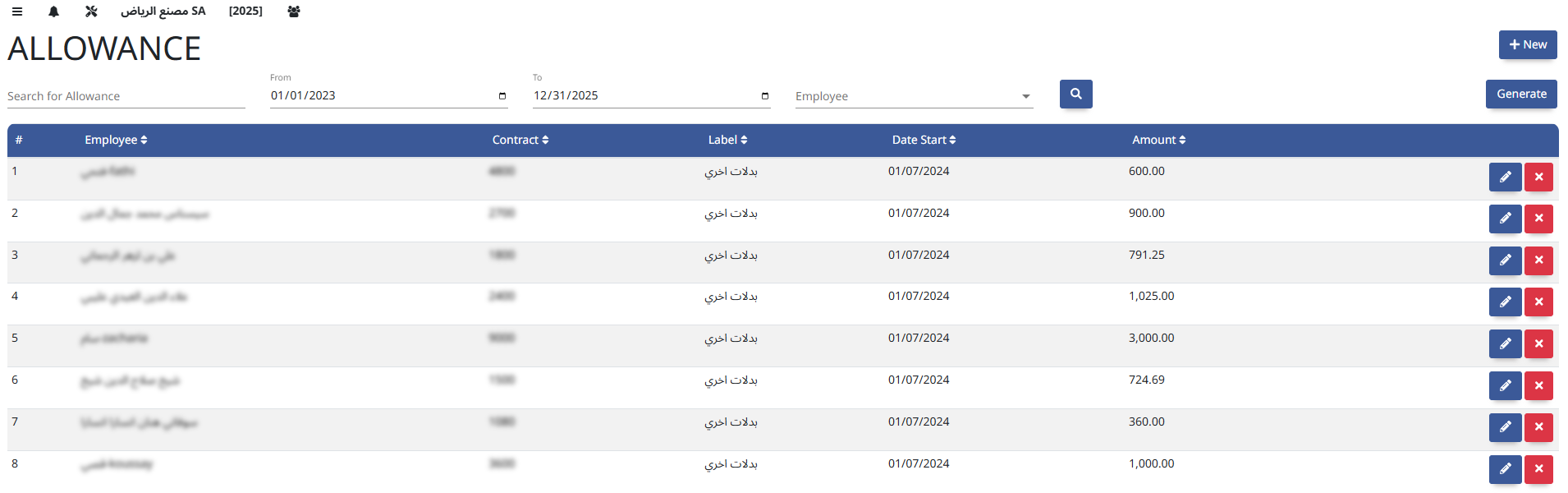
Allowances are additional payments made to employees for specific purposes like travel, housing, or meals, supplementing their basic salary.
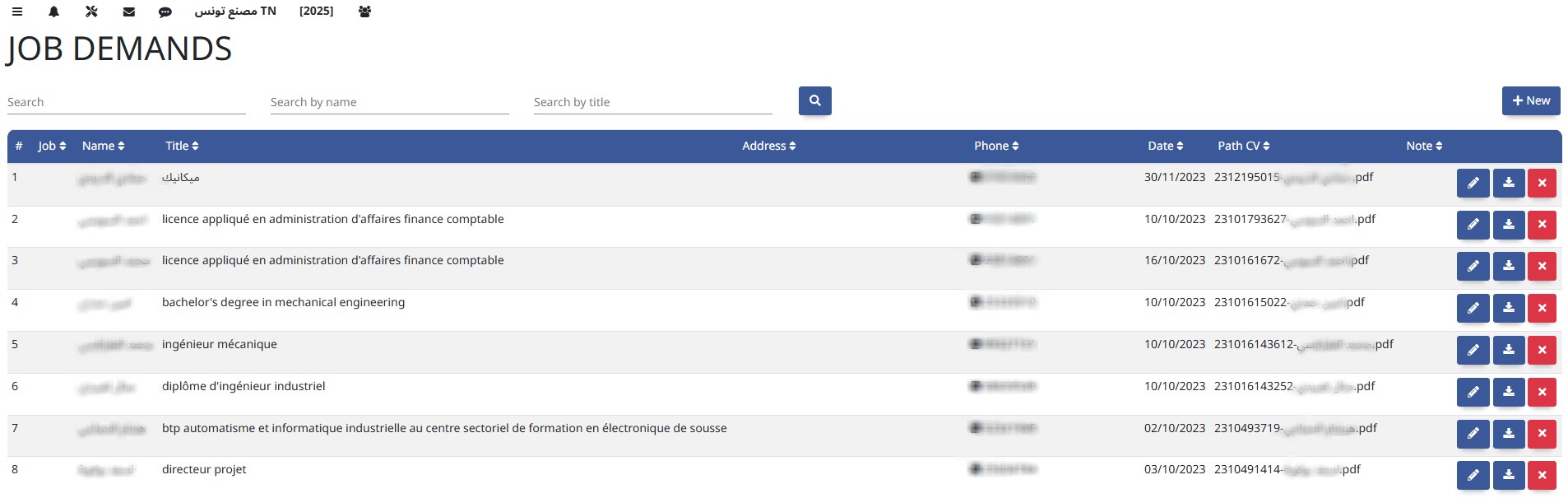
Job Demands define the skills, qualifications, and responsibilities required for a specific position to ensure the right fit for the role.
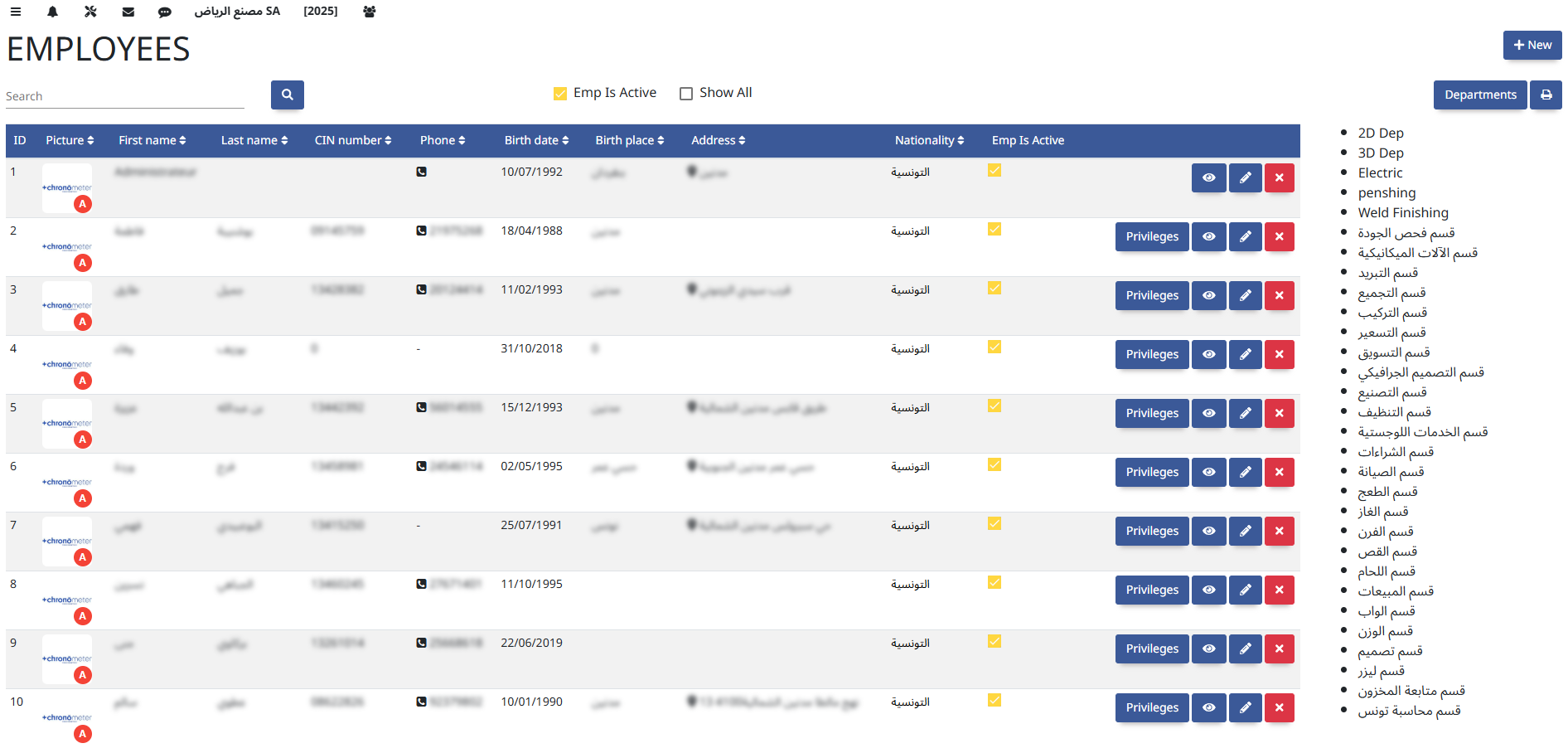
The Employees module manages all employee information, including personal details, employment history, job roles, and contract data for efficient HR administration.
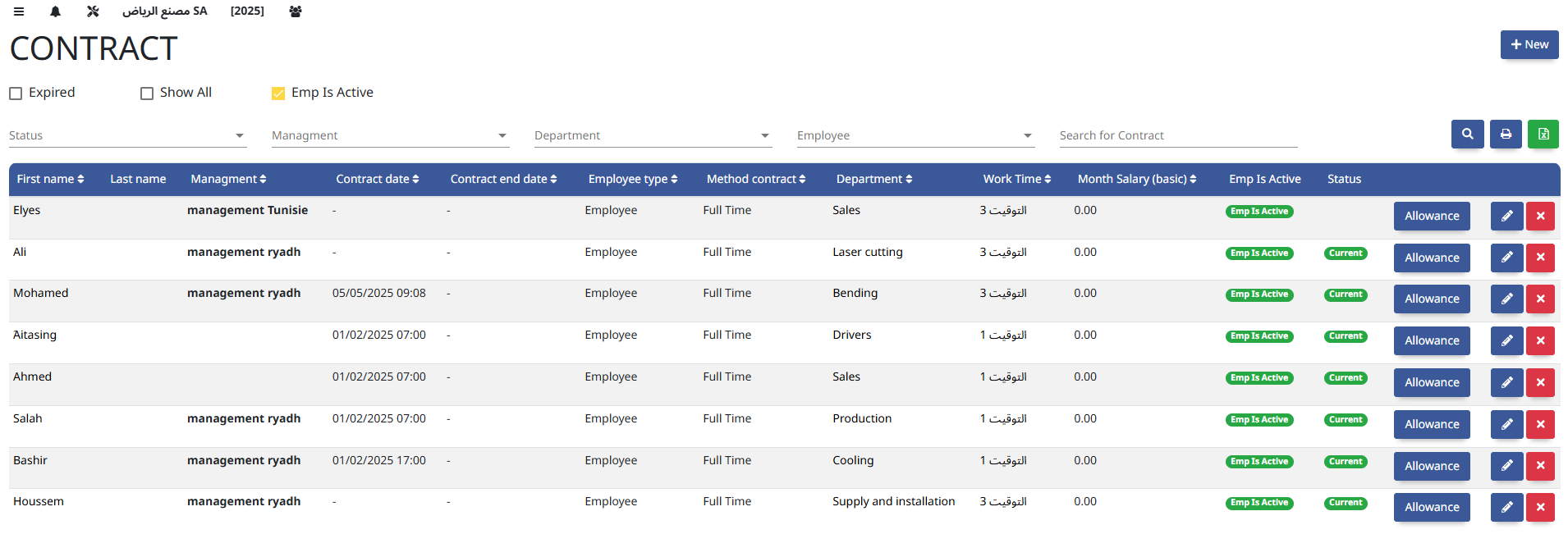
The Contracts module manages employee agreements, including terms of employment, durations, renewals, and compliance with labor regulations.
This module manages employee financial transactions such as salary advances, loans, and payroll discounts, ensuring accurate tracking and repayment.

The Vacations module manages employee leave requests, approvals, and balances to ensure proper tracking of time off and workforce planning.
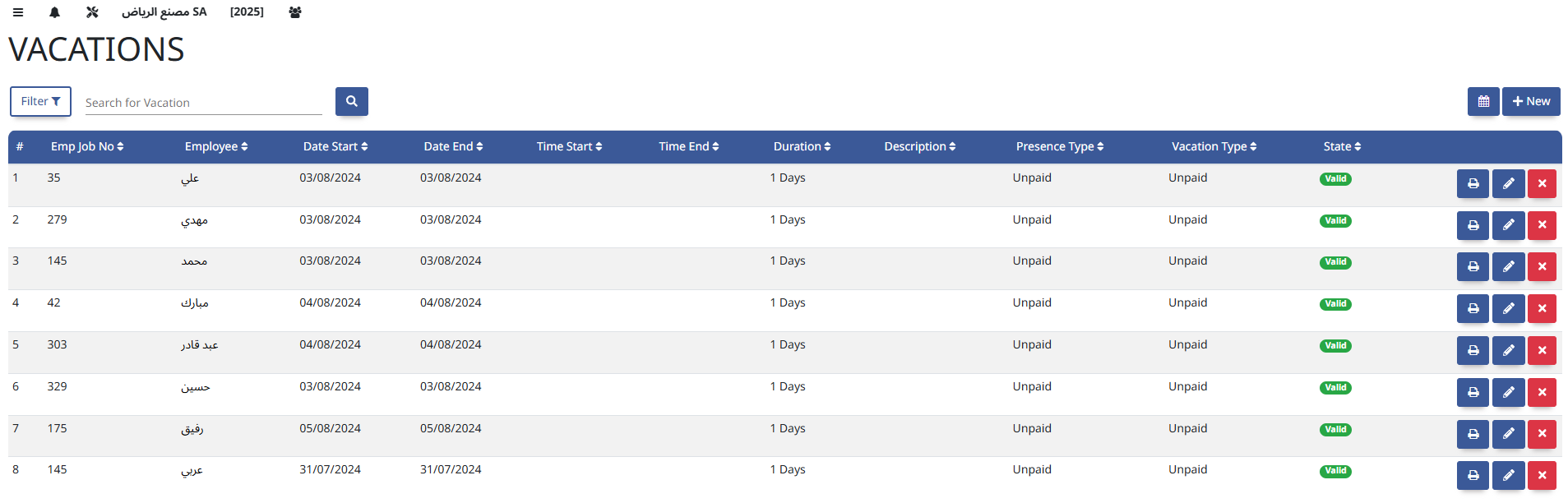
This module assigns vacation entitlements to employees based on company policies, ensuring accurate leave balances and compliance.

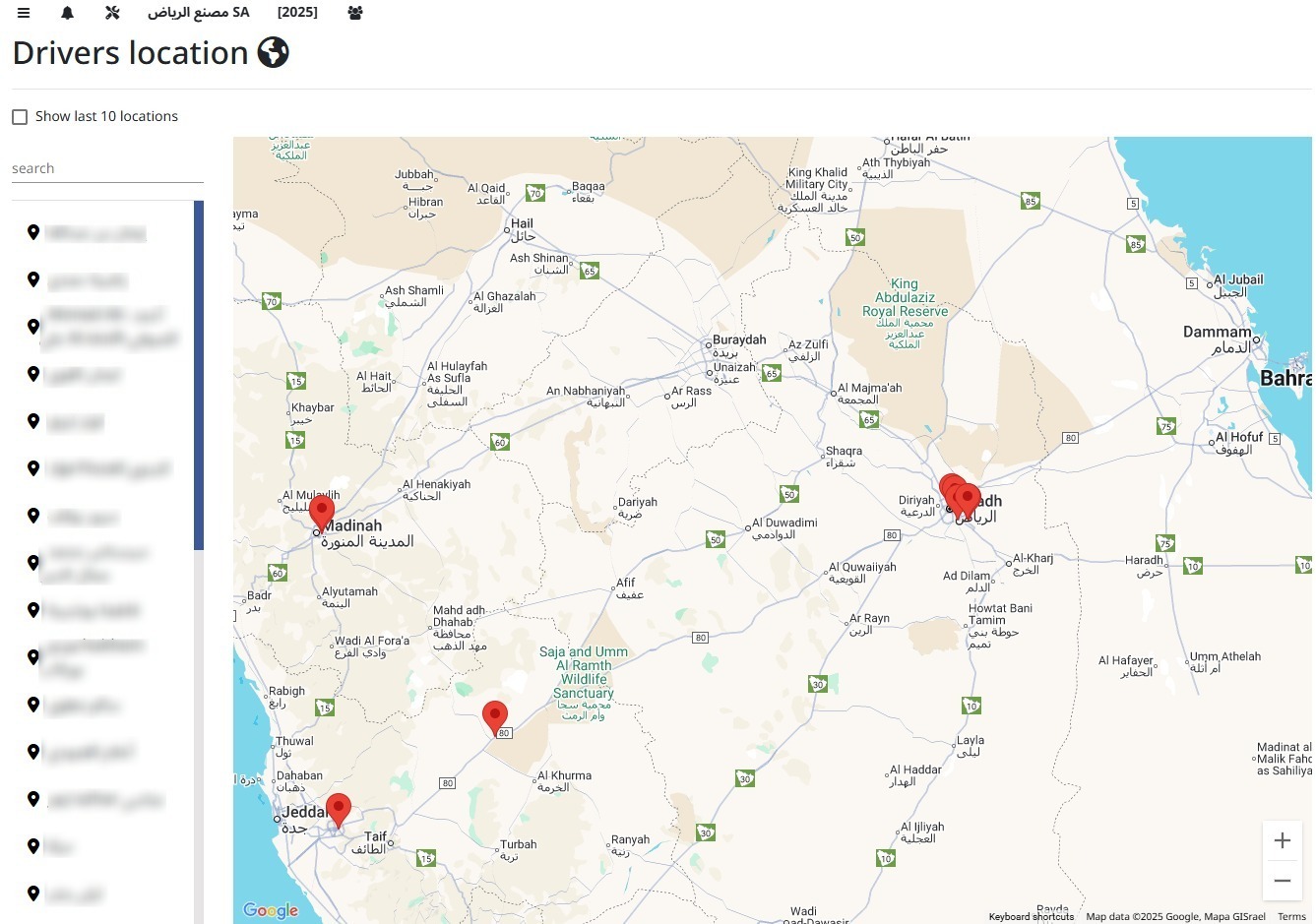
Tracks the present work location or office of employees for operational management and resource planning.
5. Purchases
Handle supplier management, purchase requests, and vendor payments efficiently.
Settings
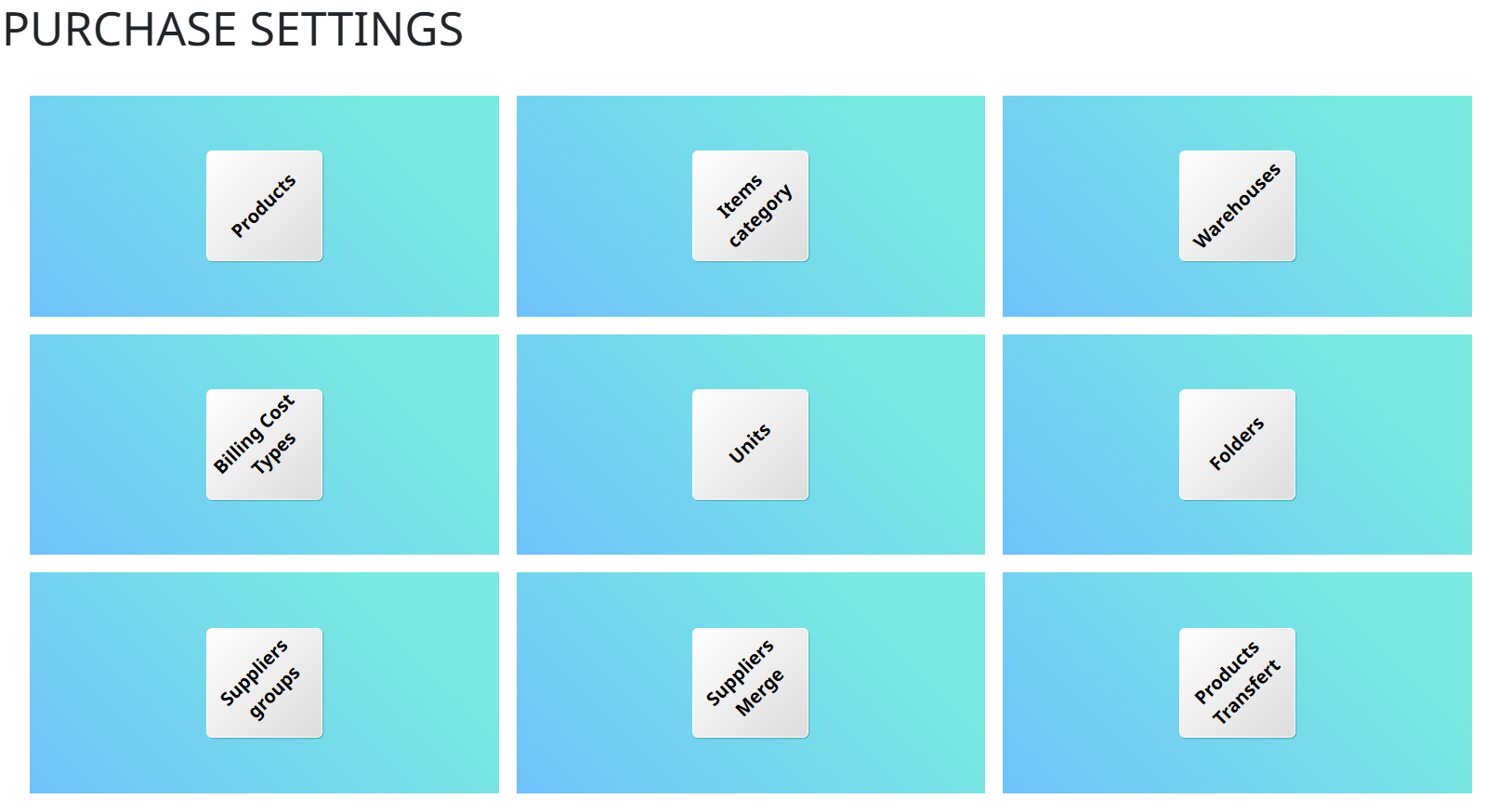
- Purchase Settings
Purchase Settings configure the rules, approval workflows, and parameters for managing procurement processes within the ERP system.
Core Operations
- Suppliers
- Purchase Requests
- Quotation Requests
- Purchase Orders
- Invoice Purchases
- Payment Requests
- Payments (Cash, Check, Bank Transfer)
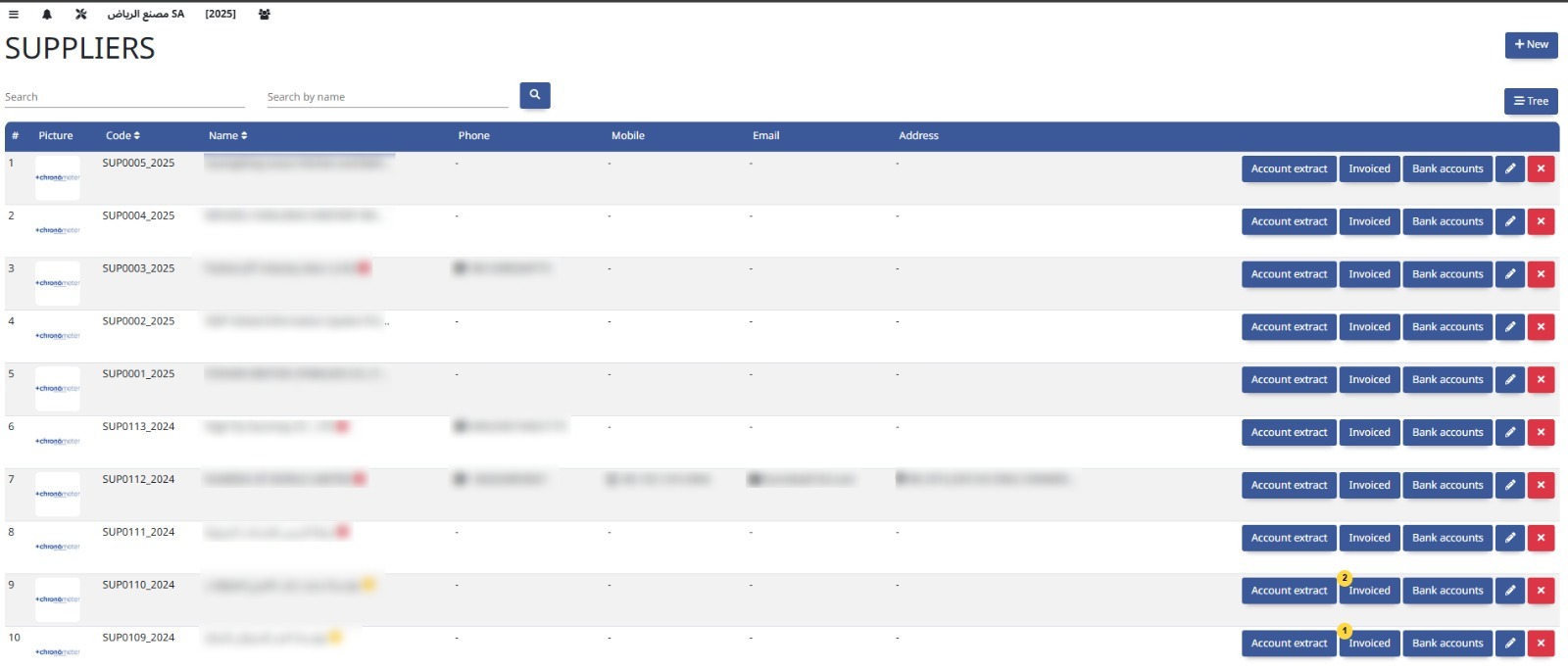
The Suppliers module manages information about vendors, including contact details, contracts, and transaction history to streamline procurement and payments.
Purchase Requests allow employees to submit needs for goods or services, initiating the procurement approval and purchasing process.
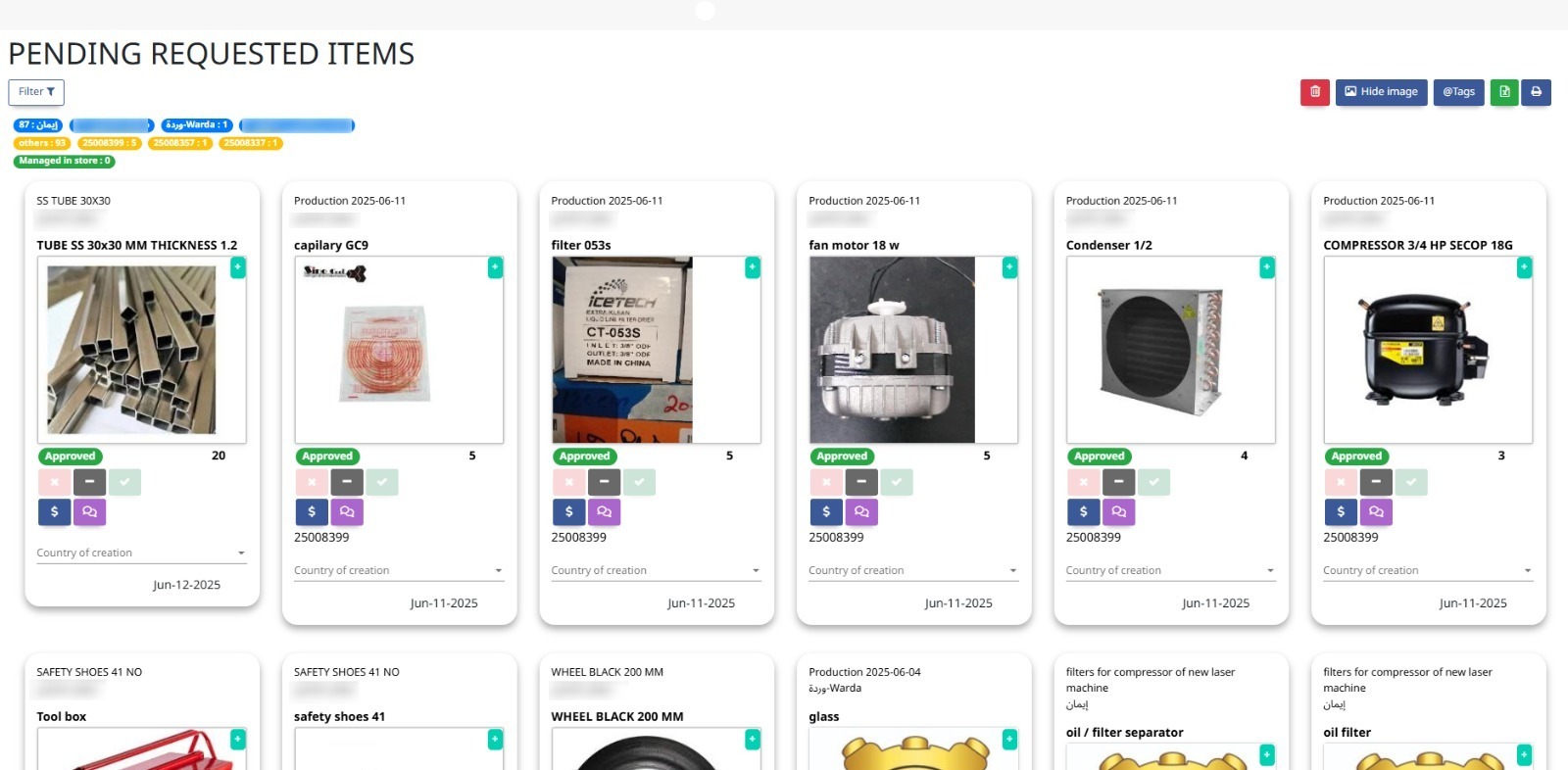
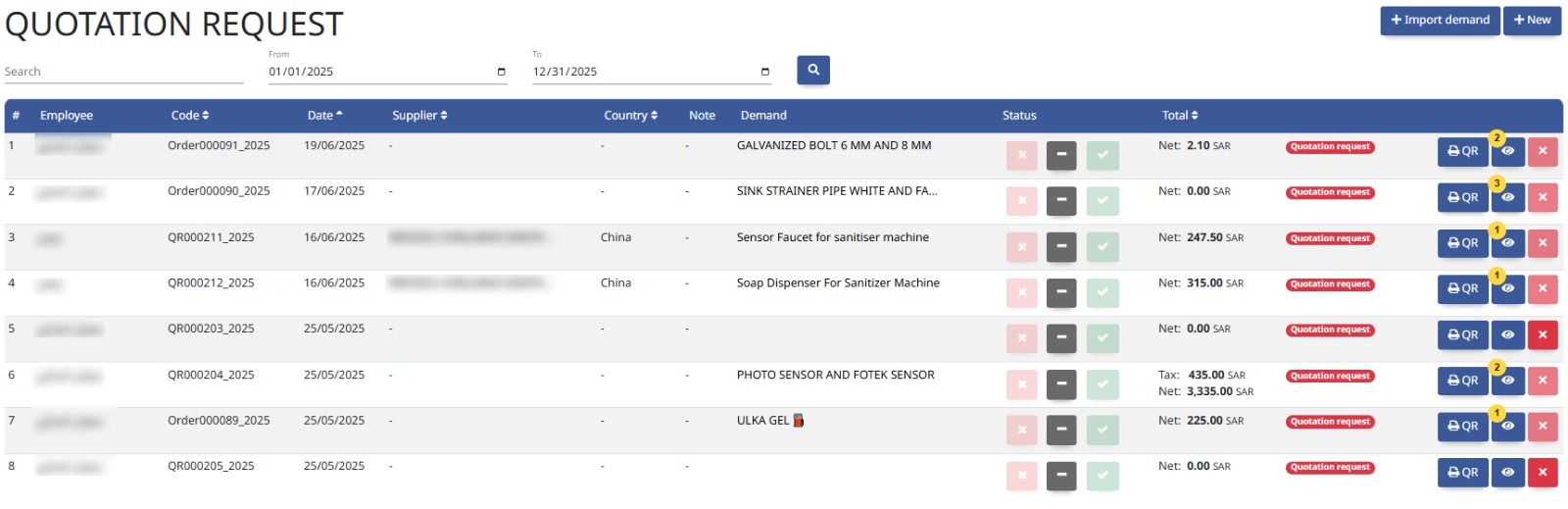
Quotation Requests enable the solicitation of price offers from suppliers to compare and select the best terms before making a purchase.
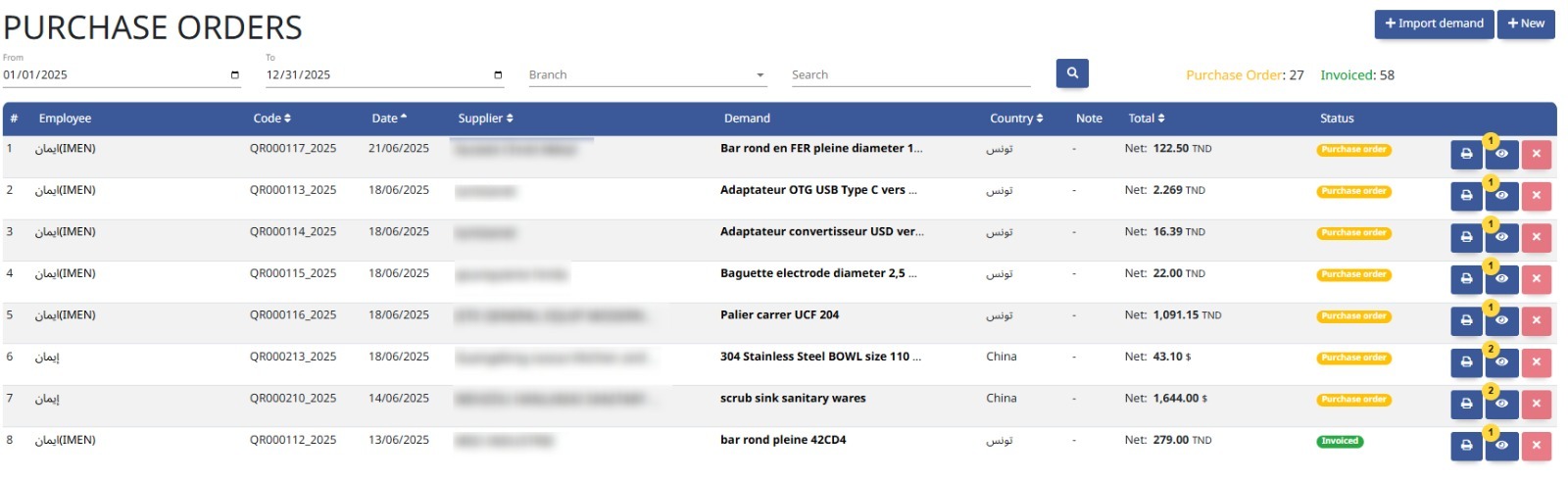
Purchase Orders are formal documents sent to suppliers to confirm the purchase of goods or services, detailing quantities, prices, and terms.
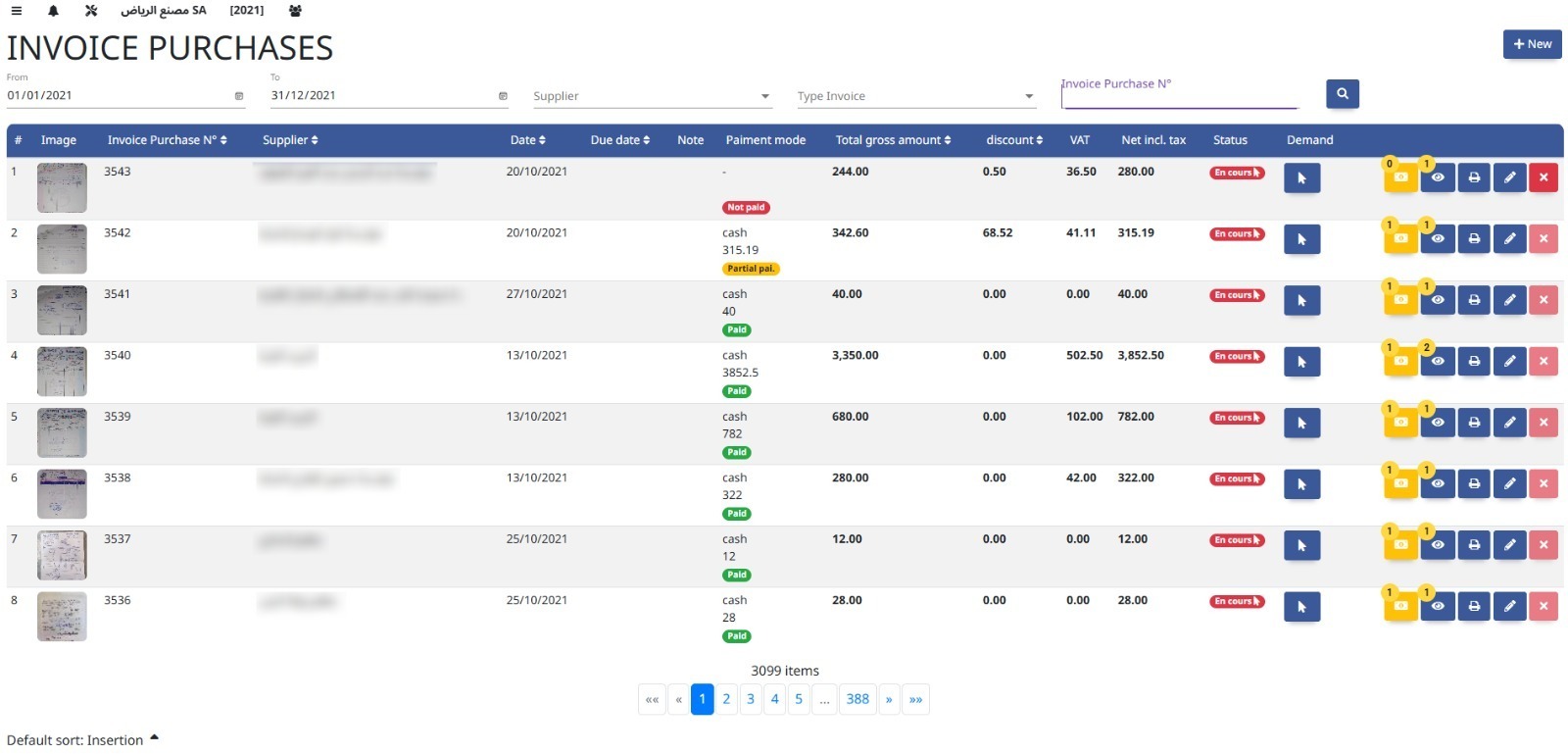
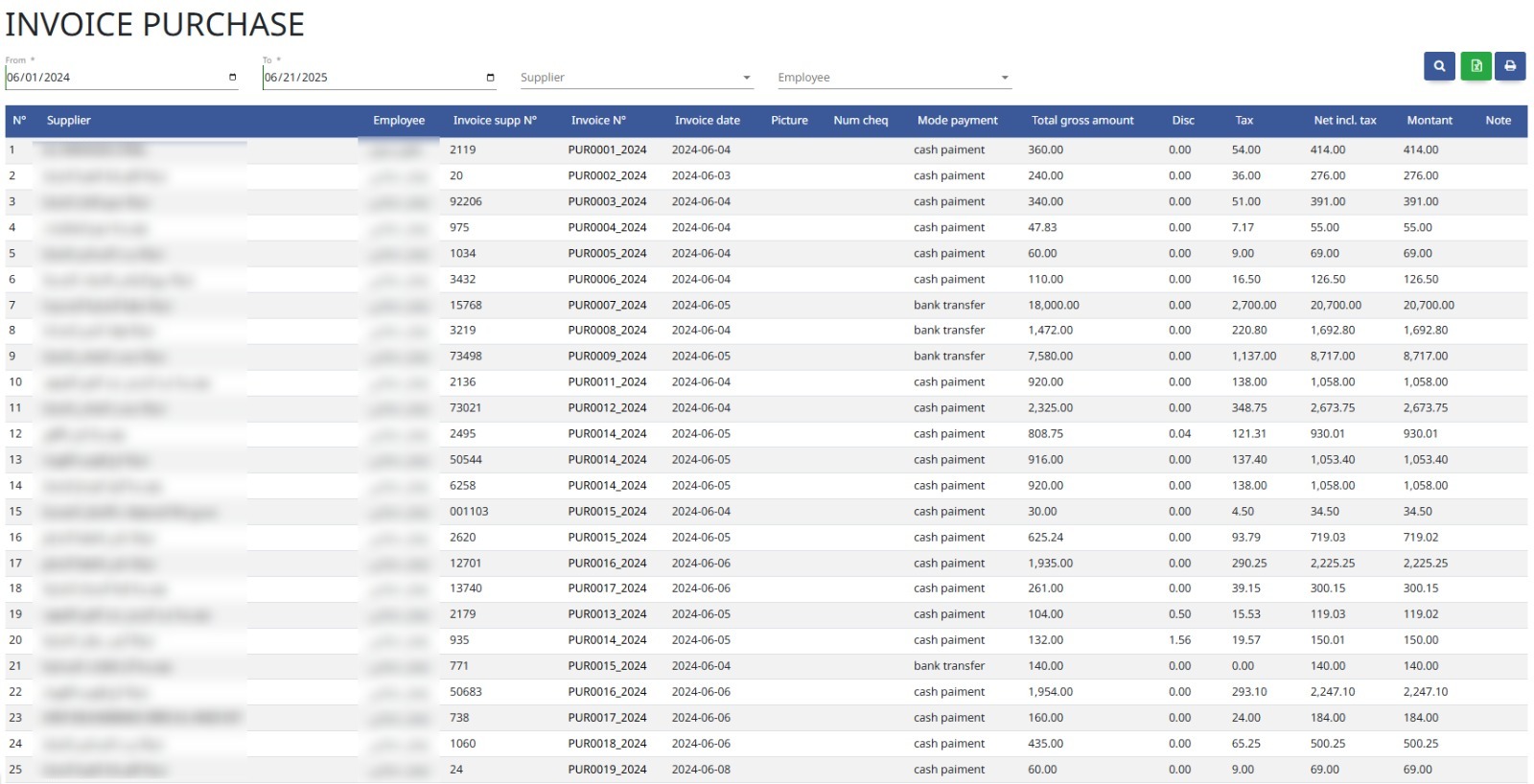
Invoice Purchases records and manages supplier invoices, ensuring accurate payment processing and matching against purchase orders.
Payment Requests initiate the process for approving and processing payments to suppliers or vendors based on invoices or contracts.
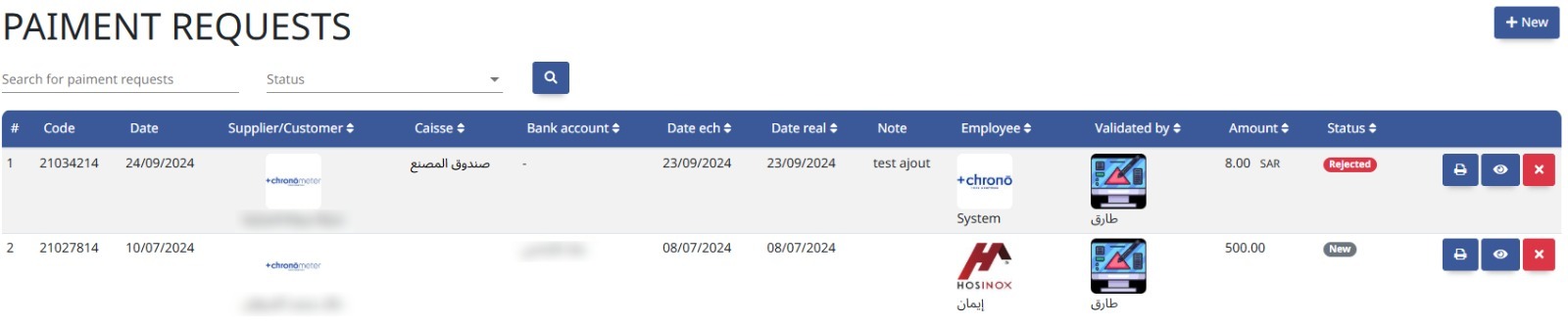
This module processes outgoing payments through various methods—cash, checks, or bank transfers—ensuring timely and accurate settlement of supplier invoices.
Reports
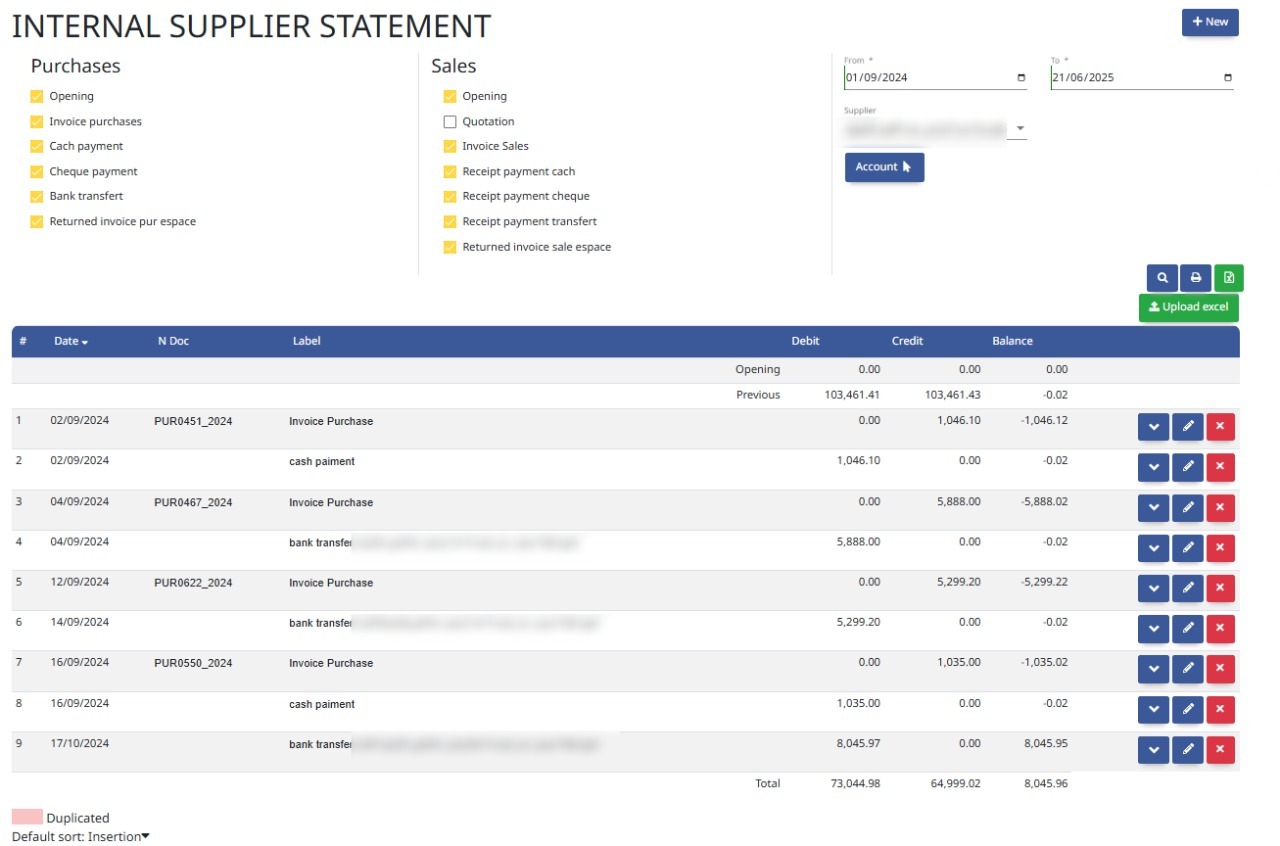
- Supplier Statement
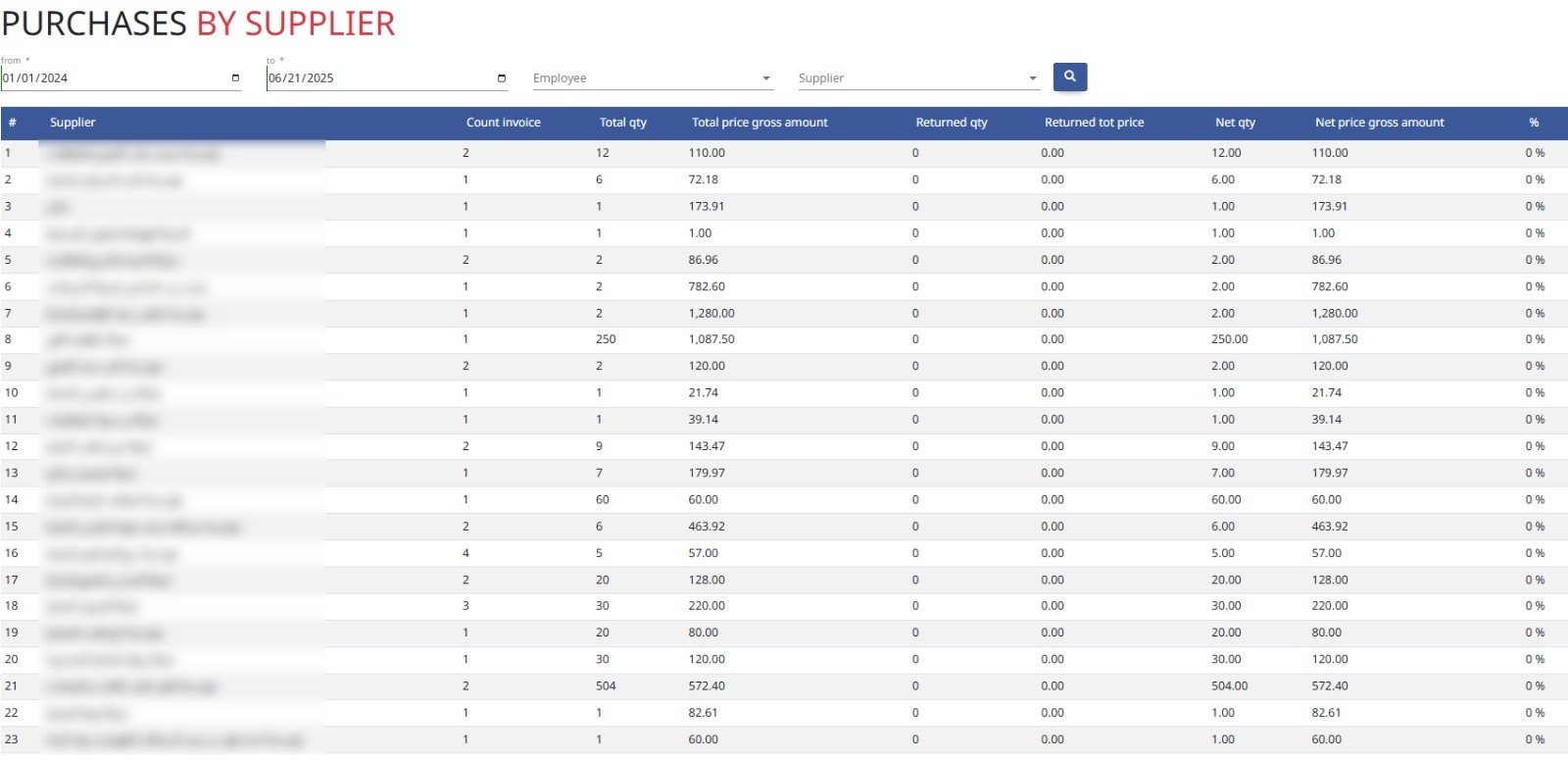
- Purchase Reports
A Supplier Statement summarizes all transactions, invoices, payments, and outstanding balances between the company and each supplier for reconciliation and review.
Purchase Reports provide detailed insights into procurement activities, including order status, supplier performance, and spending analysis.

6. Sales
Oversee customer relations, quotations, invoices, deliveries, and revenue tracking.
Settings
- Sales Settings
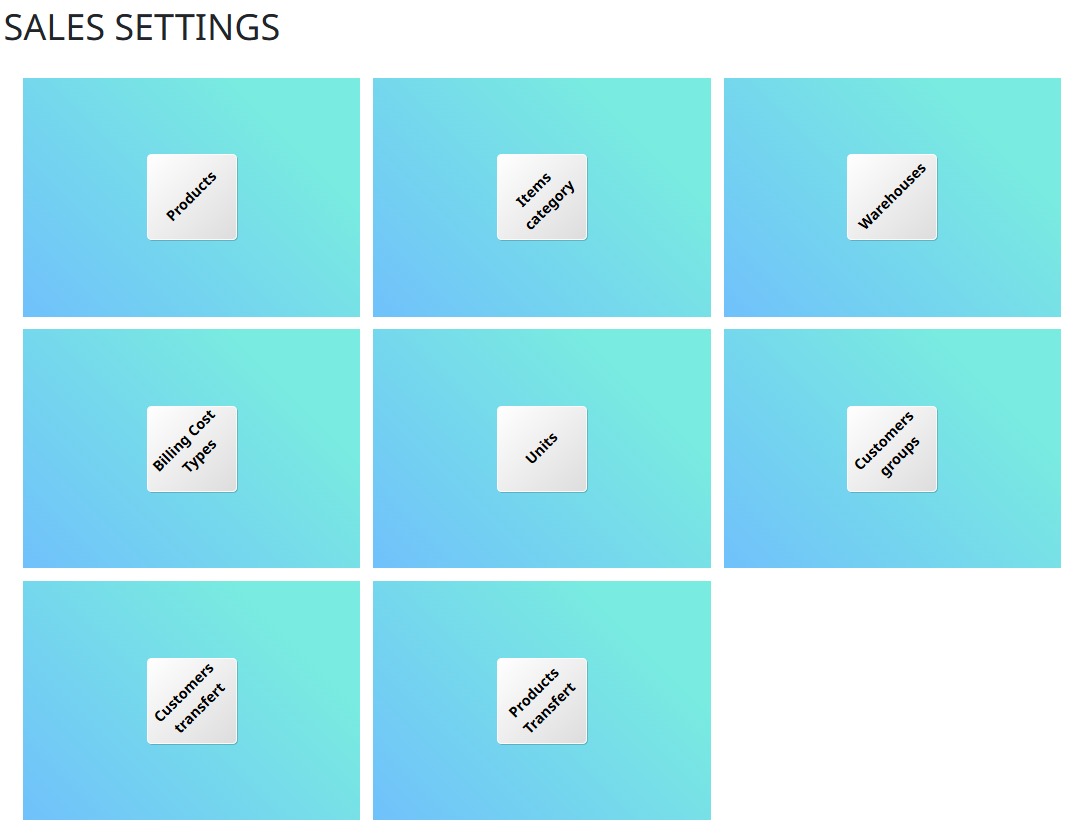
Sales Settings configure parameters and workflows for managing sales processes, including pricing, discounts, and approval rules within the ERP system.
Core Operations
- Customers
- Standard Quotations
- Invoice Sale
- Deliveries (Production, Standard)
- Receipts (Cash, Check, Bank Deposits, Transfers)
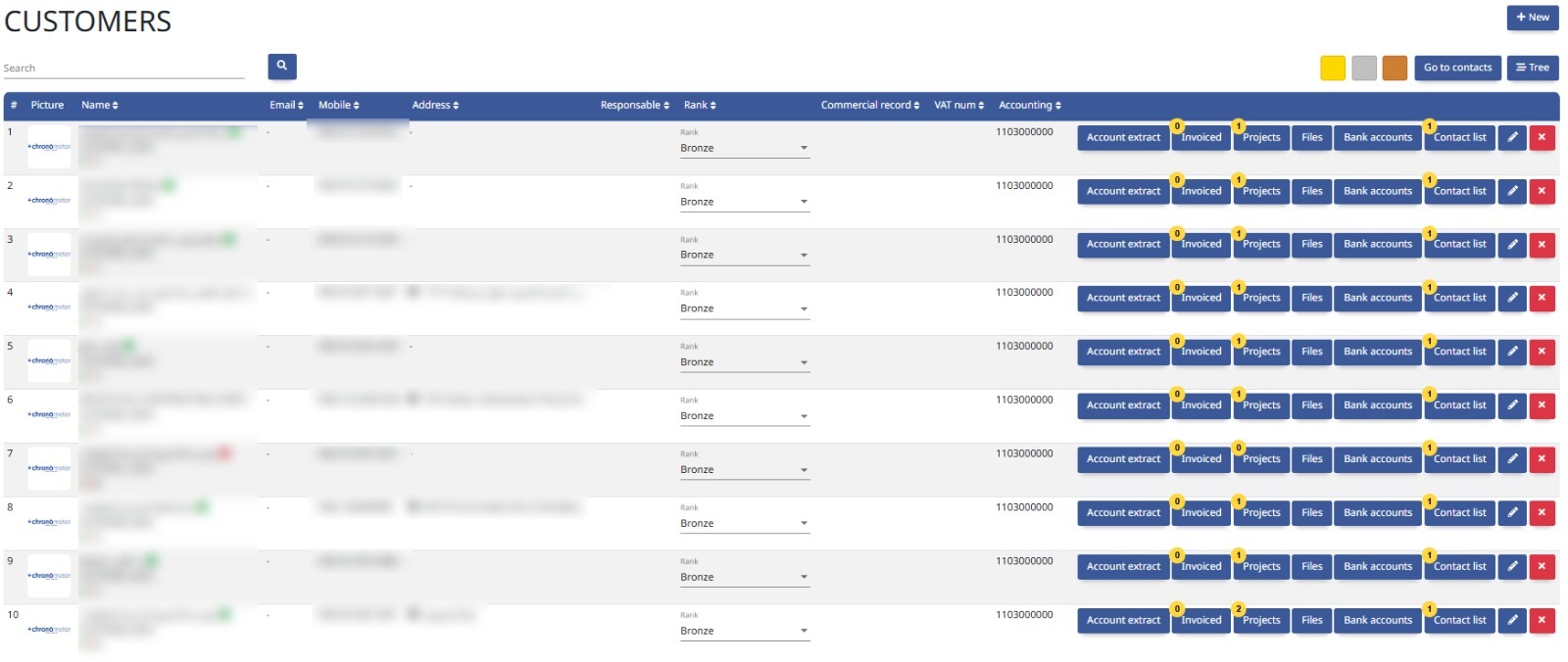
The Customers module manages client information, purchase history, and credit terms to support sales and customer relationship management.
Standard Quotations are predefined price offers sent to customers, detailing products or services, quantities, and terms to streamline the sales process.
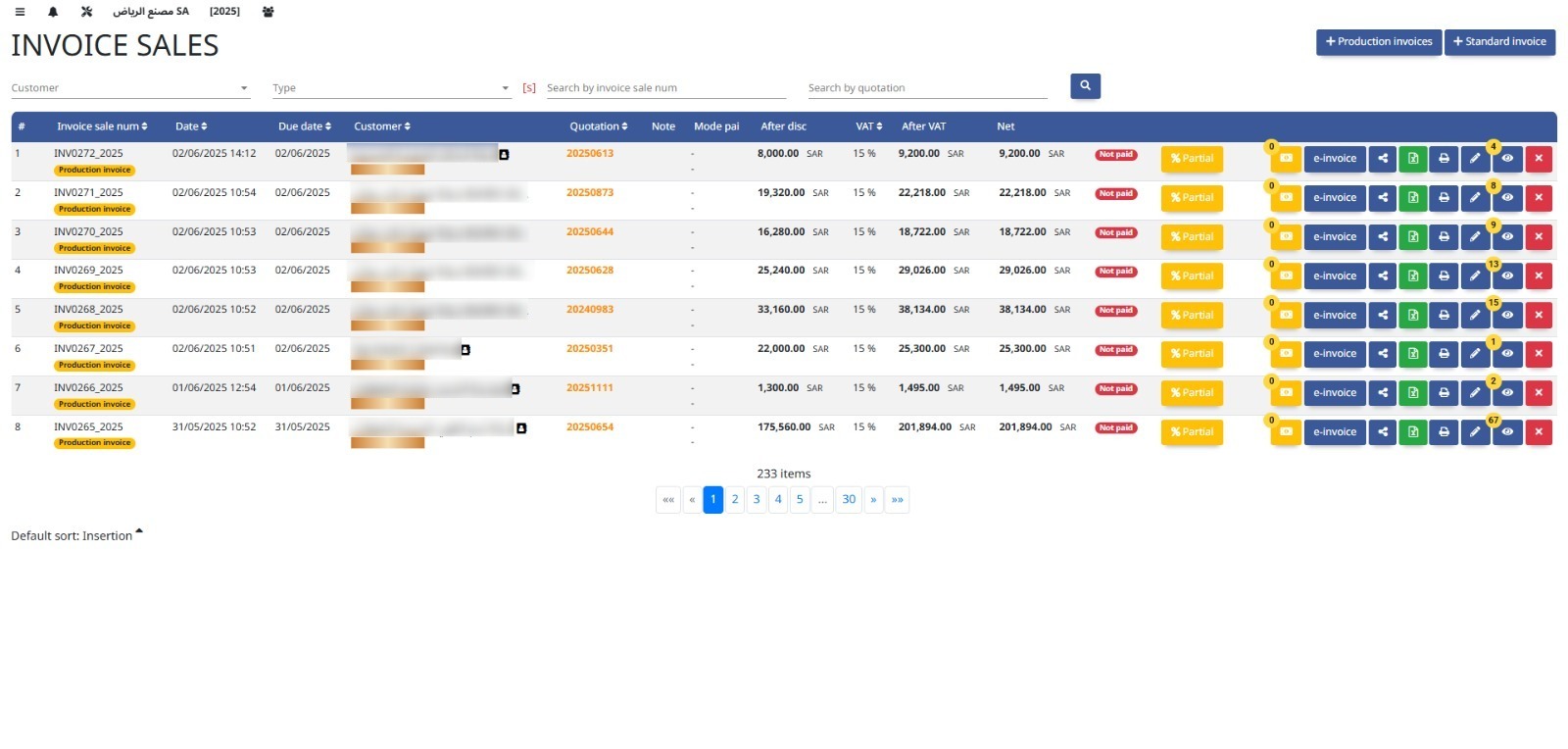
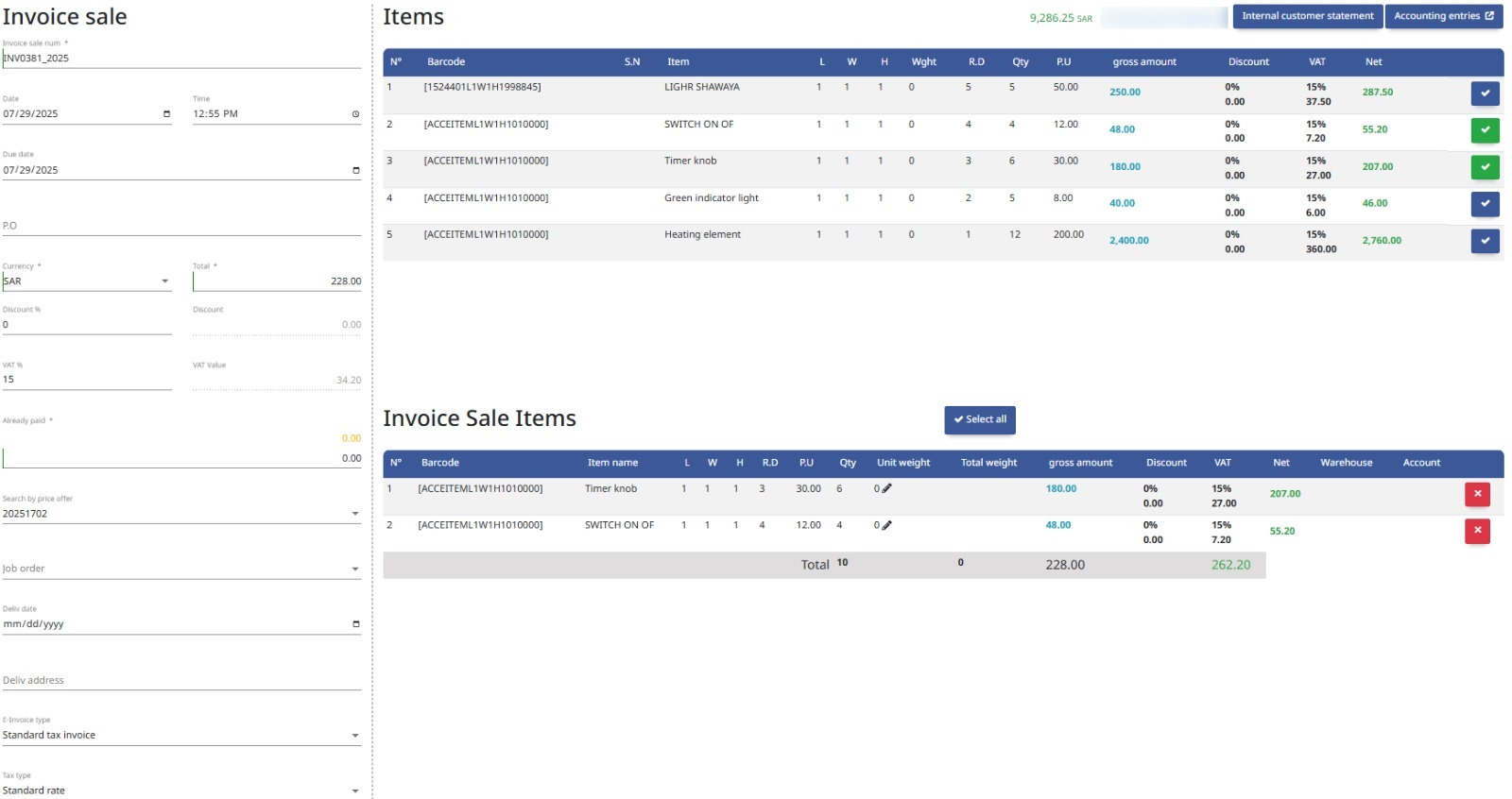
The Invoice Sale module manages the creation and tracking of customer invoices, ensuring accurate billing and revenue recognition.
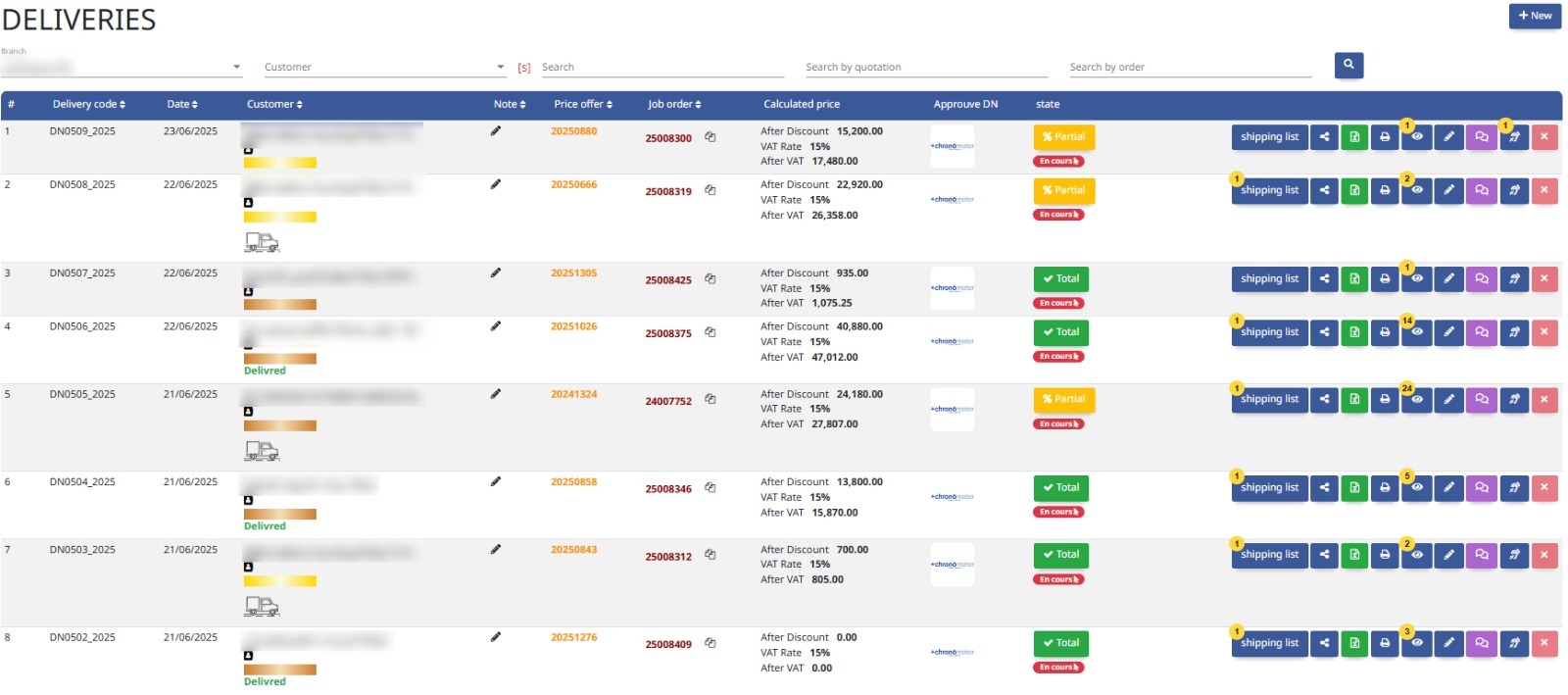
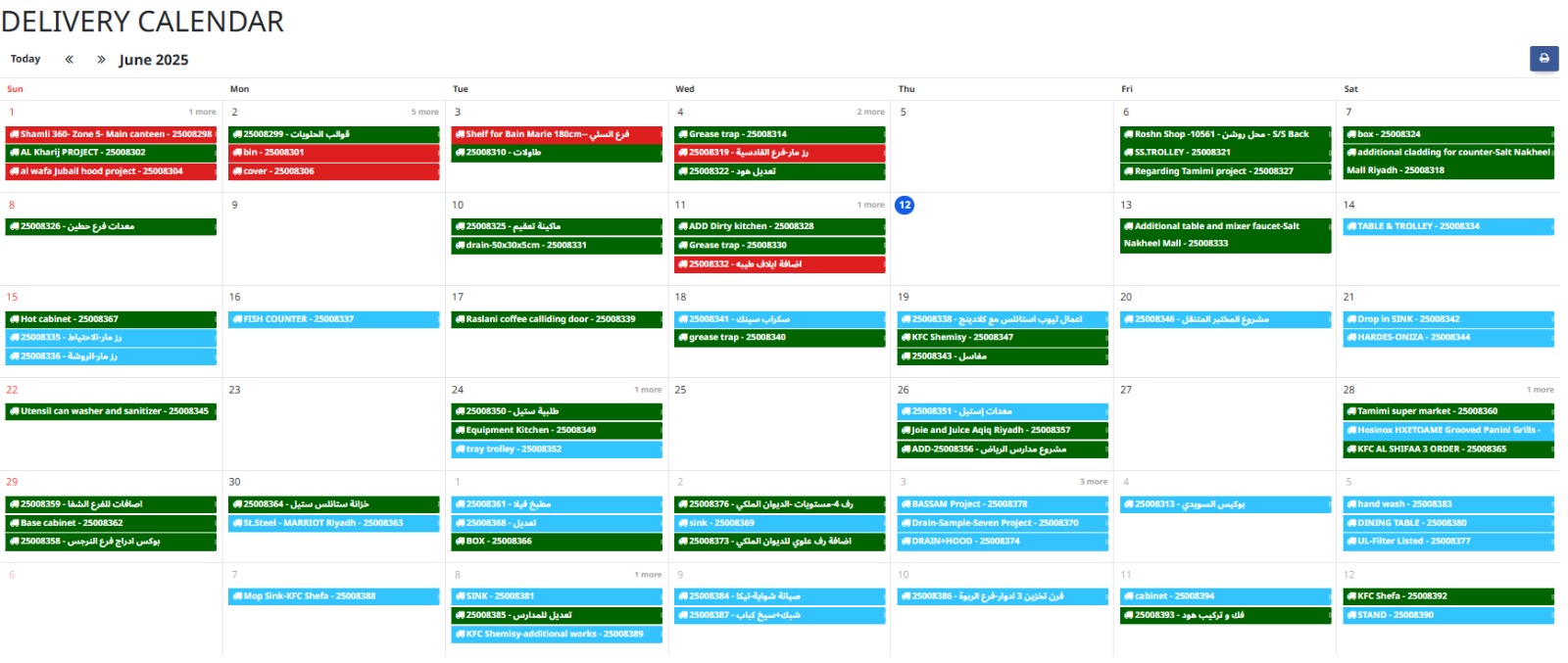
This module manages the dispatch of goods from inventory or production, ensuring timely and accurate delivery to customers or internal departments.
This module records incoming payments from customers via various methods, ensuring accurate tracking of funds received.
Reports
- Customer Statement
- Sales Reports
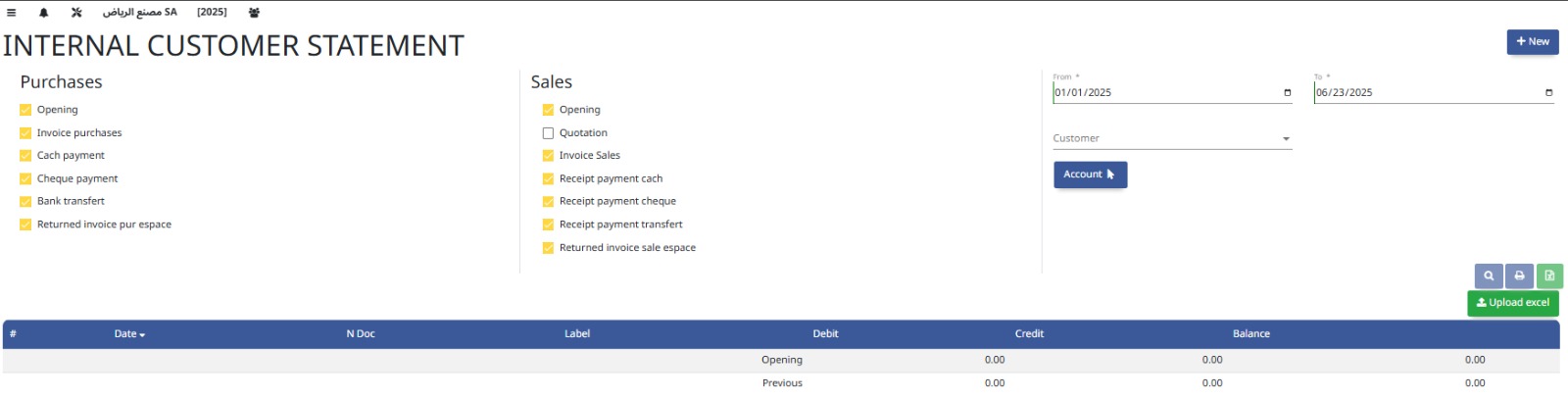
A Customer Statement summarizes all transactions, invoices, payments, and outstanding balances with a customer to aid reconciliation and account management.
Sales Reports provide detailed analysis of sales activities, including revenue, order status, and customer trends to support business decisions.
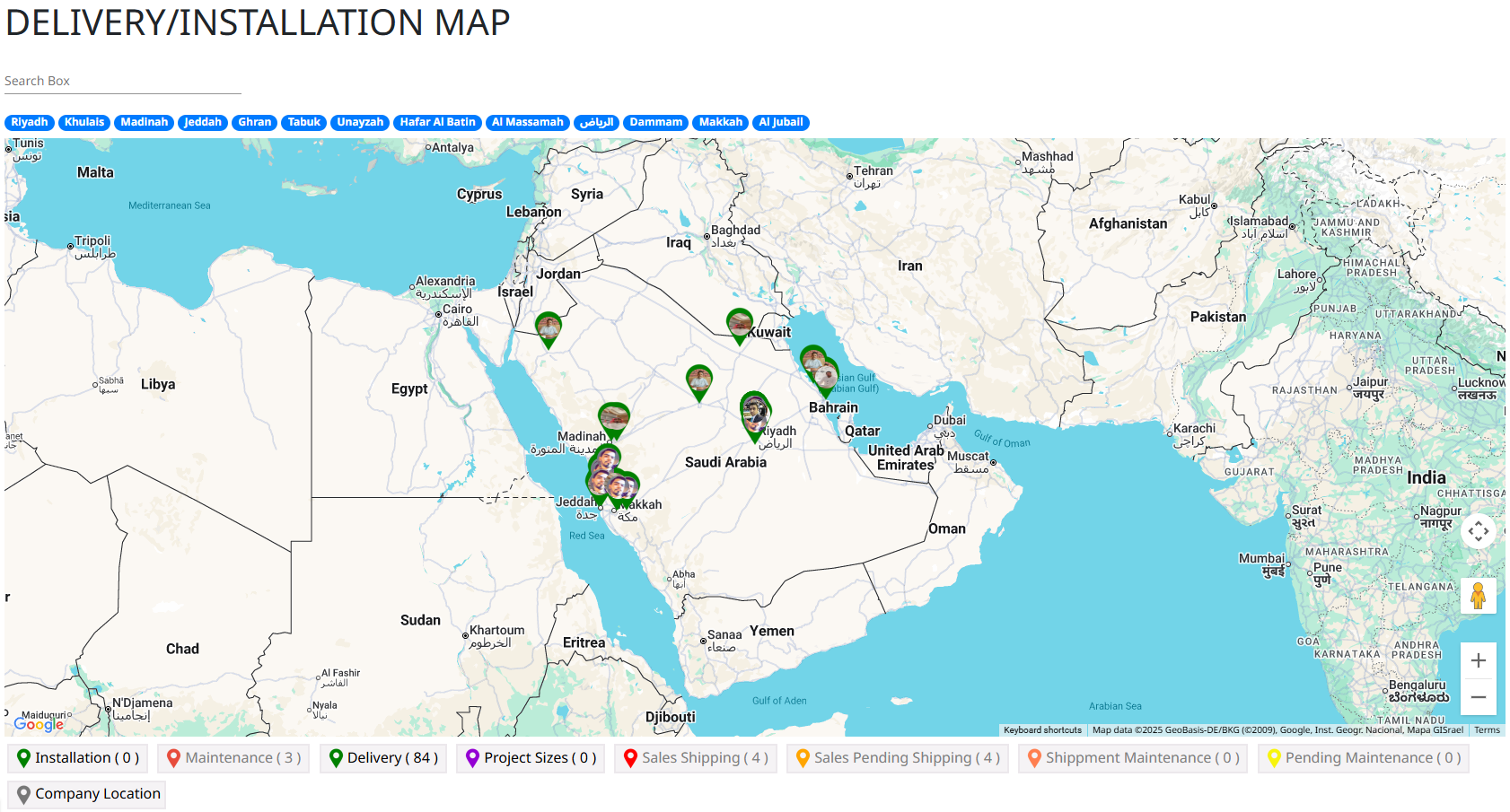
7. Fabrication Line
Complete production pipeline: from design, job orders, laser cutting, to installation.
Settings
- Fabrication Settings
Fabrication Settings configure parameters for production processes, including workflows, resource allocation, and quality controls within the manufacturing module.
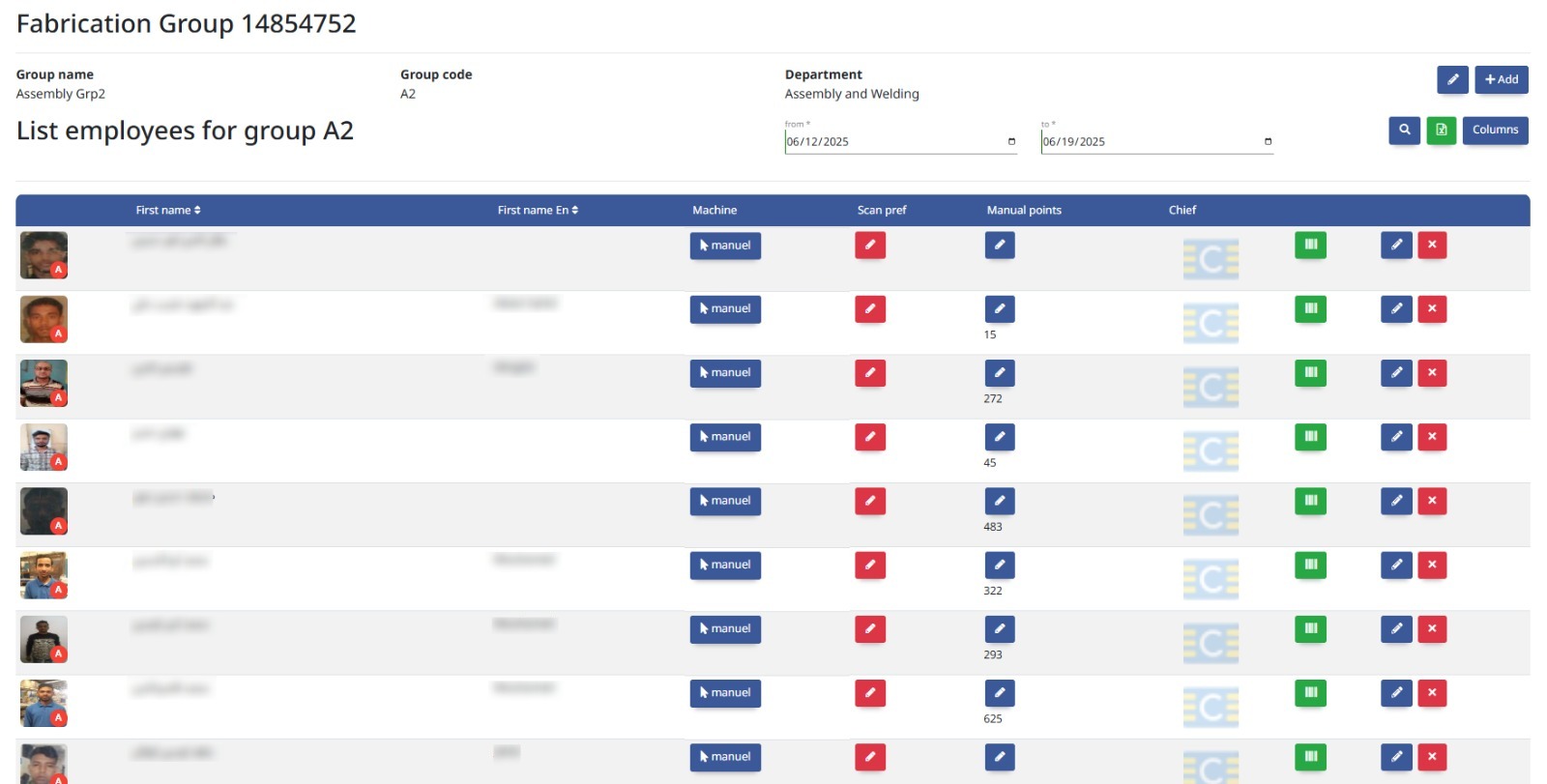
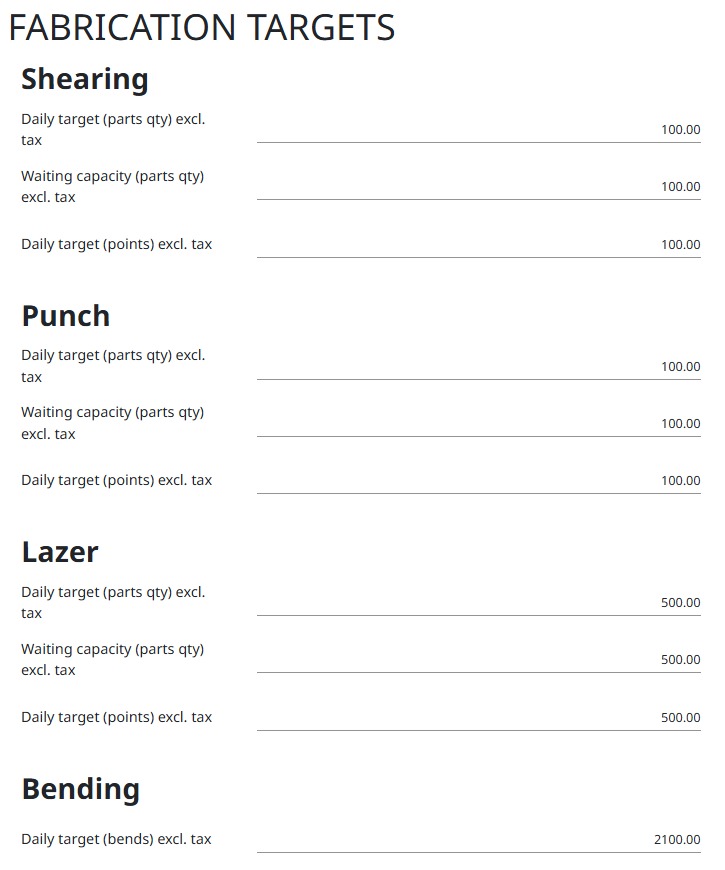
Core Operations
- Library (Designs, Grid, 2D)
- Projects
- Drawings
- Quotations
- Job Orders (Production, Mass Production)
- Designs Management
- Nesting
- Production
- Laser
- Assembly
- Quality Check
- Storing
- Maintenance
- Installation
- Shipping
This module stores reusable design templates, grid layouts, and 2D drawings to streamline production planning and standardize fabrication processes.
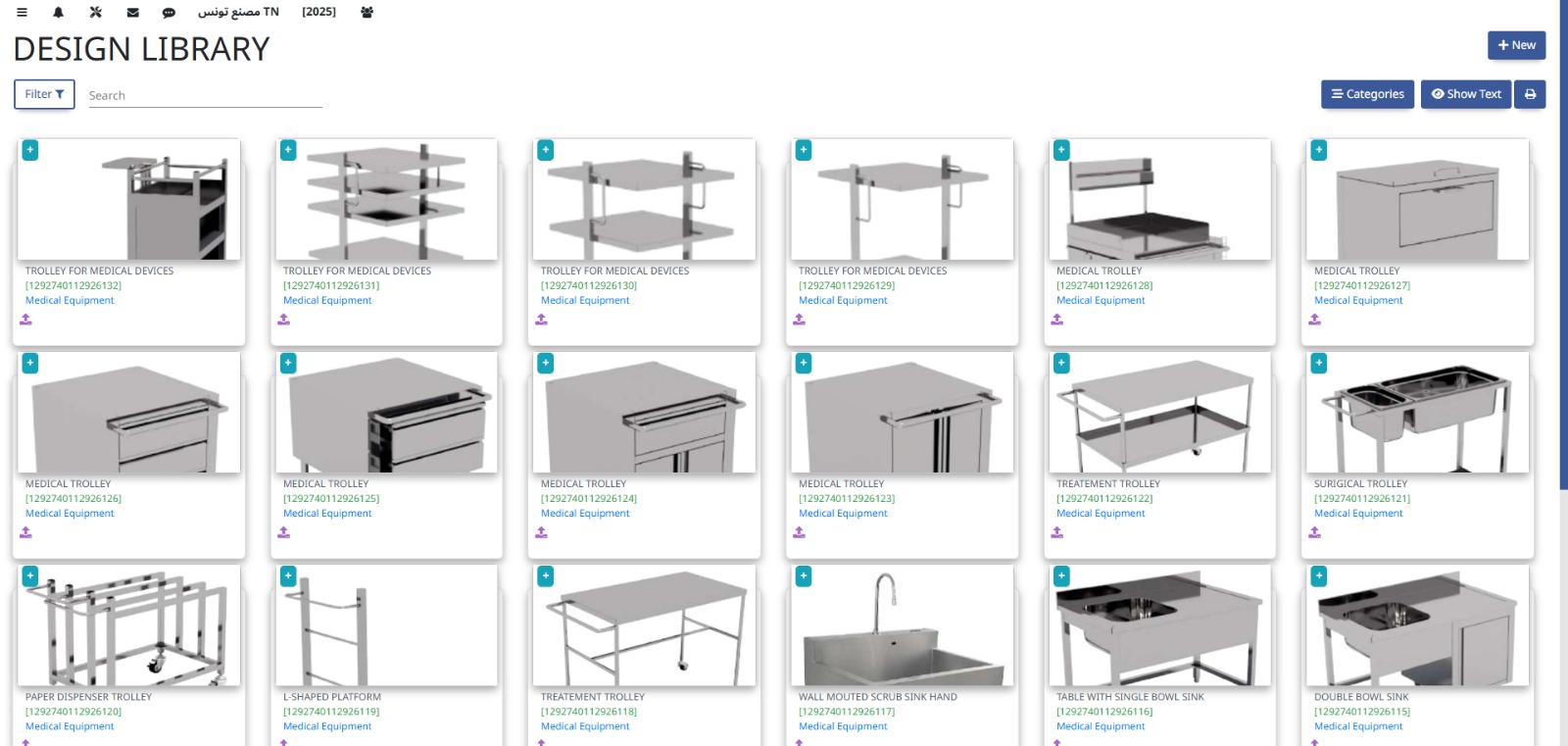
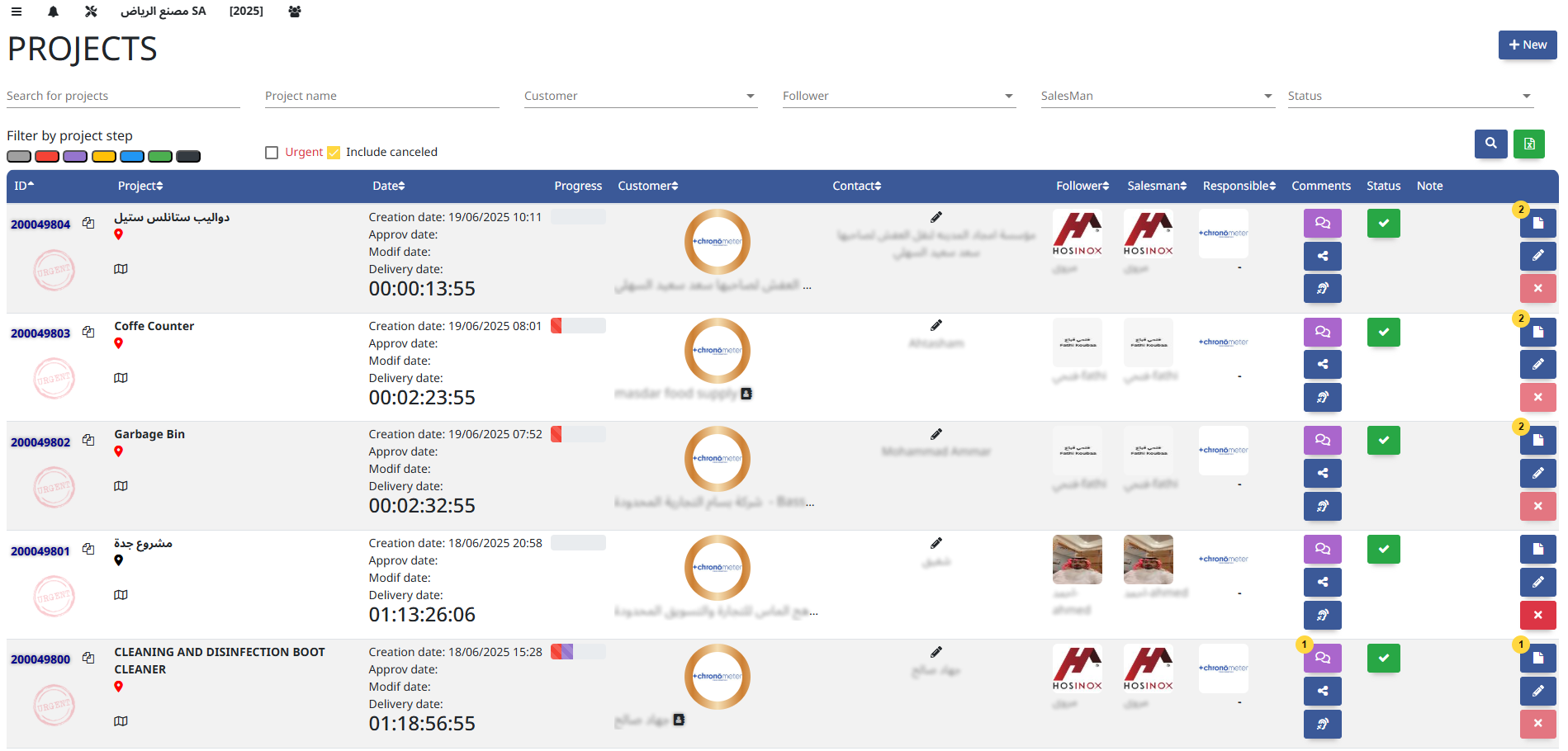
The Projects module manages planning, execution, budgeting, and tracking of project tasks and resources to ensure timely and cost-effective delivery.
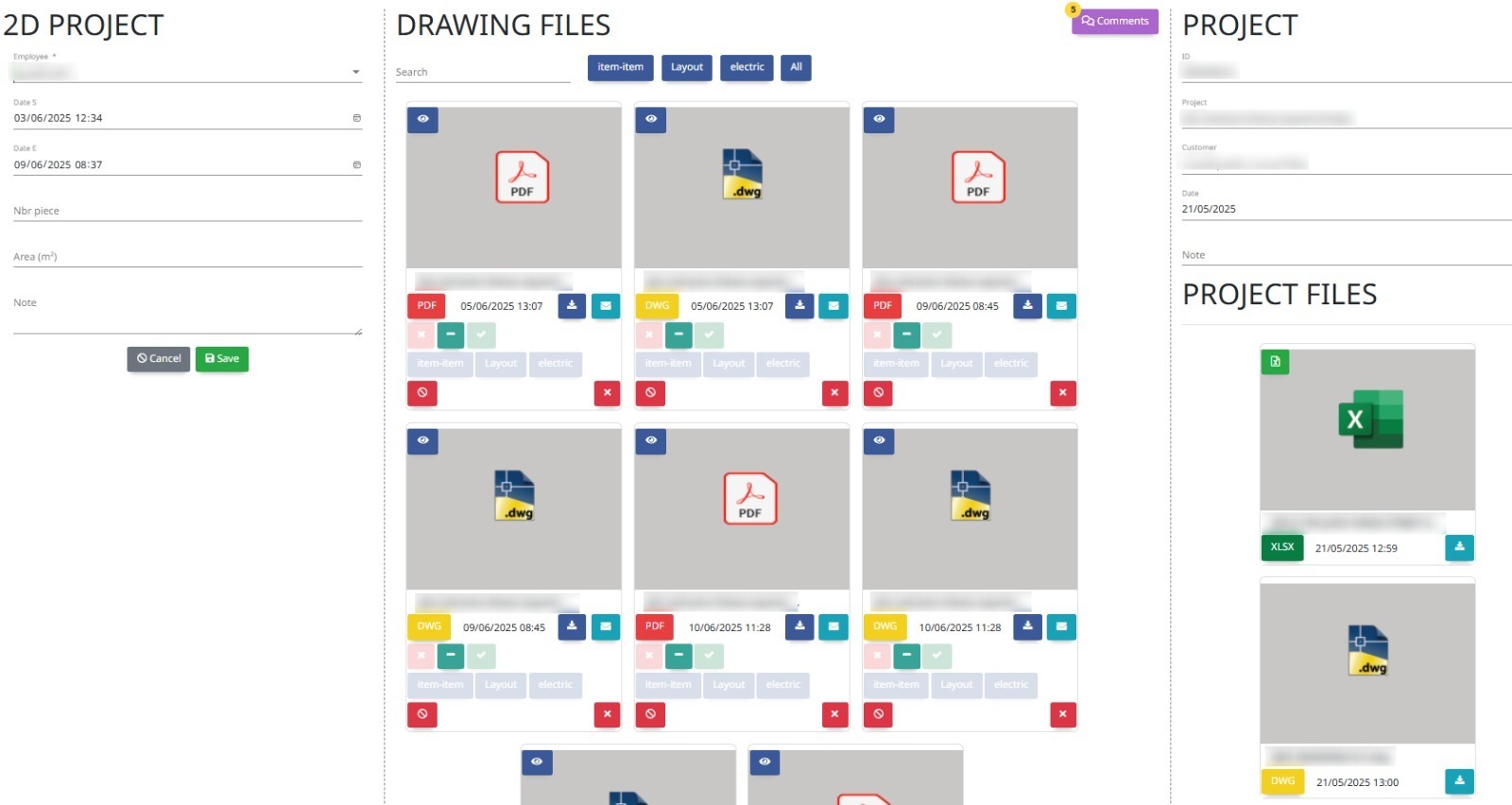
The Drawings module stores and manages technical and design drawings used in projects or production, ensuring version control and easy access for teams.
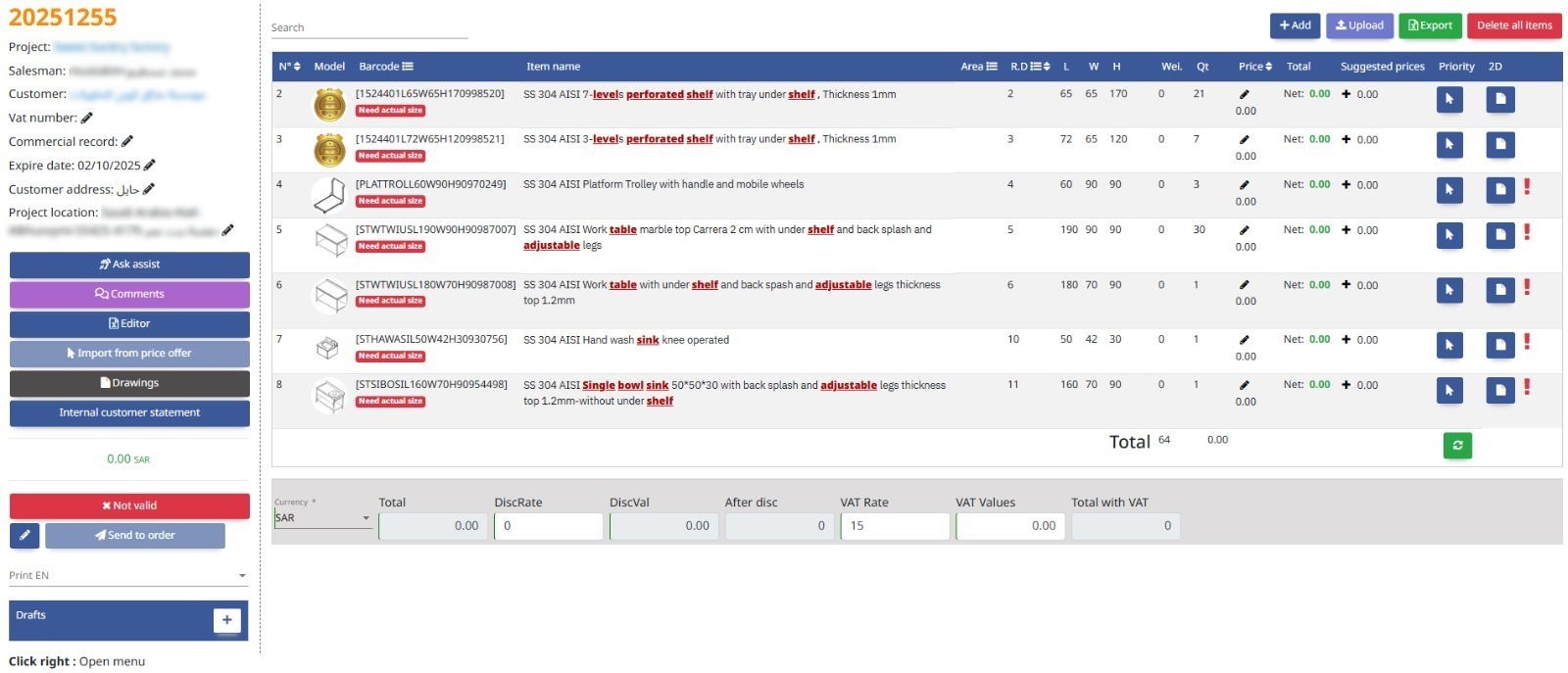
The Quotations module creates and manages price offers for products or services sent to customers, forming the basis for future sales orders.
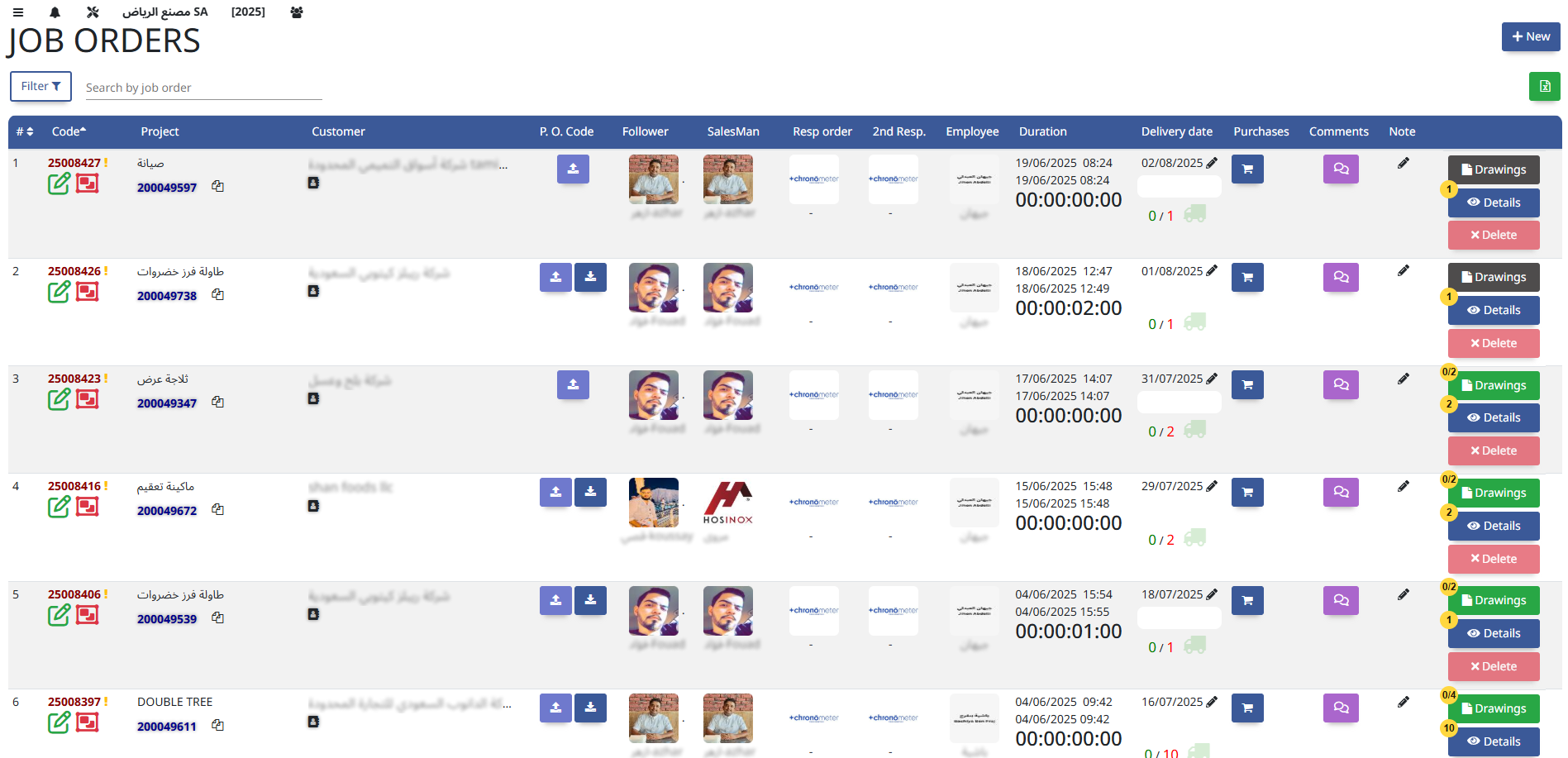
This module manages work orders for producing goods, whether custom or in bulk, detailing materials, schedules, and resources required for execution.
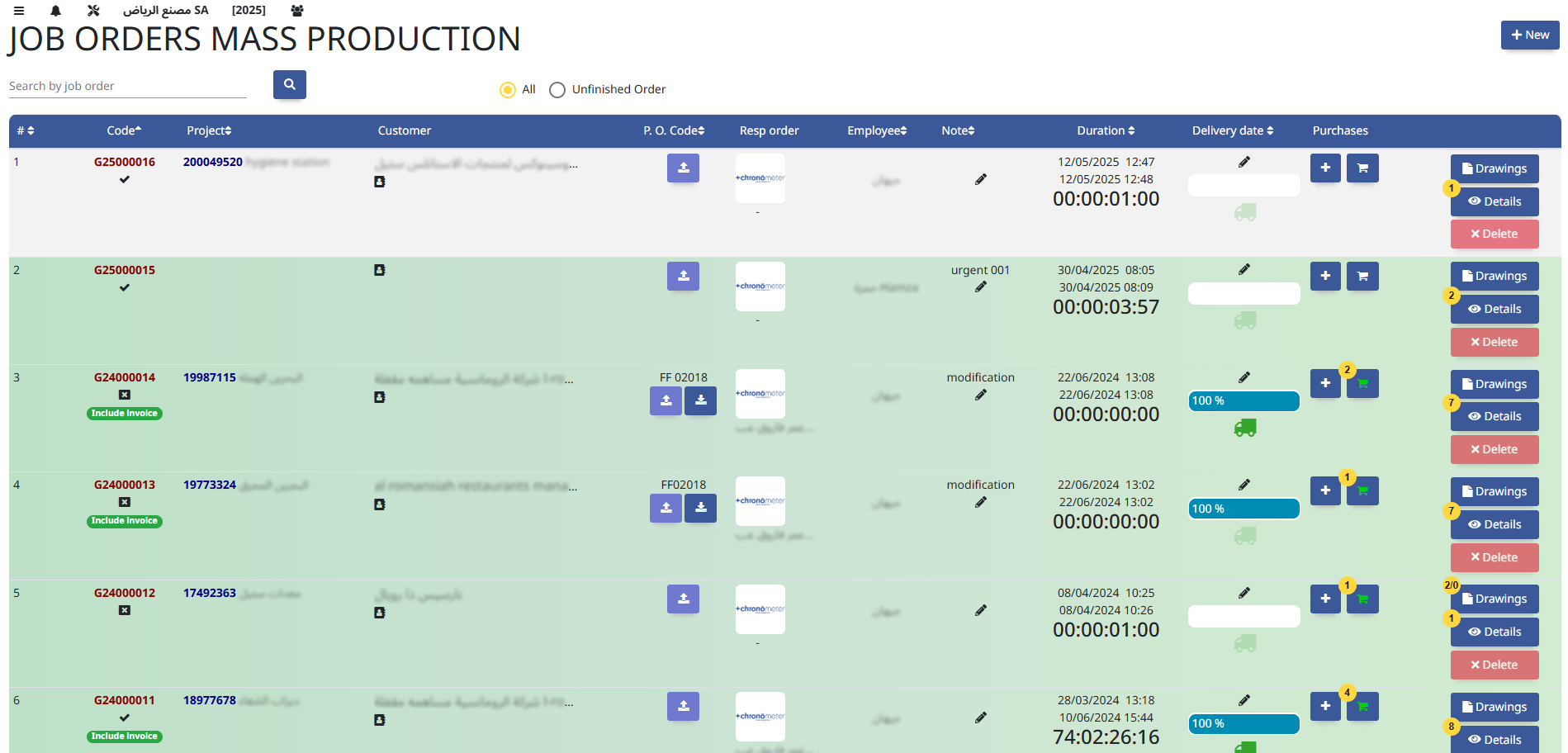
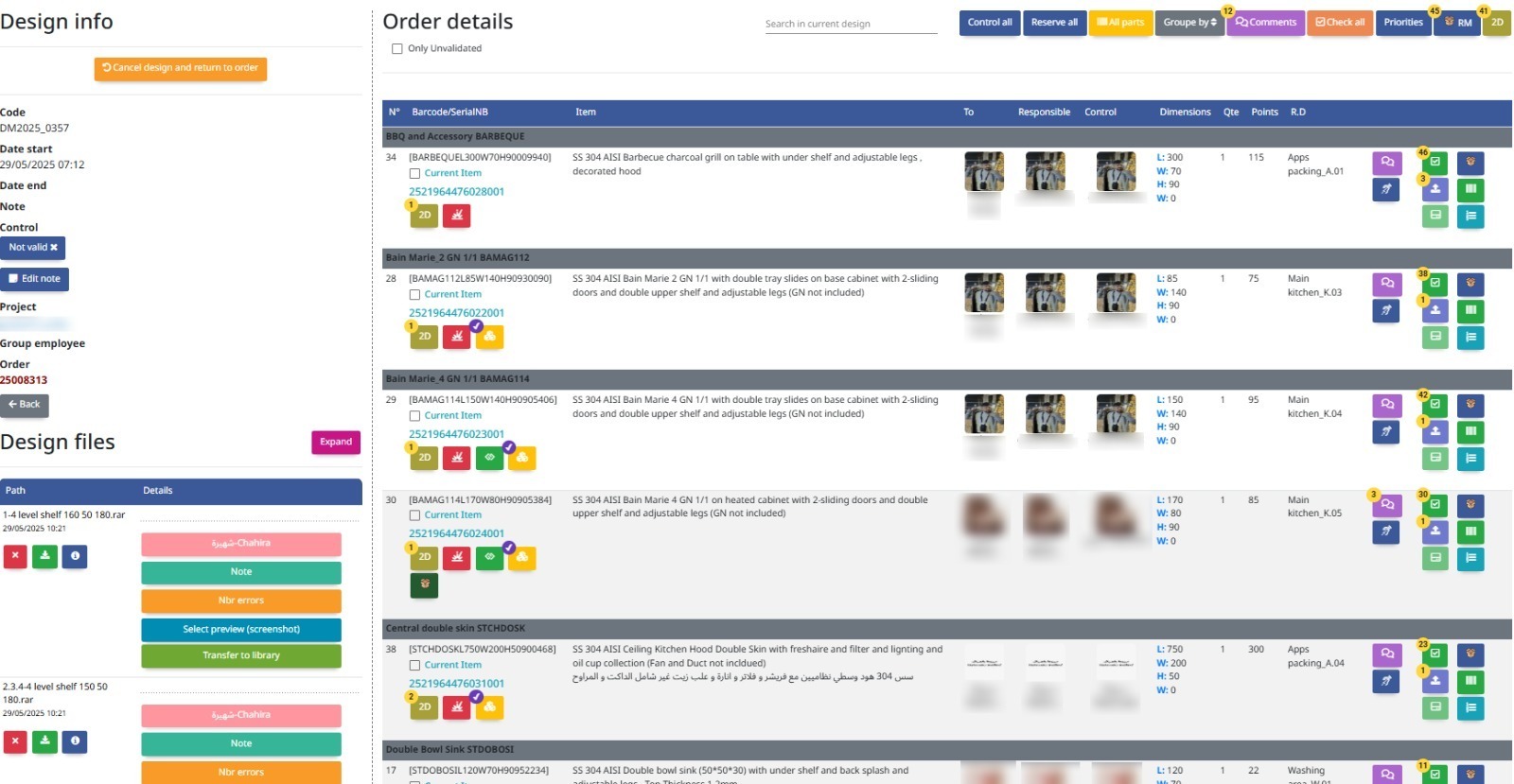
The Designs Management module organizes, tracks, and controls design files and versions, ensuring consistency and collaboration across product development or project execution.
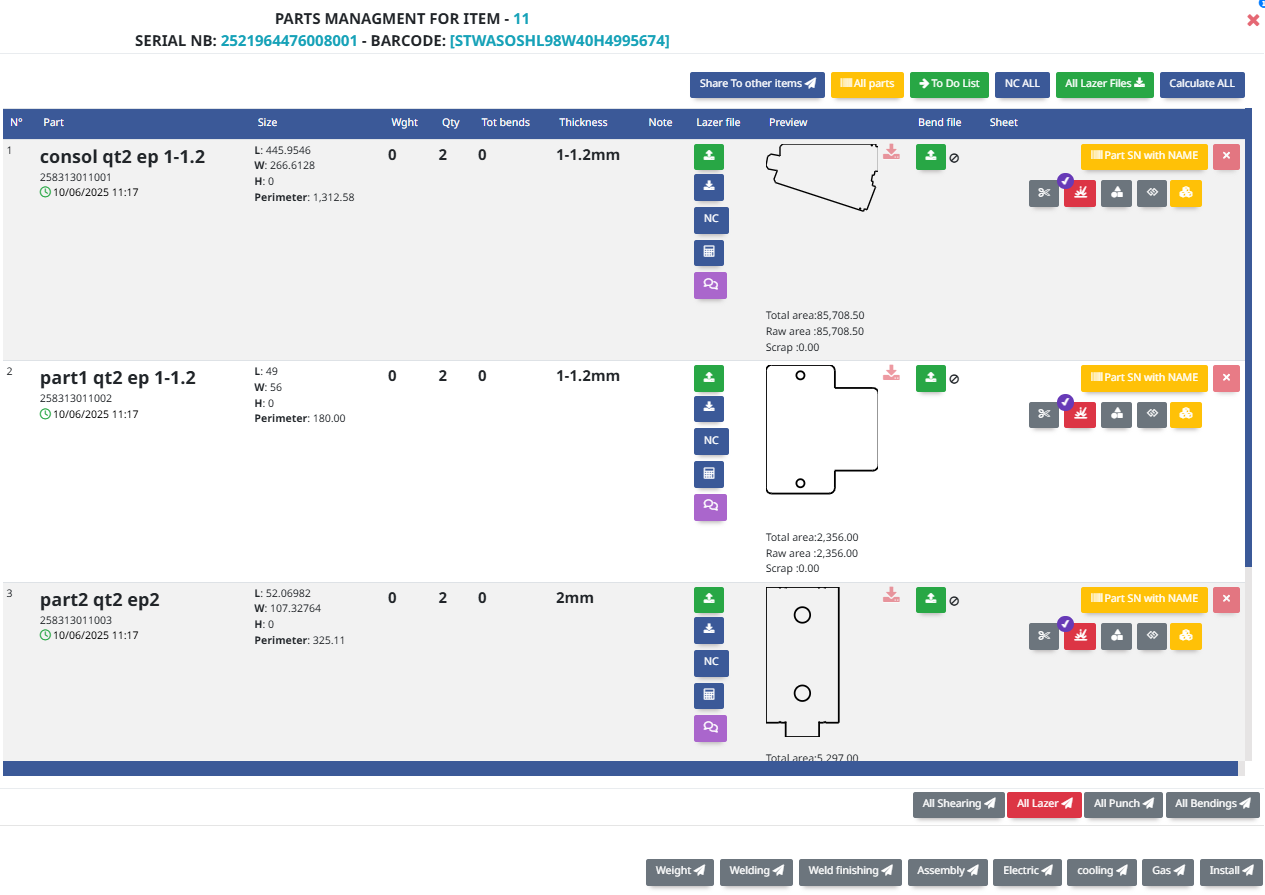
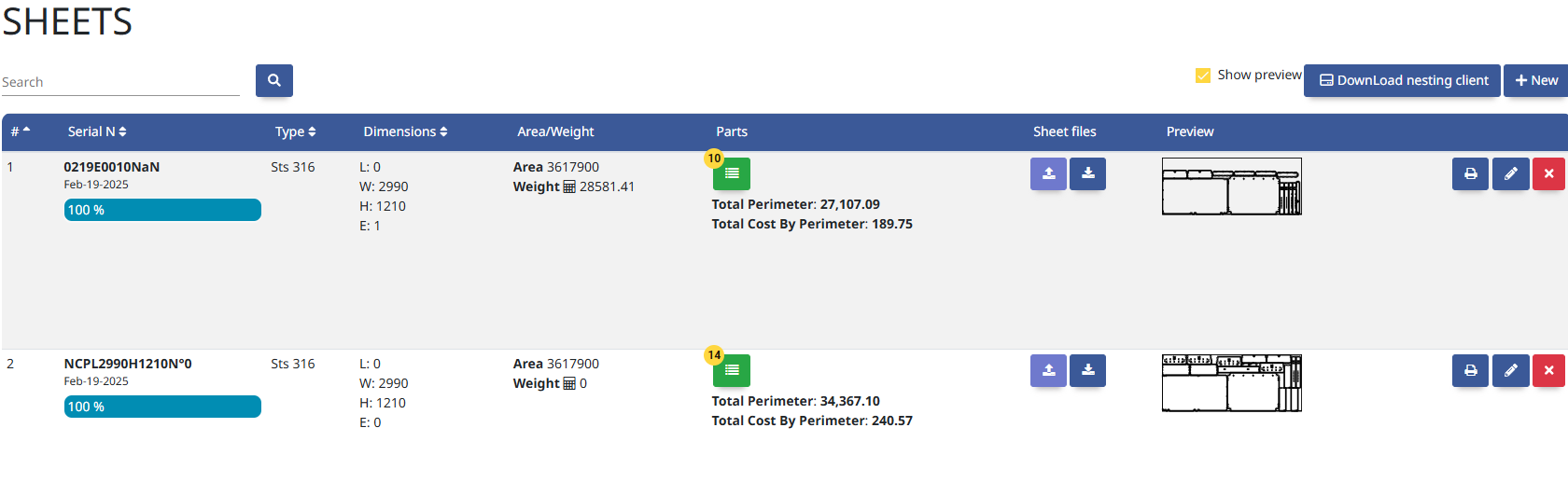
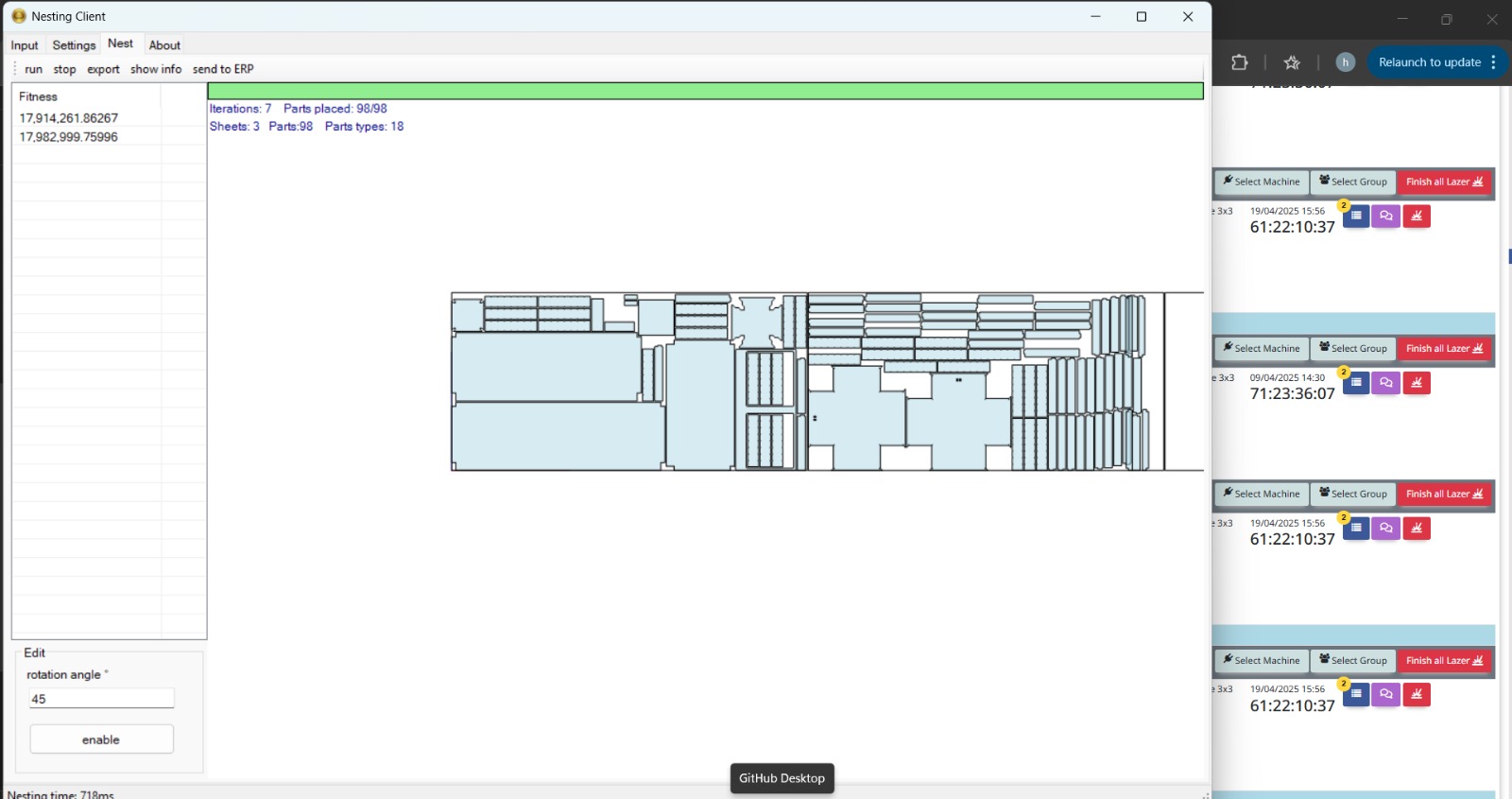
The Nesting module optimizes the arrangement of parts on raw materials (like sheets or plates) to minimize waste and maximize efficiency in cutting or fabrication.
The Production module manages the entire manufacturing process, from planning and scheduling to execution and tracking, ensuring efficient use of resources and timely delivery.
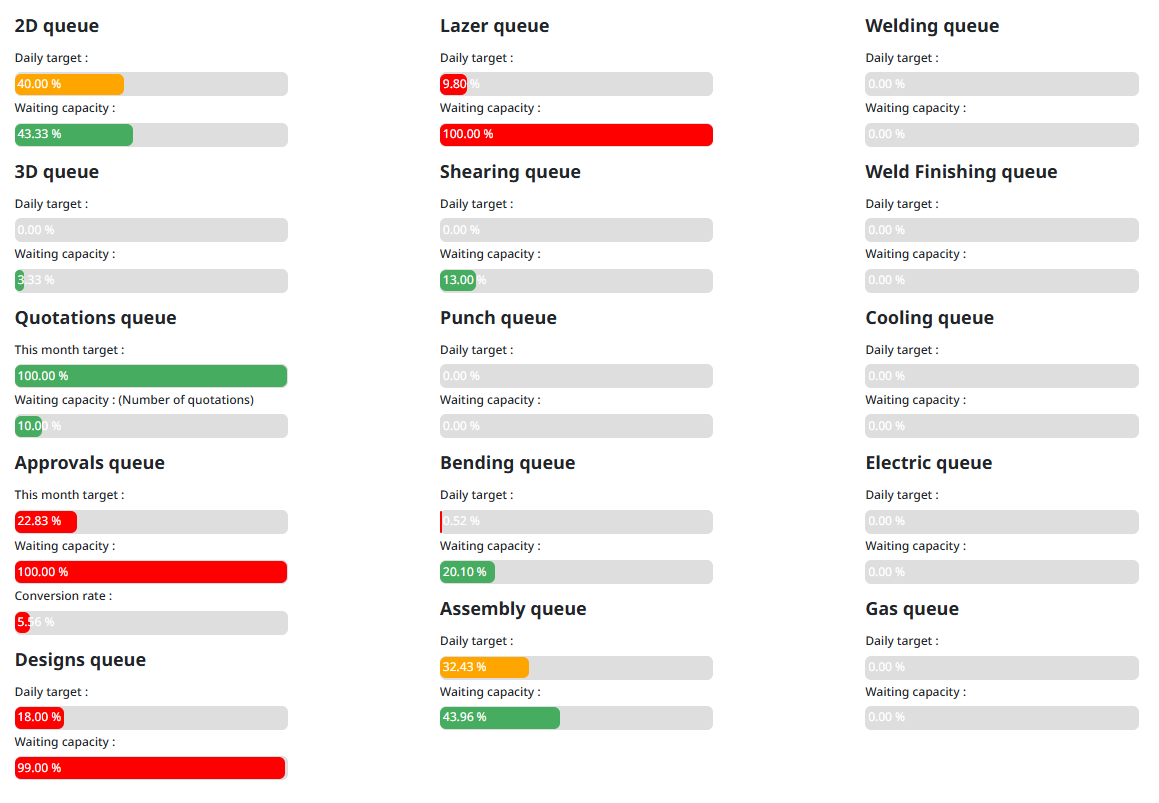
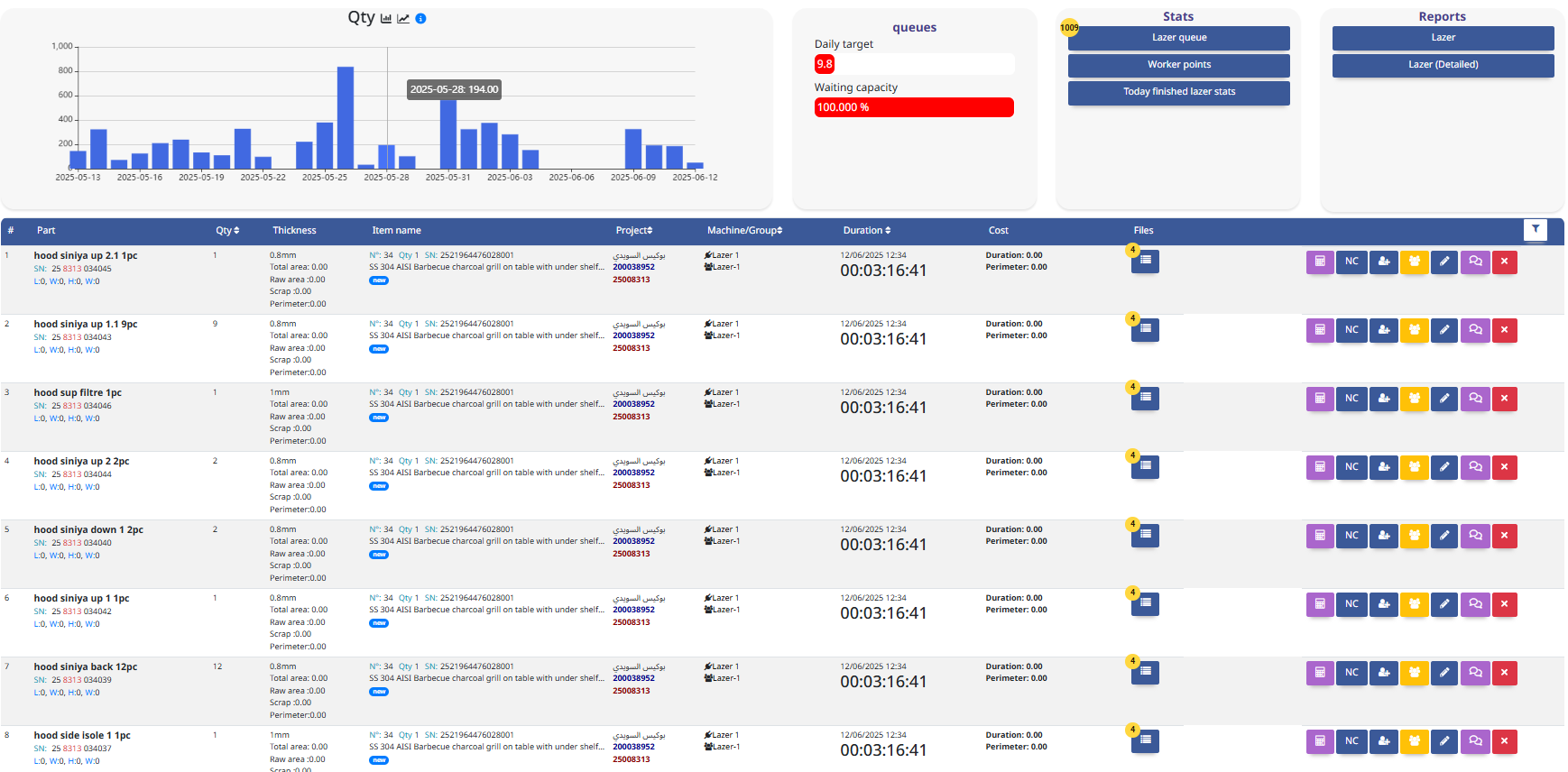
The Laser module controls and manages laser cutting operations, optimizing precision, speed, and material usage in manufacturing processes.
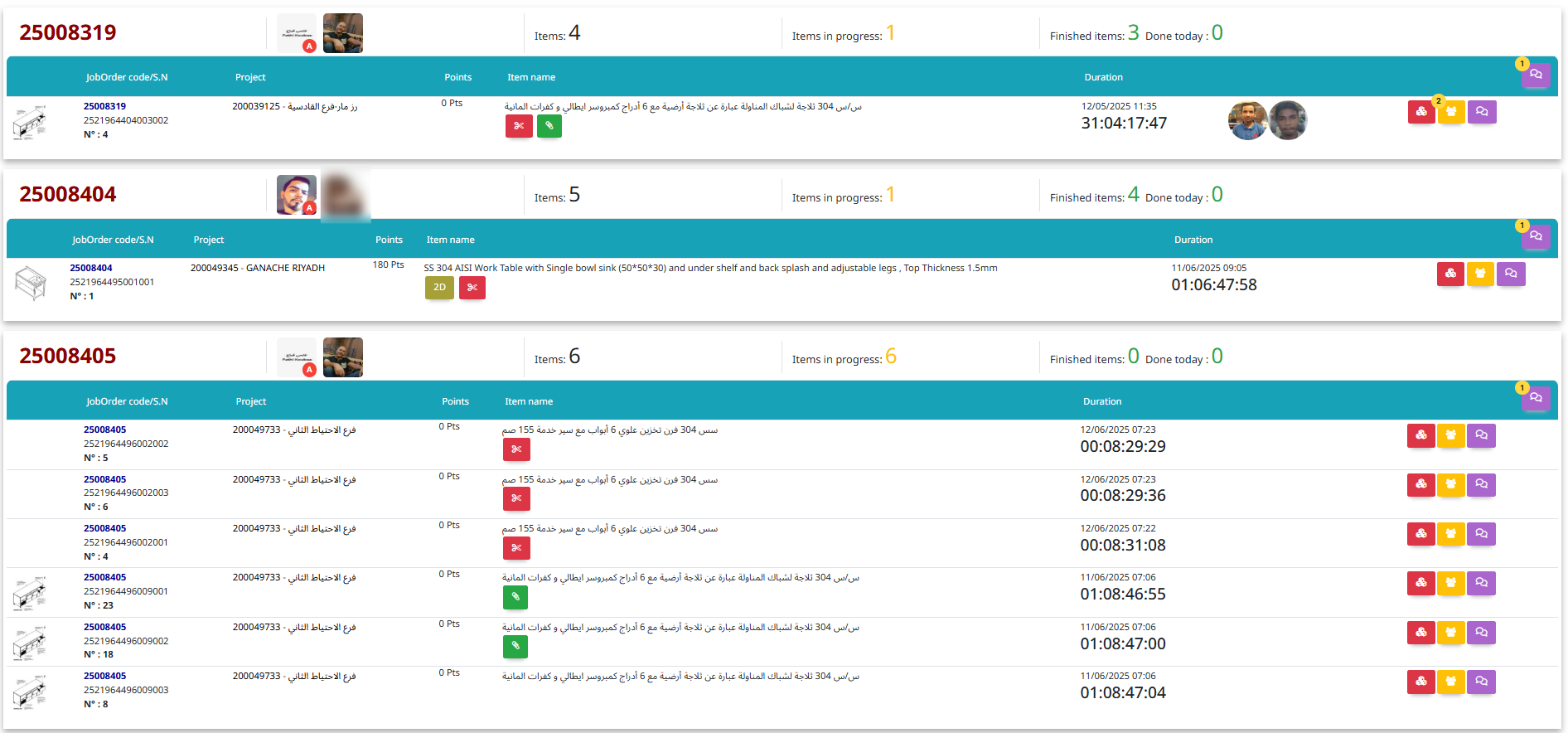
The Assembly module manages the process of putting together components to create finished products, tracking parts, labor, and quality control.
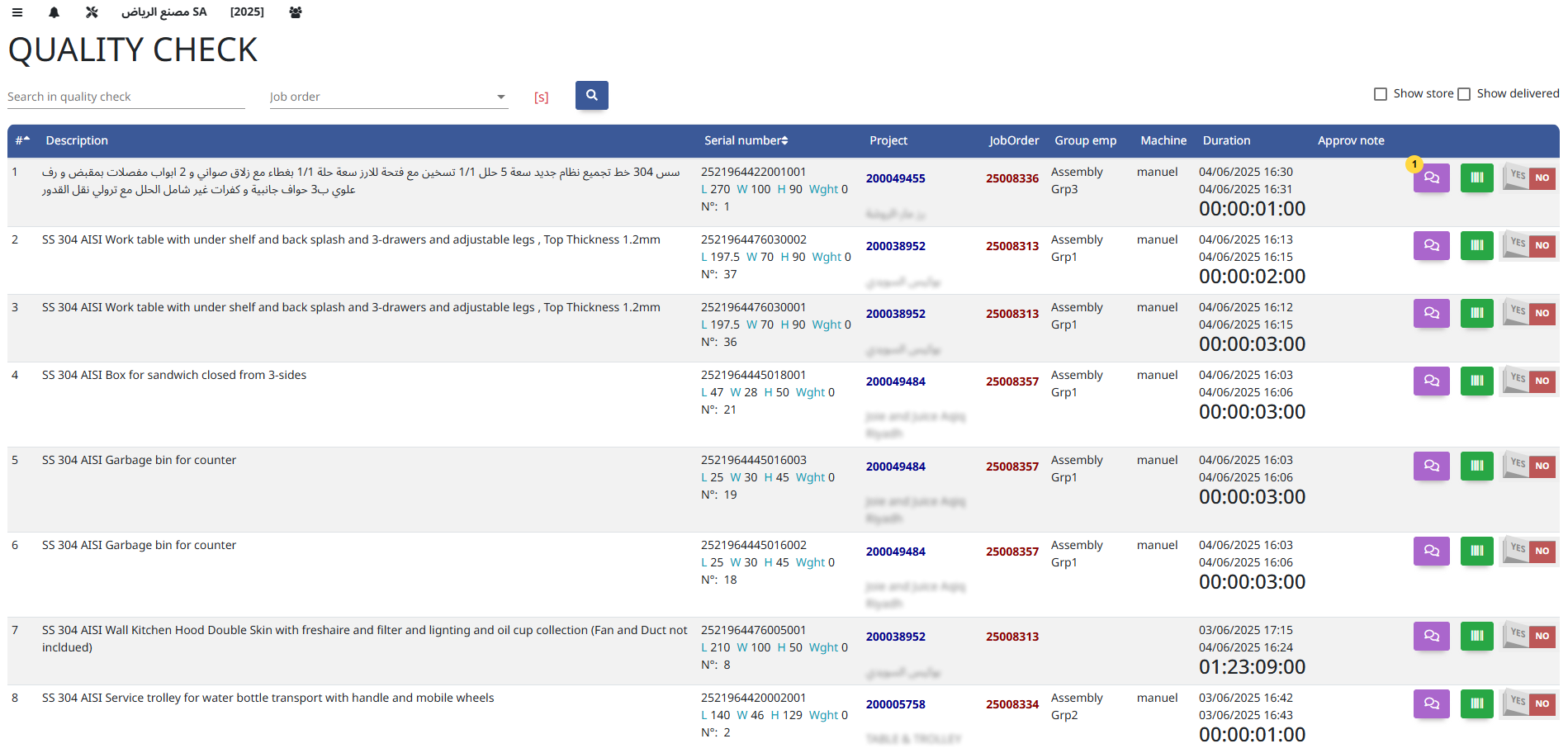
The Quality Check module ensures products meet specified standards through inspections and tests, helping maintain consistency and reduce defects.
The Storing module manages the receipt, organization, and safe storage of materials and finished goods within warehouses or storage facilities.
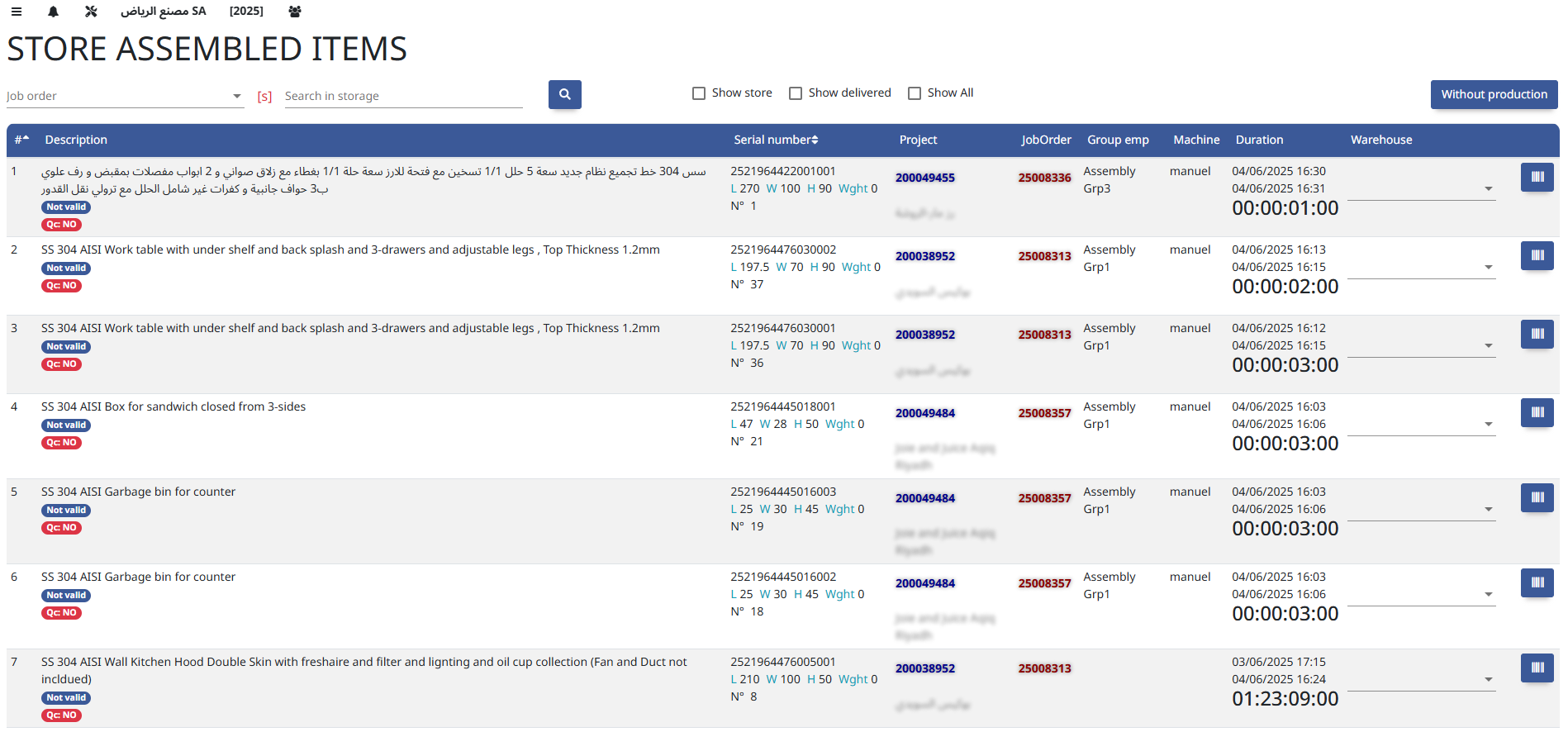
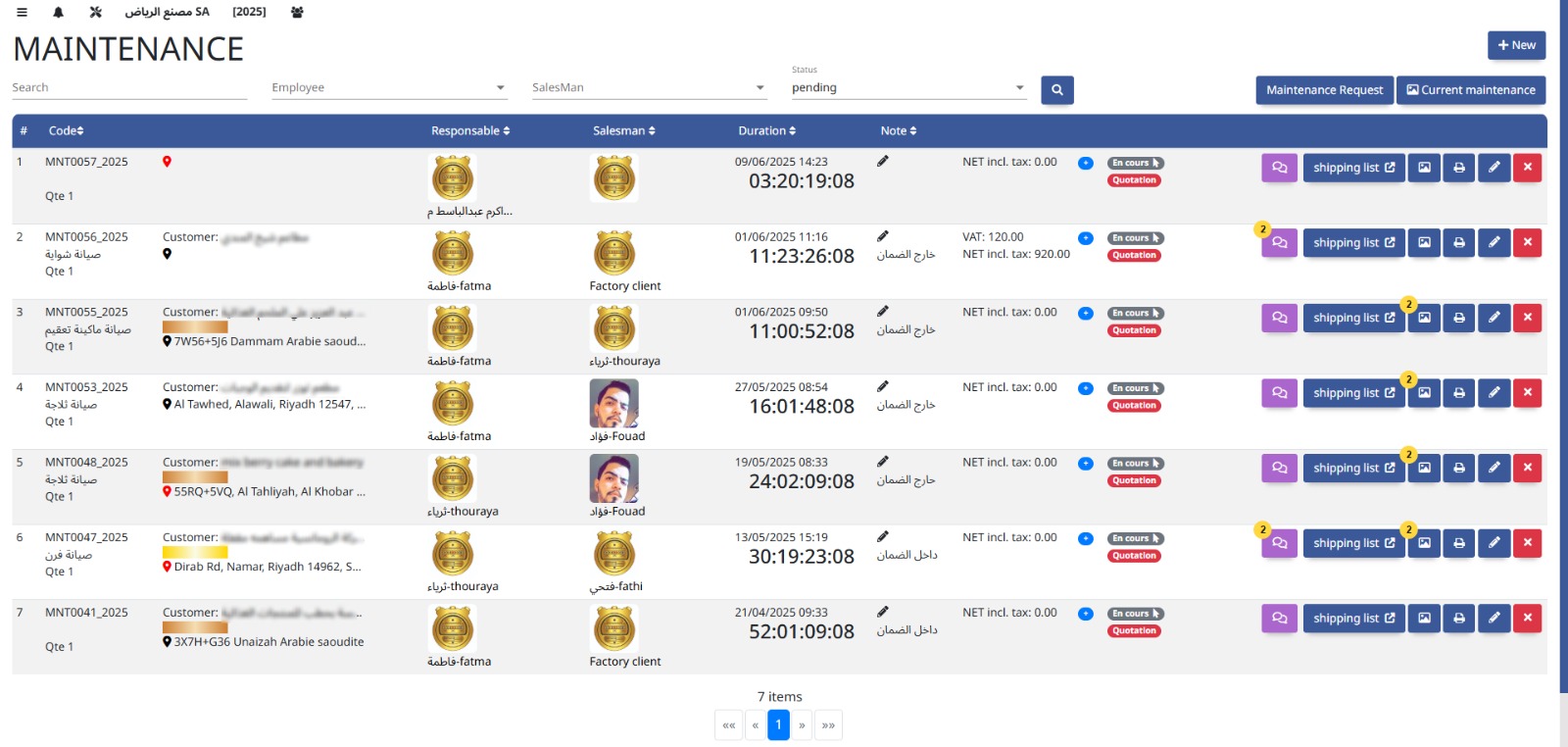
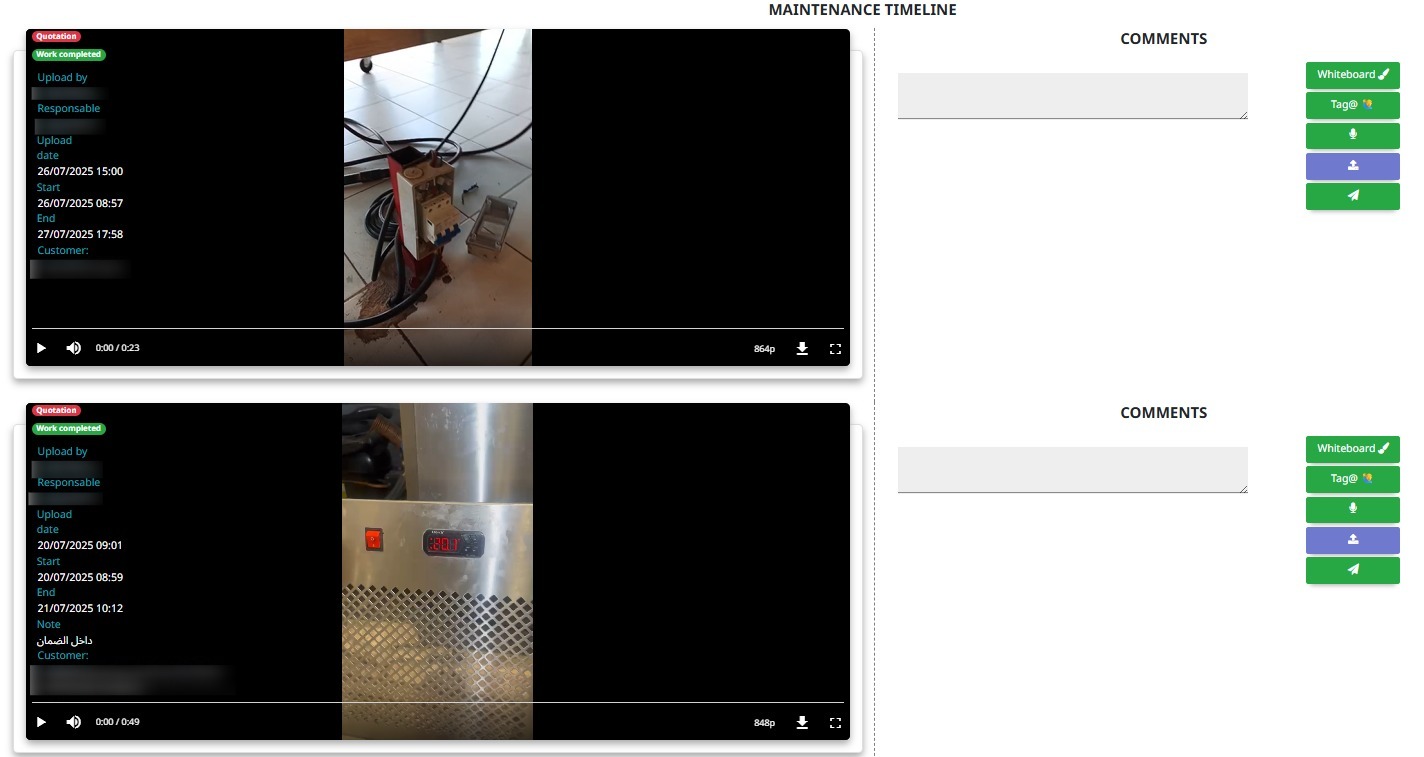
The Maintenance module schedules and tracks equipment servicing, repairs, and inspections to ensure operational efficiency and minimize downtime.
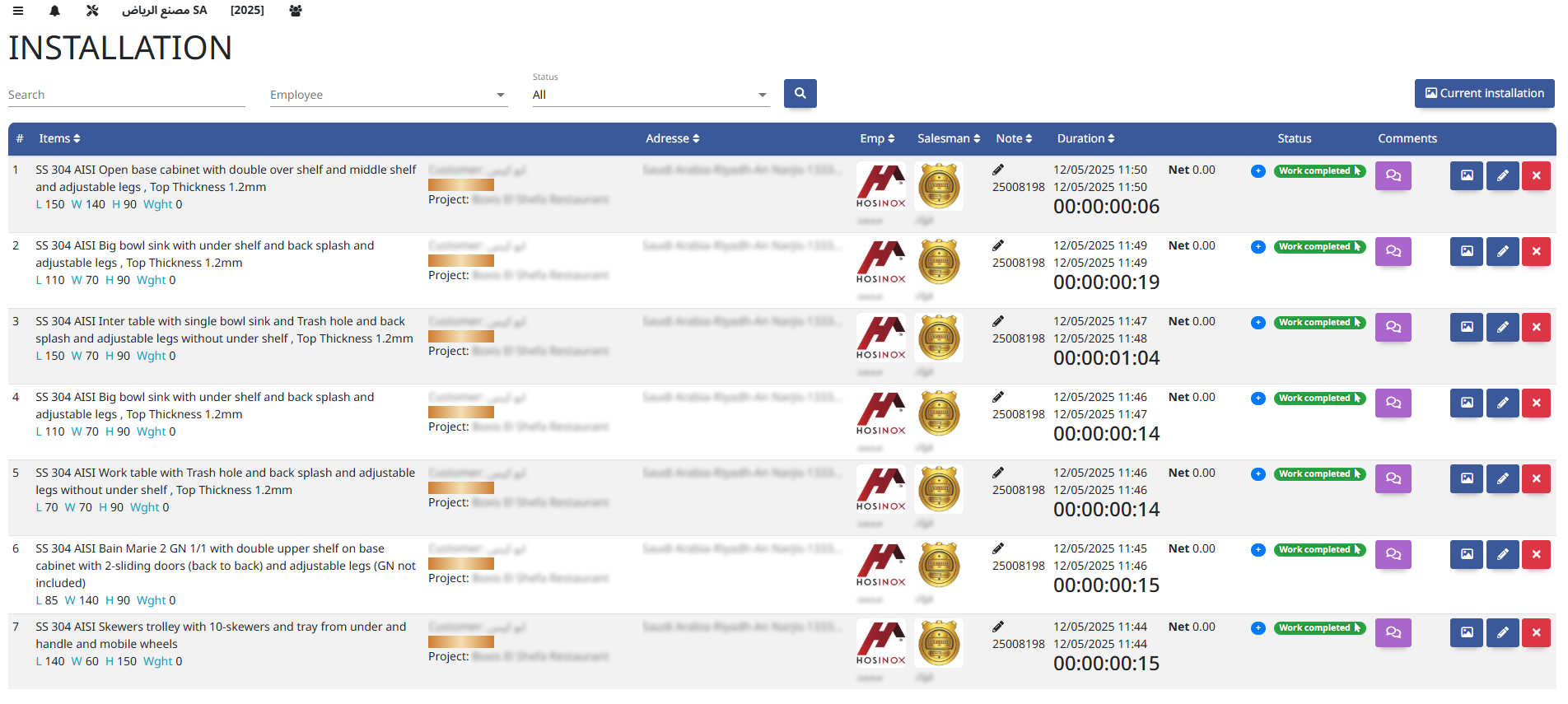
The Installation module manages the planning, execution, and tracking of equipment or system setup at customer sites or facilities.
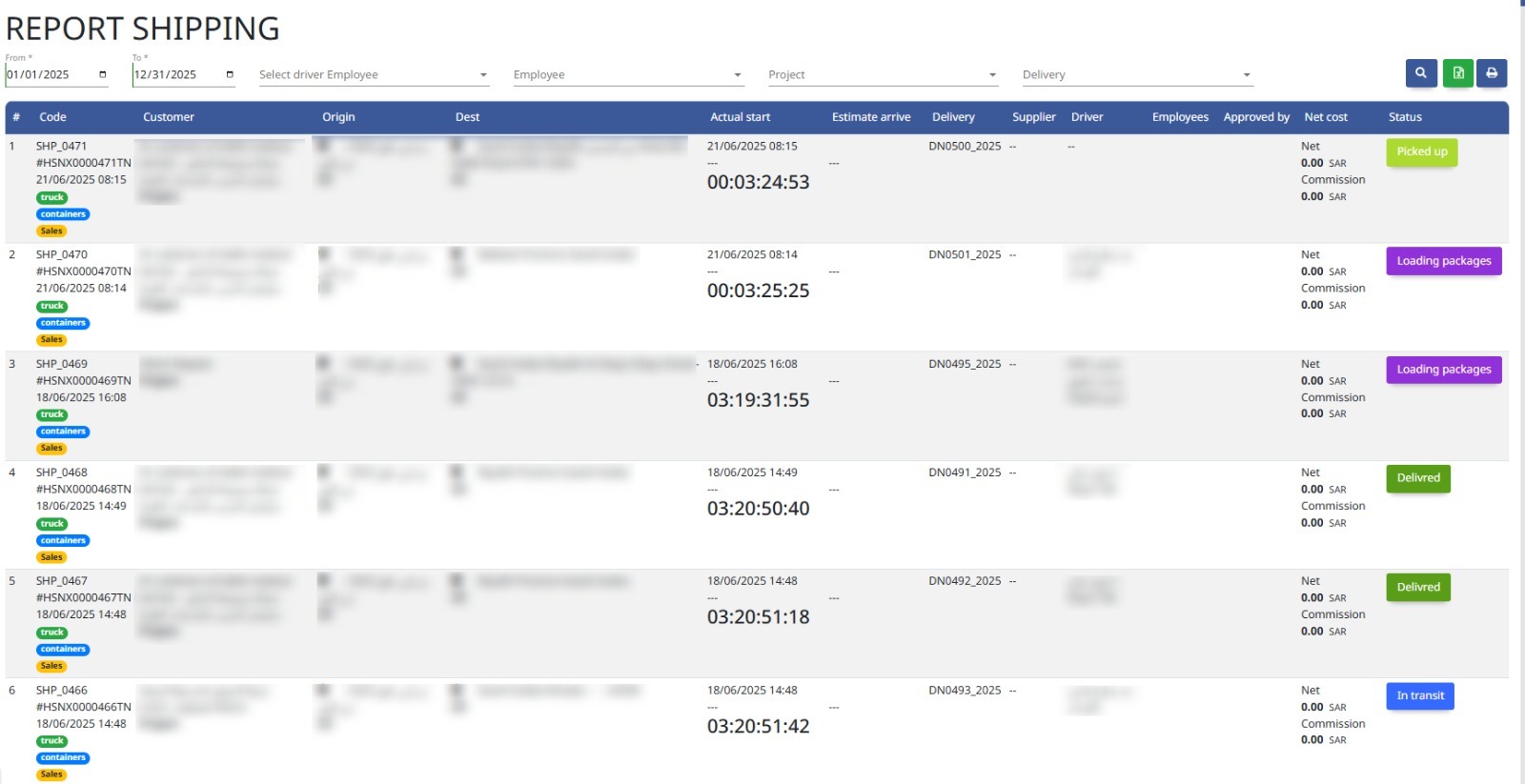
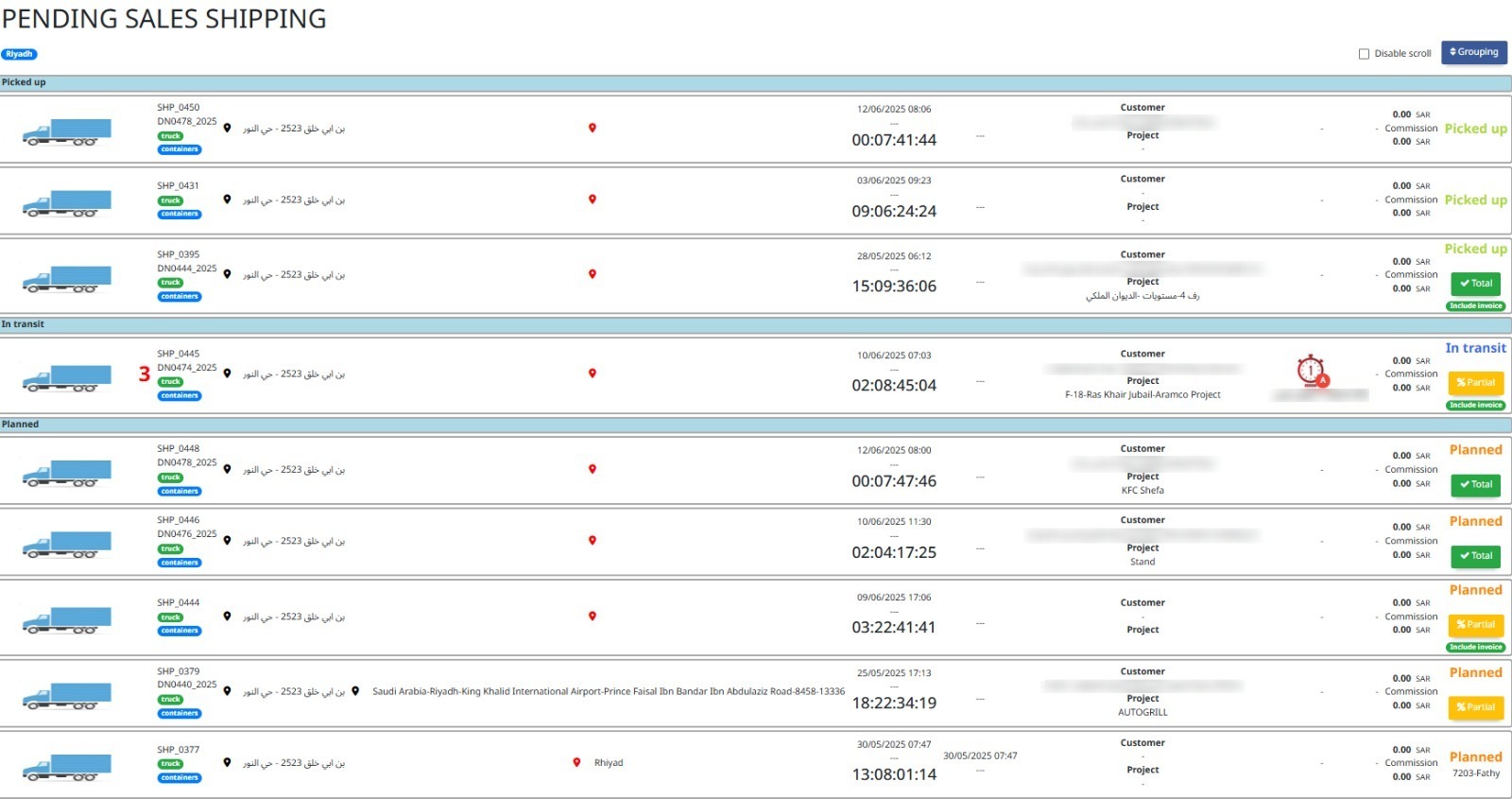
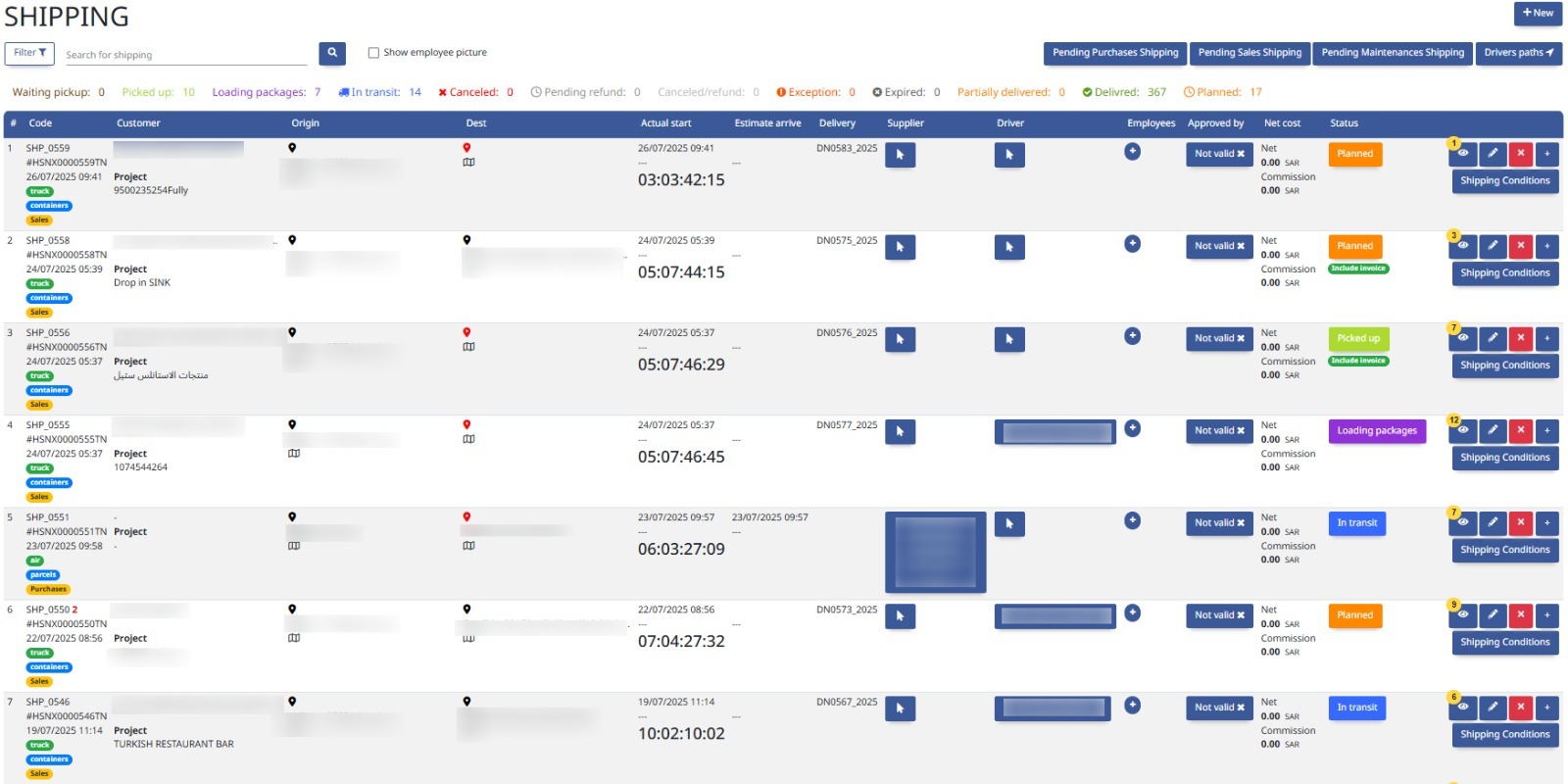
The Shipping module manages the packing, dispatch, and transportation of goods to customers, ensuring timely and accurate delivery.
Reports
- Fabrication Reports
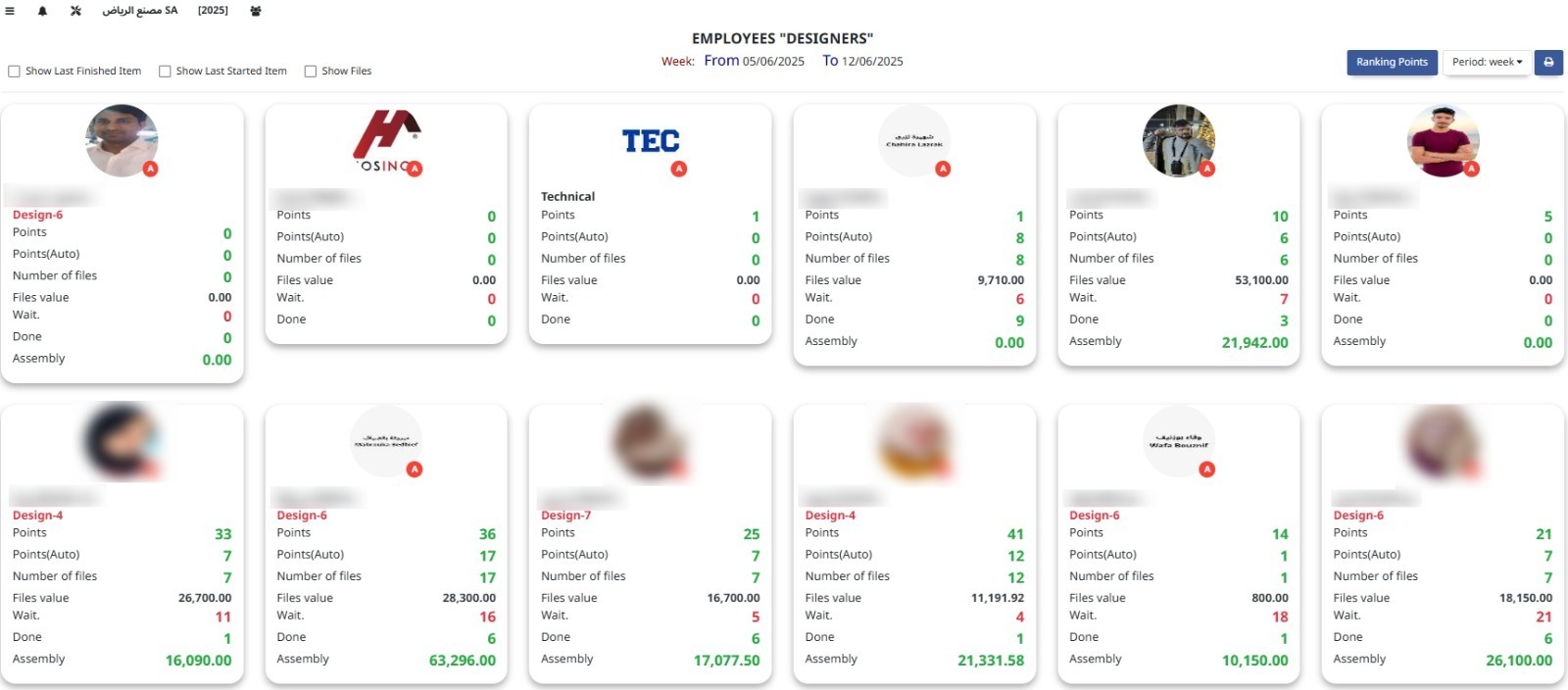
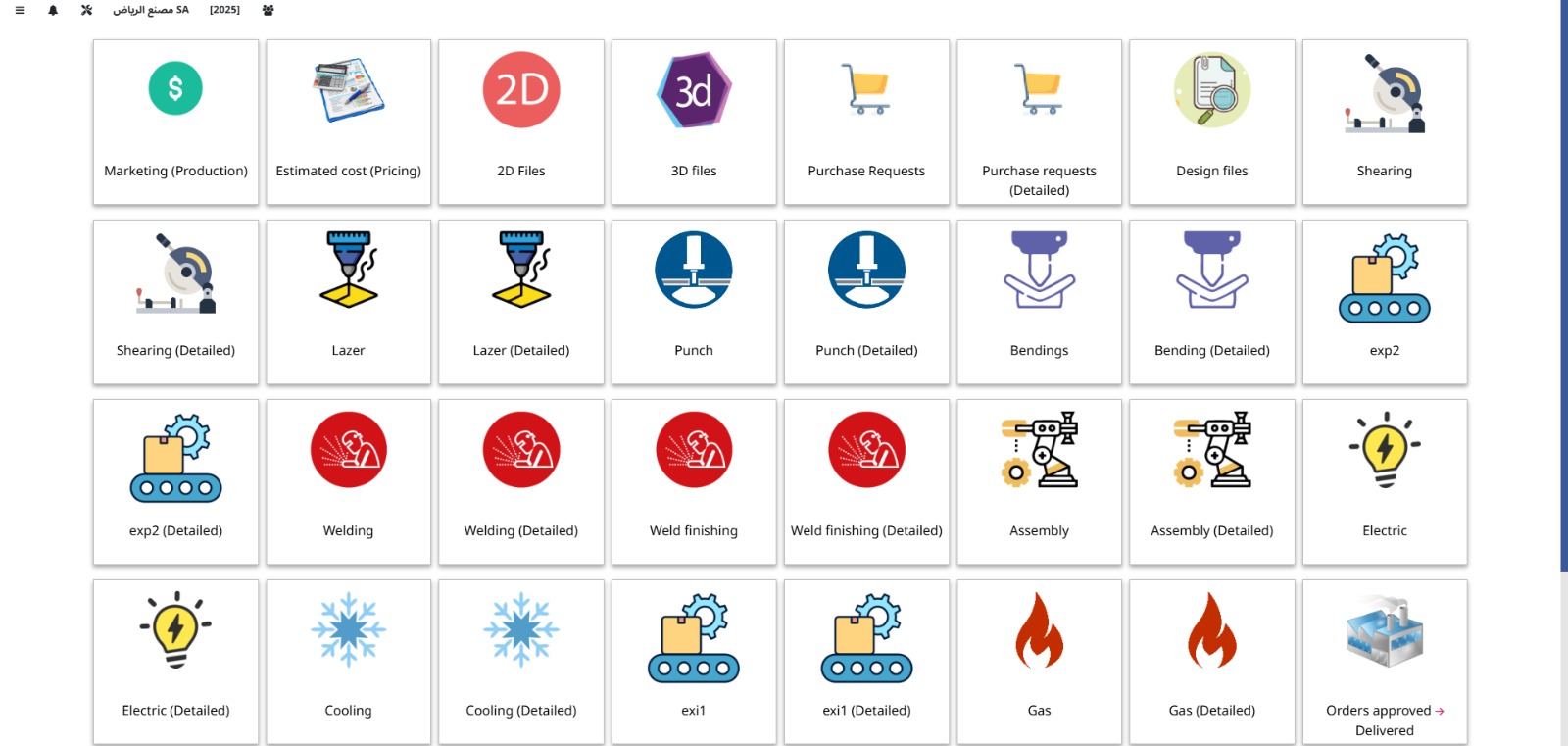
Fabrication Reports provide detailed insights on production activities, including progress, material usage, and quality metrics to support operational decisions.
8. Stock / Inventory
Track inventory levels, stock movements, and perform internal transfers.
Settings
- Stock Settings
Stock Settings configure inventory parameters such as reorder levels, valuation methods, and warehouse rules to optimize stock management.
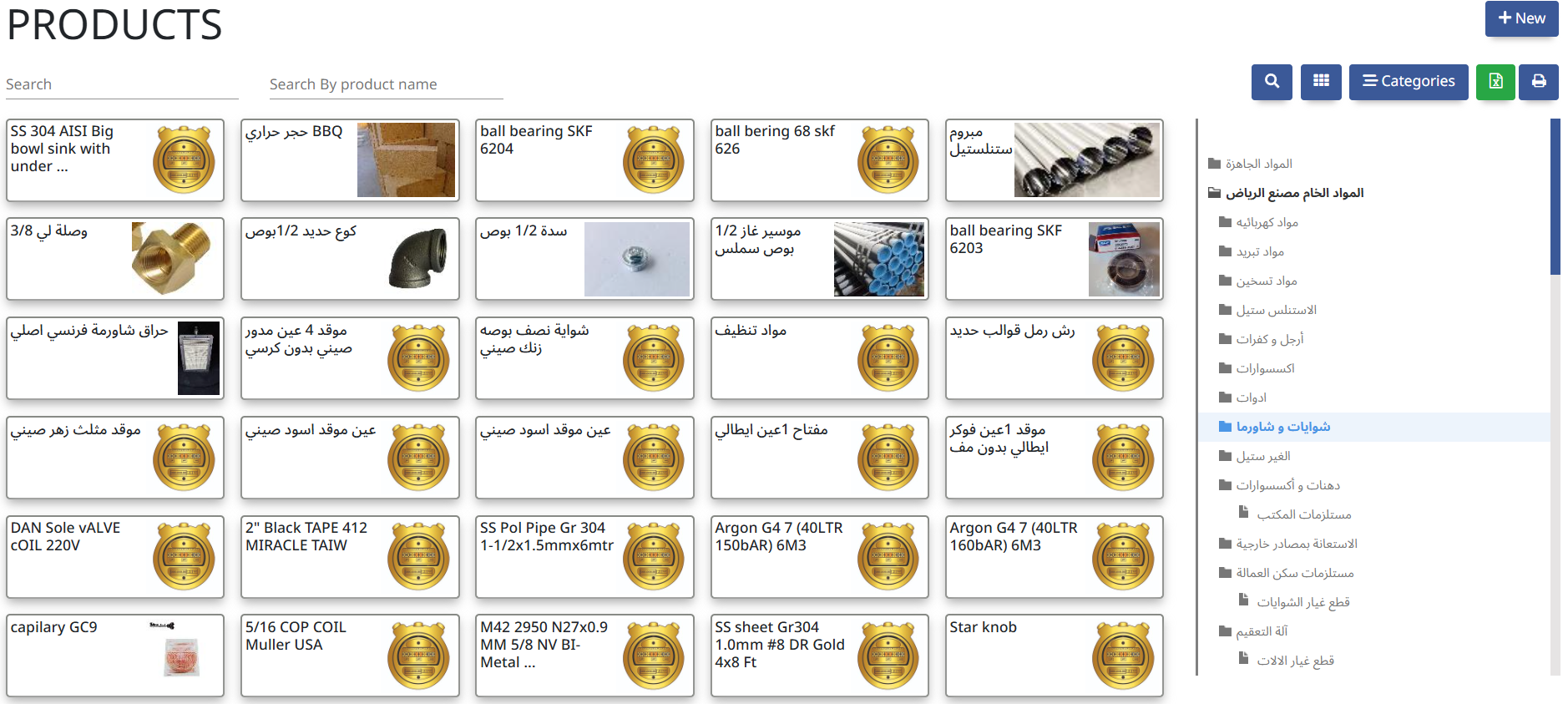
Core Operations
- Stock In / Out
- Internal Transfer
- Inventory
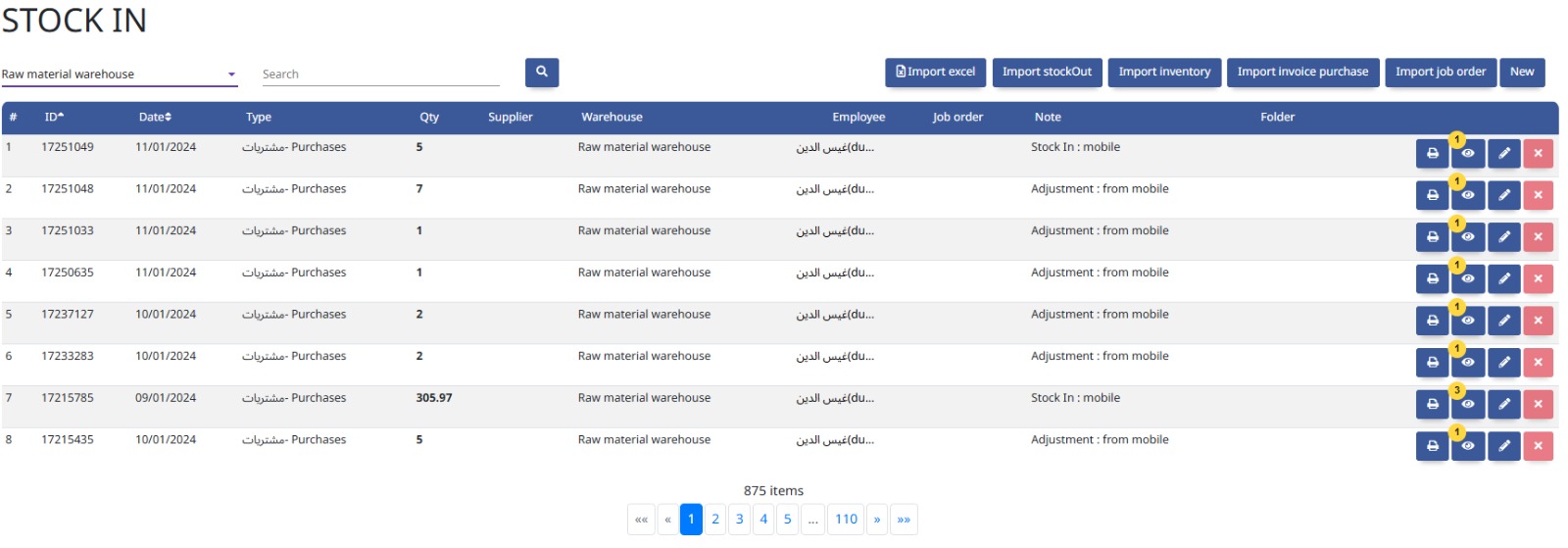
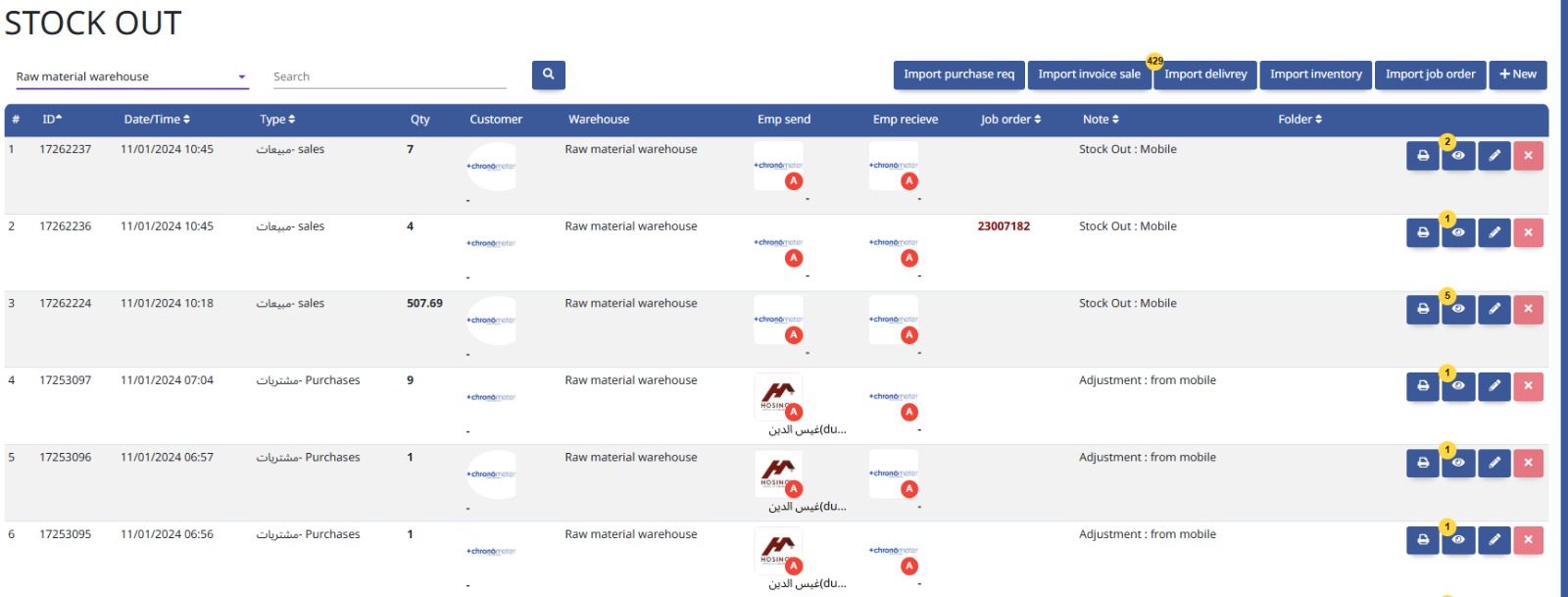
This module manages the recording of goods entering (stock in) and leaving (stock out) the warehouse, ensuring accurate inventory tracking.
Internal Transfer manages the movement of inventory or assets between different locations or departments within the organization to maintain accurate stock records.
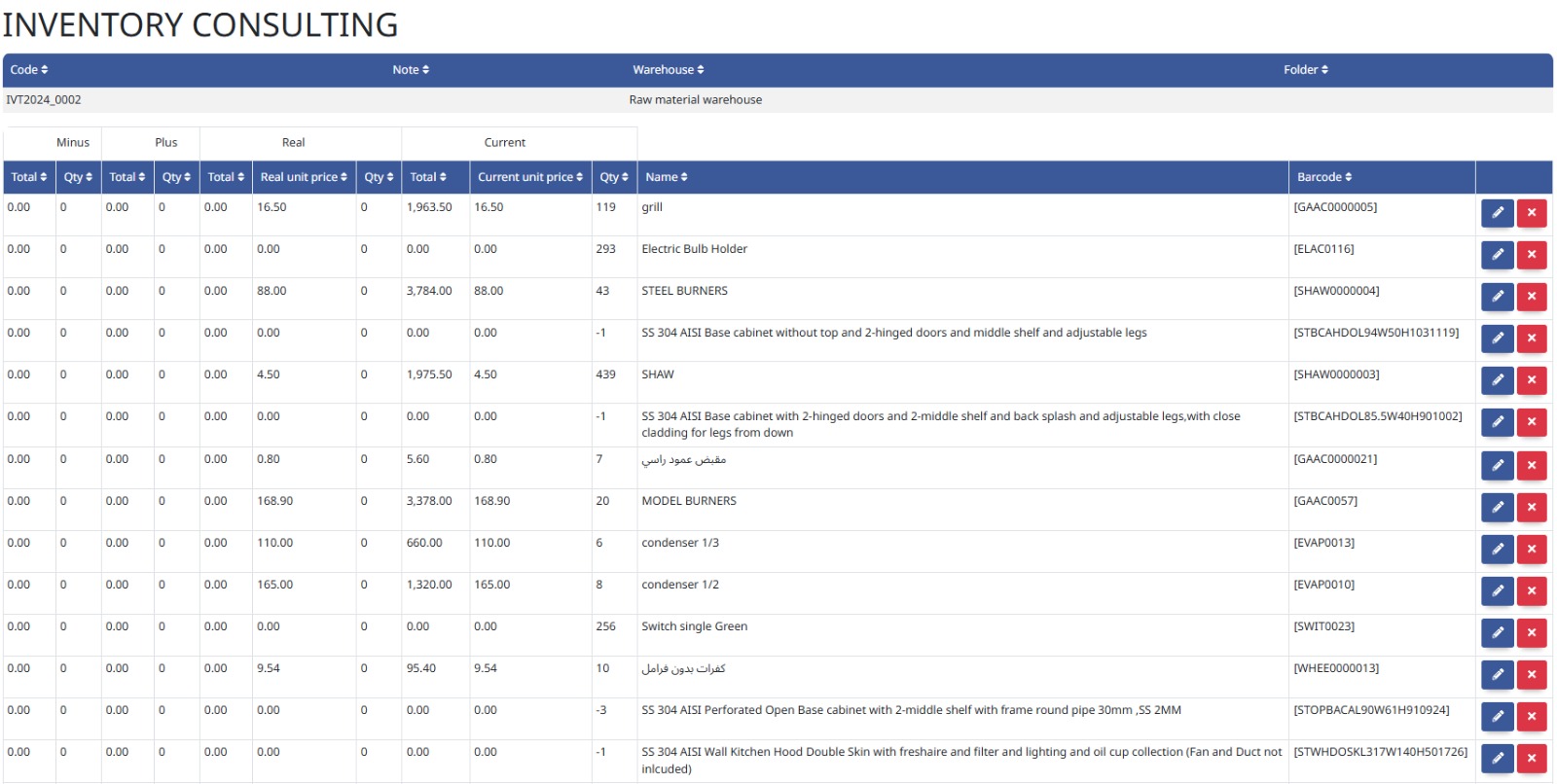
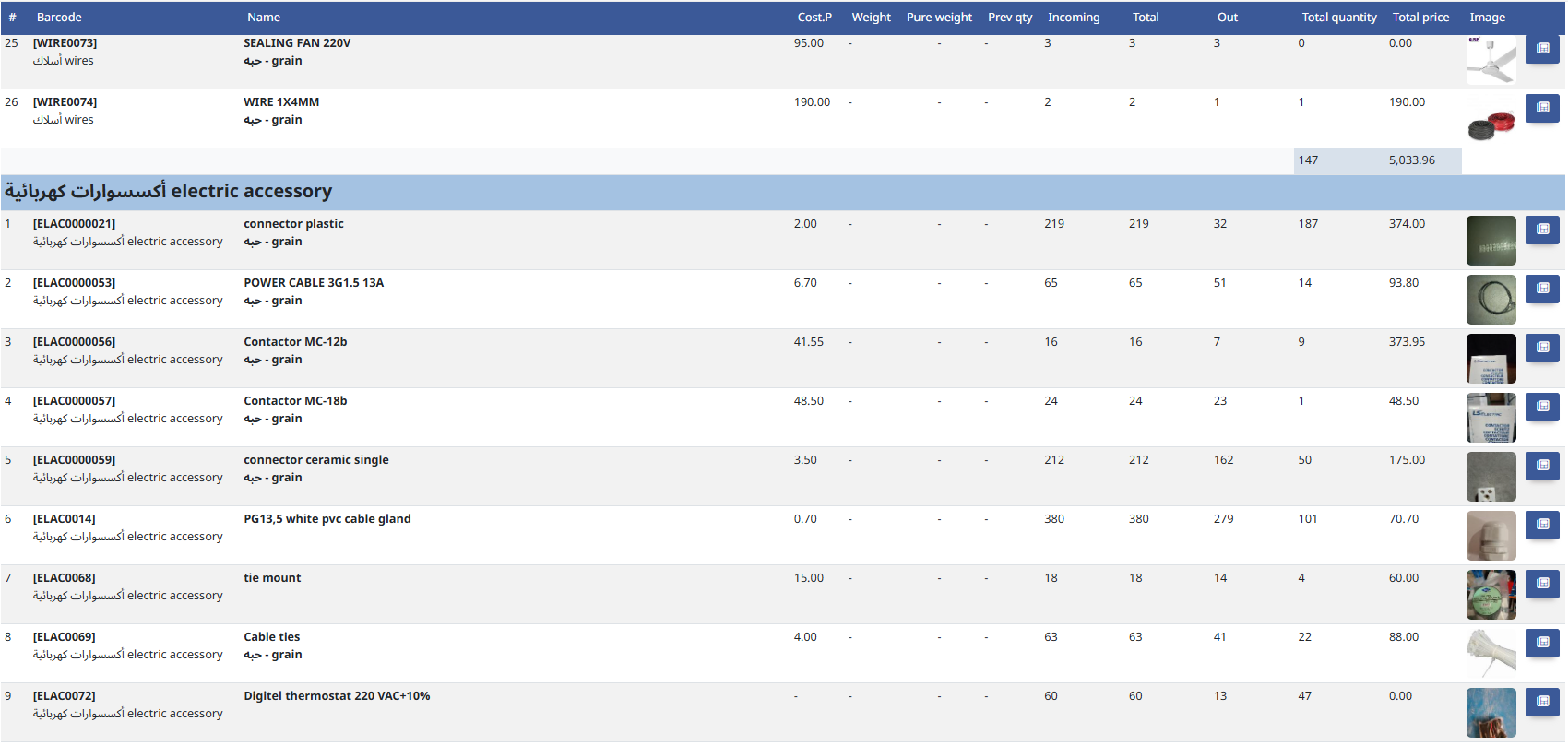
The Inventory module tracks and manages stock levels, locations, and movements of goods to ensure accurate availability and efficient supply chain operations.
Reports
- Stock Reports
Stock Reports provide detailed information on inventory levels, movements, and valuations to support effective stock management and decision-making.
9. Point of Sales
Complete POS system for managing orders, sessions, payments, and in-store activities.
Settings
- Point of Sales Management
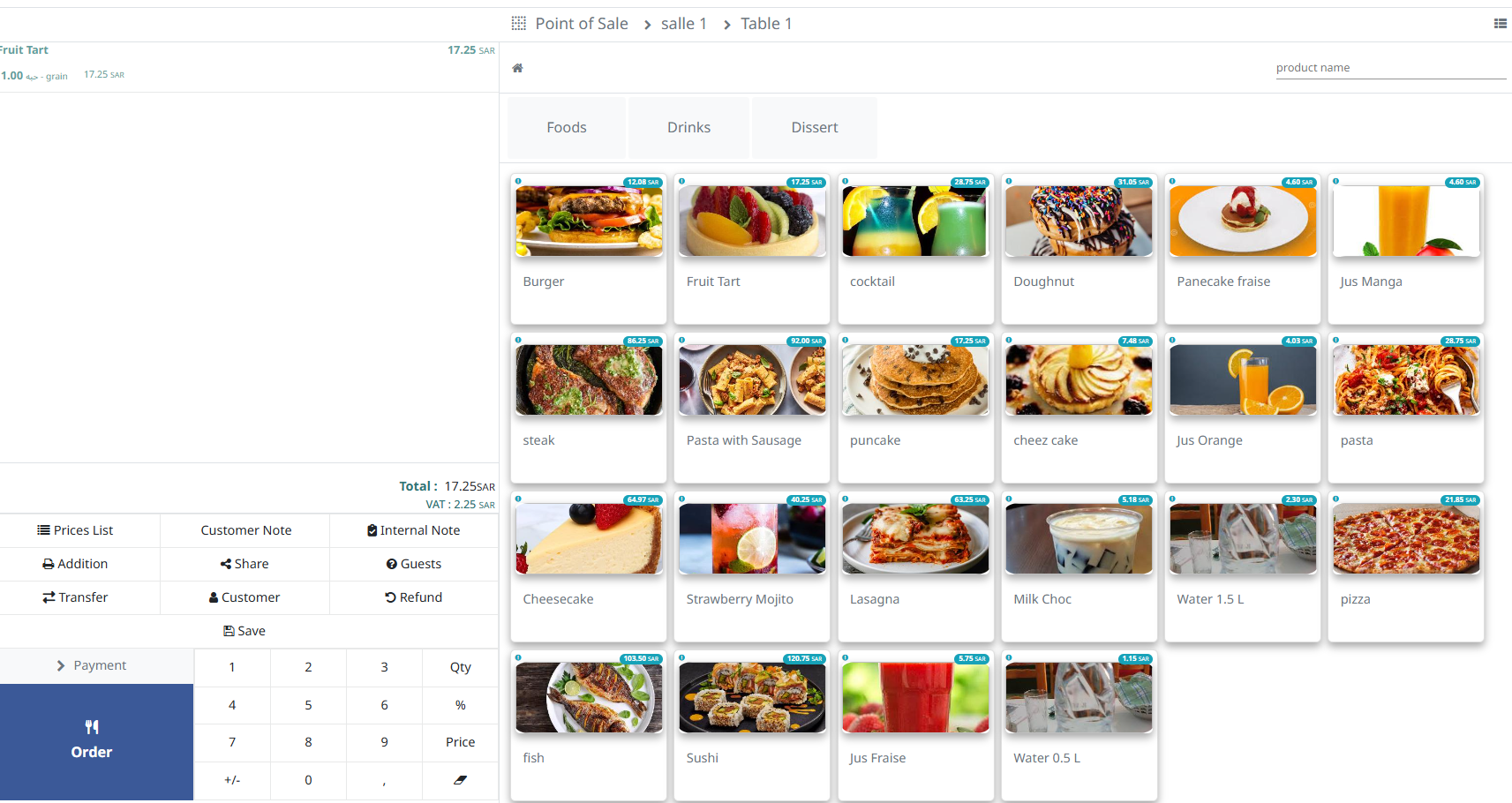
This module handles sales transactions at retail points, managing billing, inventory updates, and customer interactions for efficient checkout processes.
Core Operations
- Rooms
- Sessions
- Payments
- Orders
- To-Do Preparation
The Rooms module manages information about physical spaces, including availability, booking, and allocation for meetings, events, or accommodation.
Sessions track scheduled events, meetings, or training periods, managing attendance and resource allocation for effective planning.
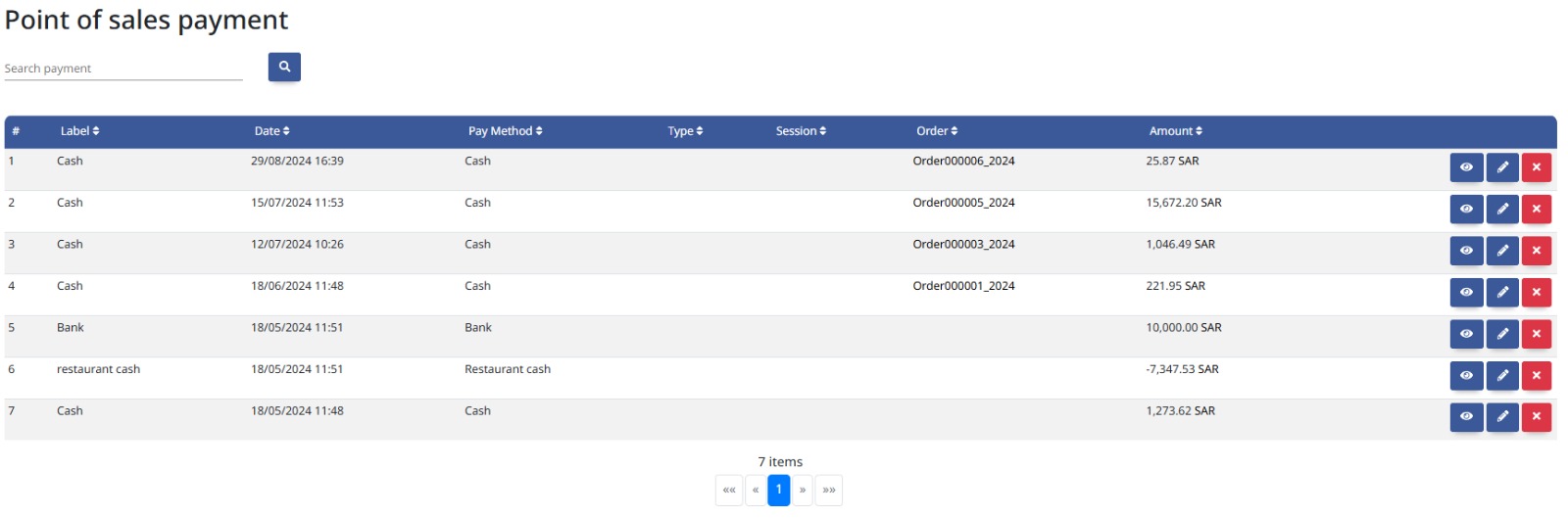
The Payments module handles processing and tracking of outgoing funds to suppliers, employees, or others, ensuring timely and accurate disbursements.
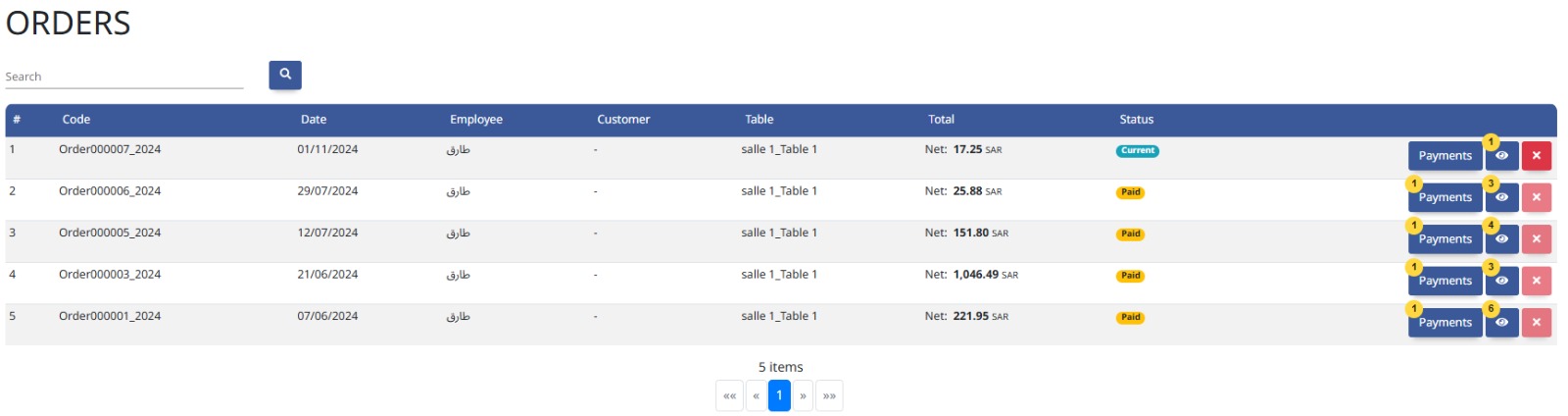
The Orders module manages the creation, tracking, and fulfillment of customer purchase requests, ensuring accurate processing from order entry to delivery.
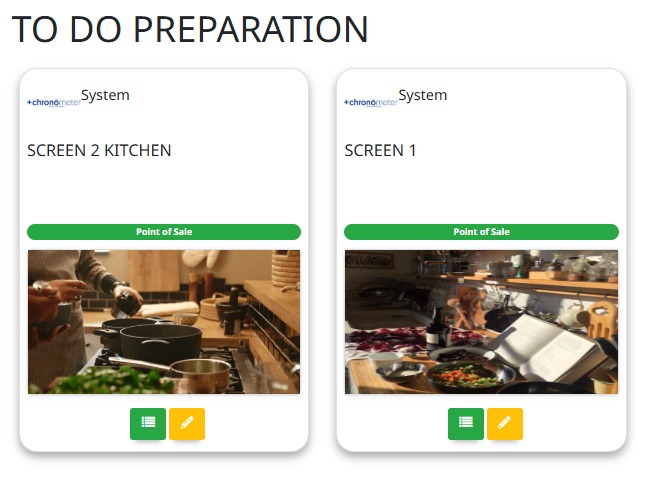
This module organizes and prioritizes tasks and activities, helping users plan and manage their workload efficiently.
Reports
- POS Reports
POS Reports provide detailed summaries of sales transactions, payment methods, and customer activity at point-of-sale locations for business analysis.
10. Dashboard
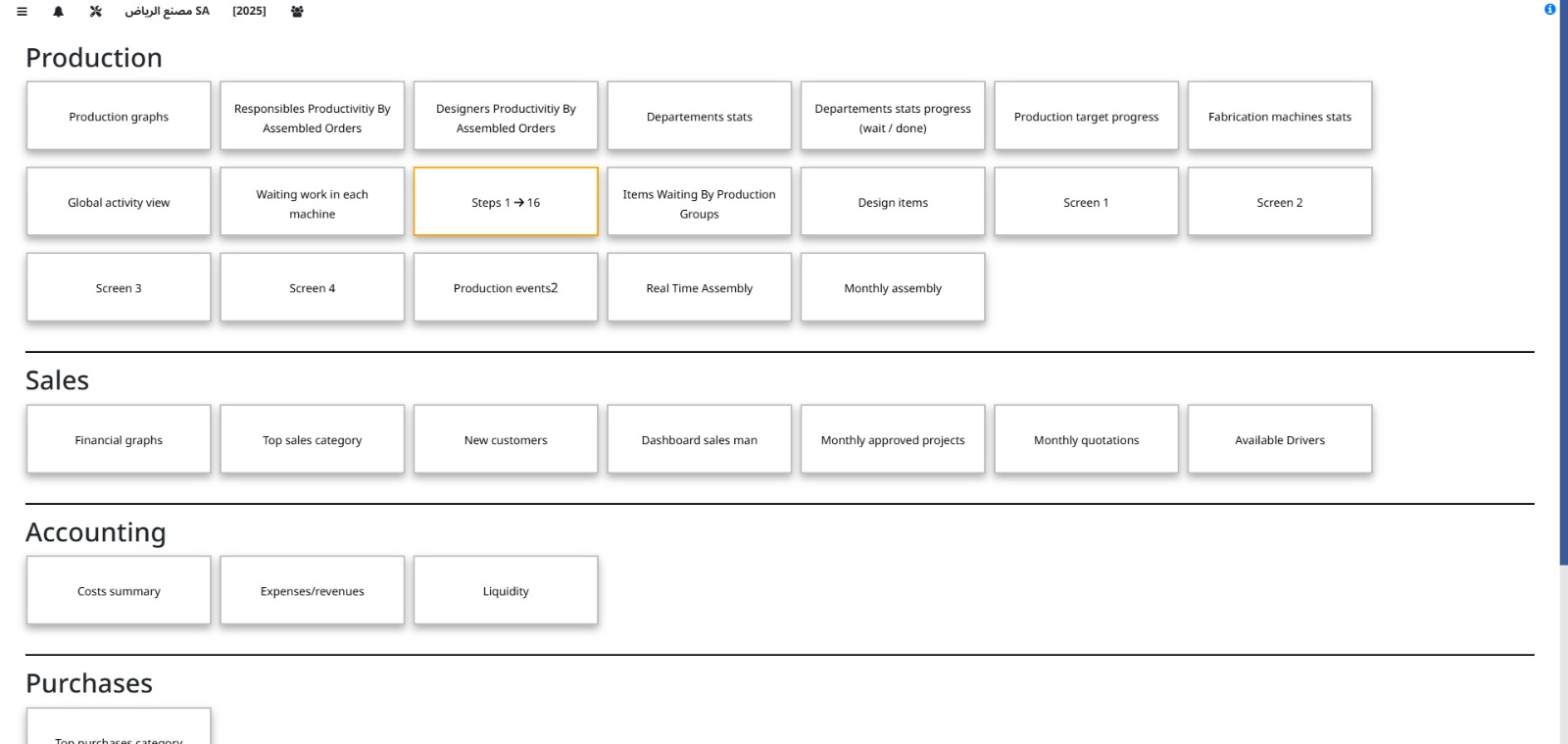
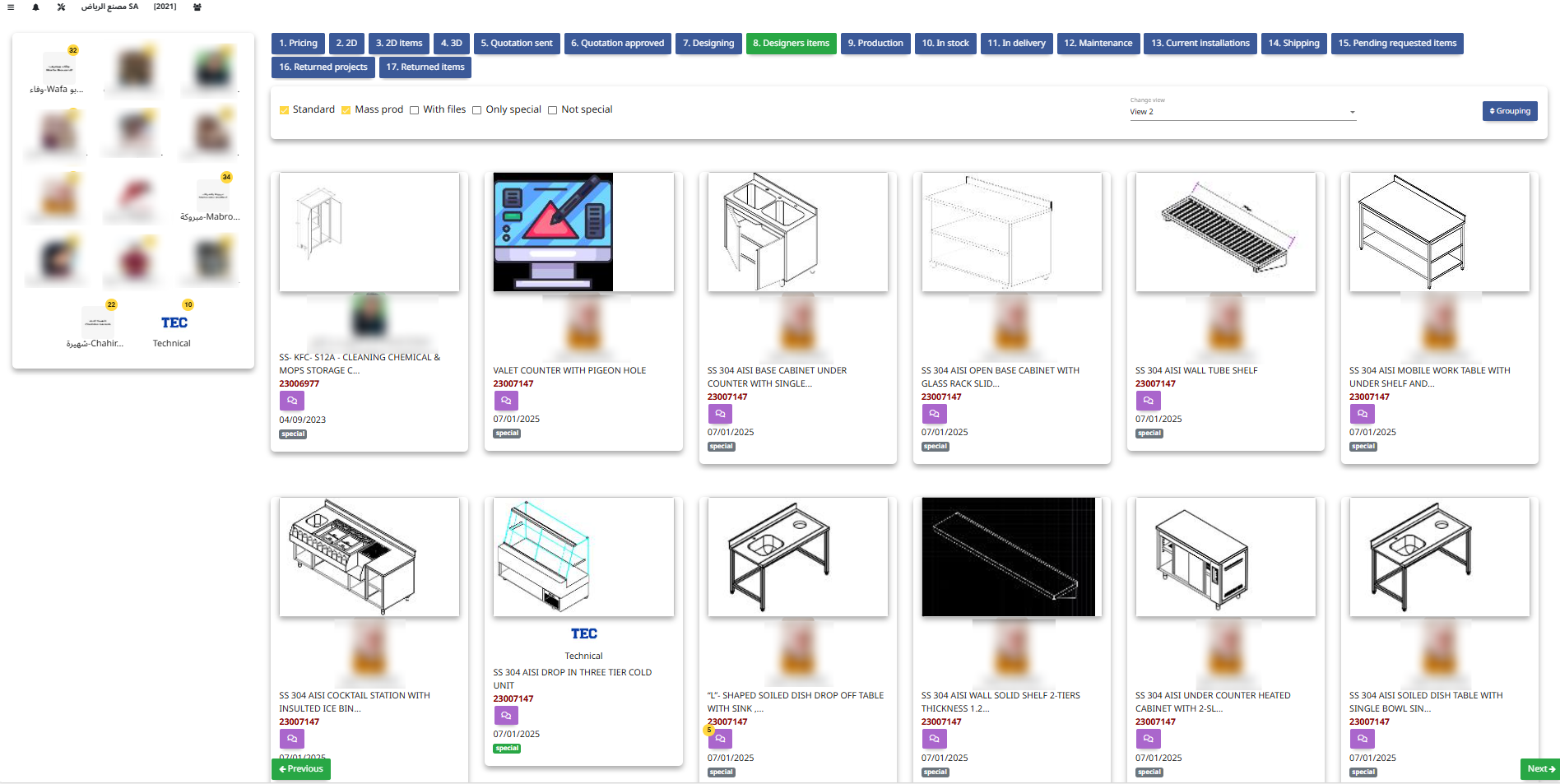
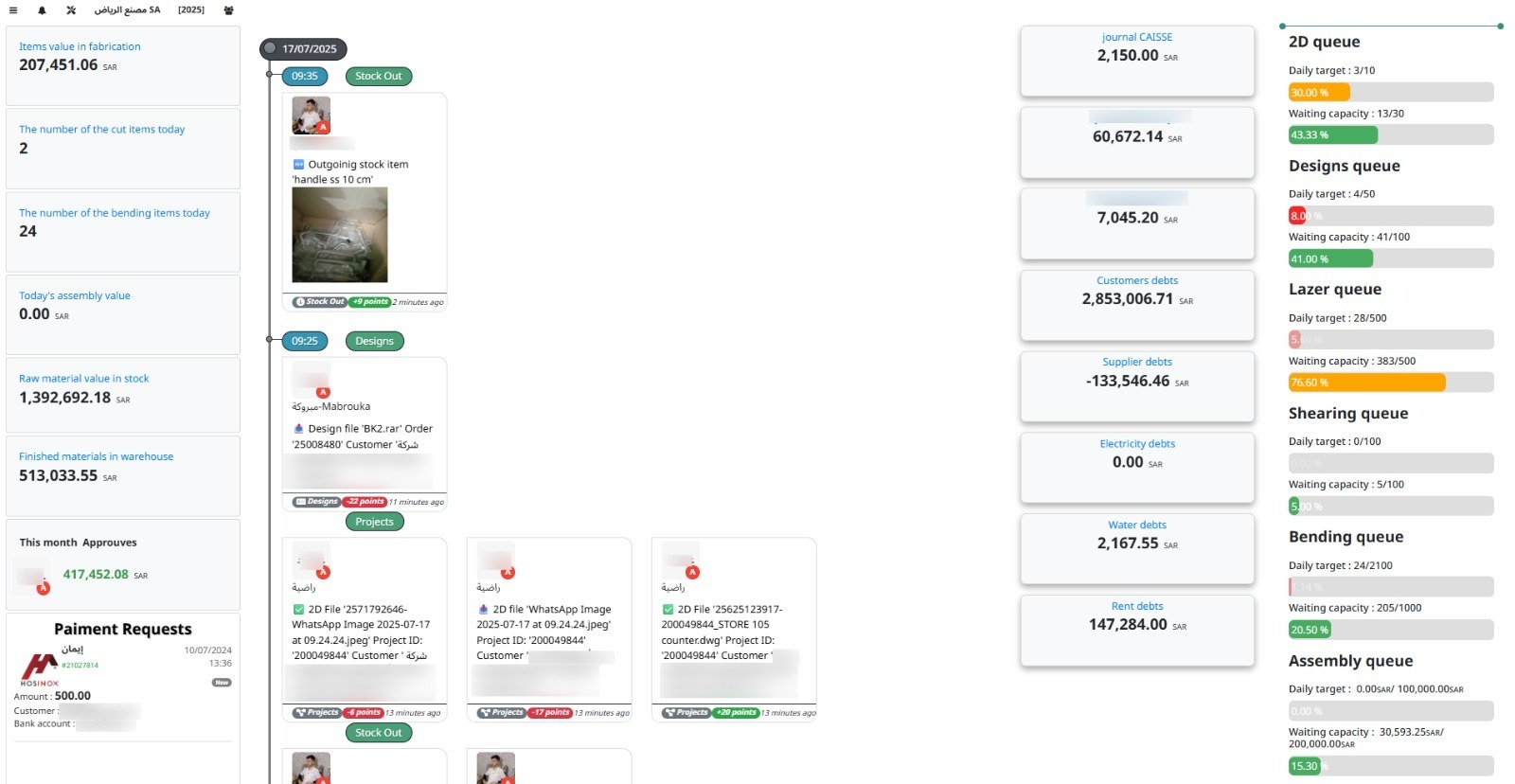
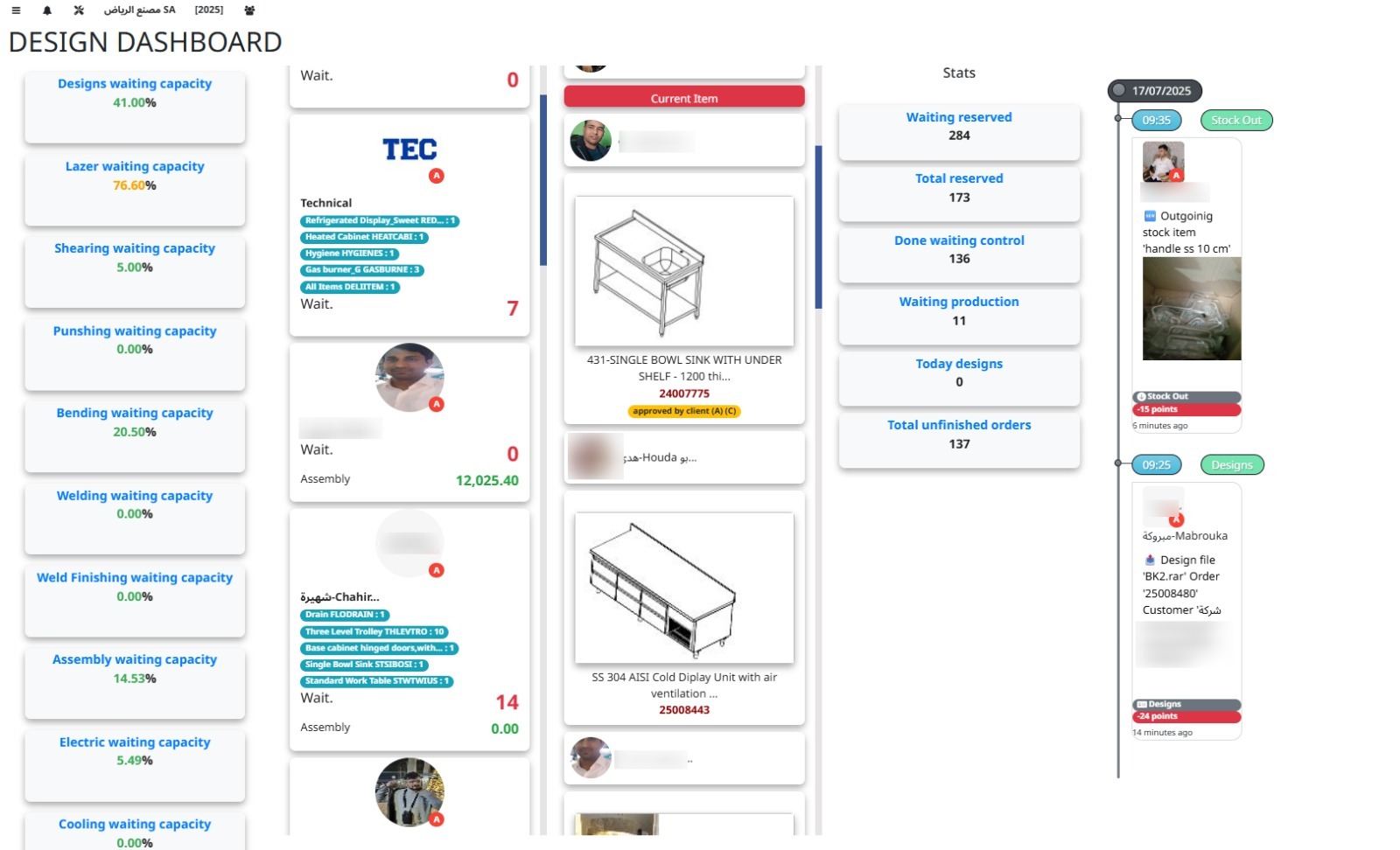
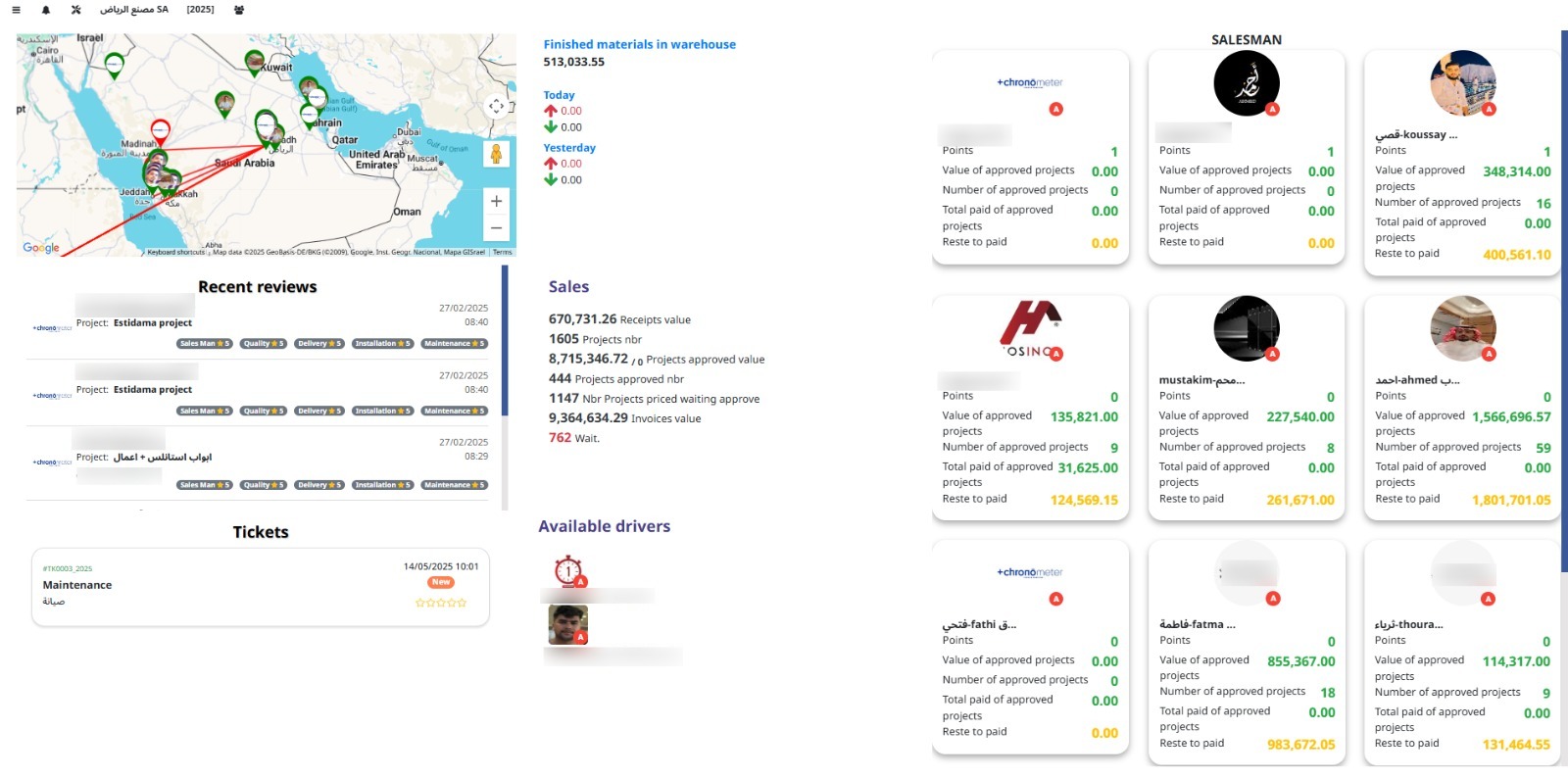
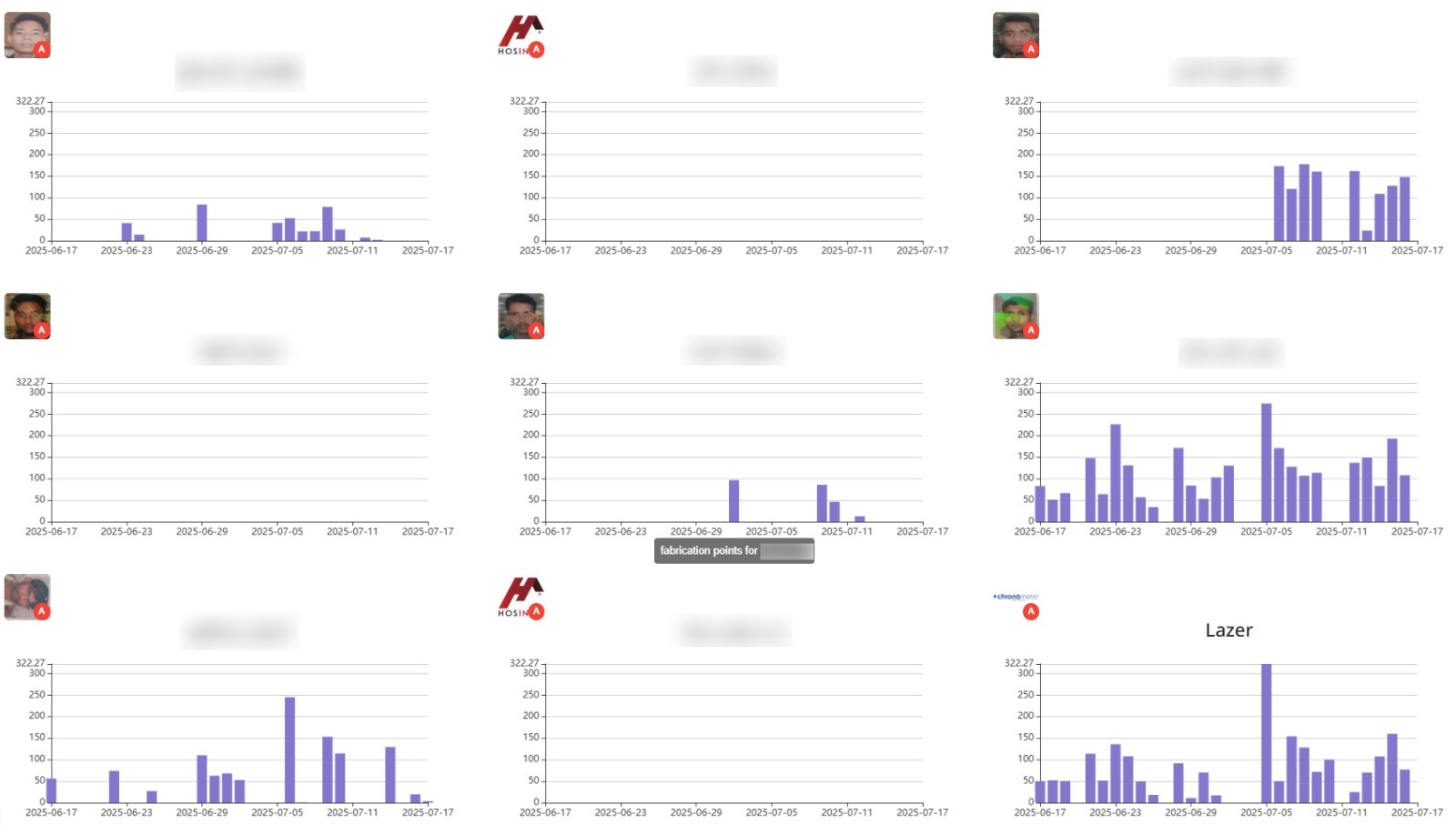
Dashboards provide real-time visual summaries of key business metrics and performance indicators for quick insights and decision-making.
11. Catalogue
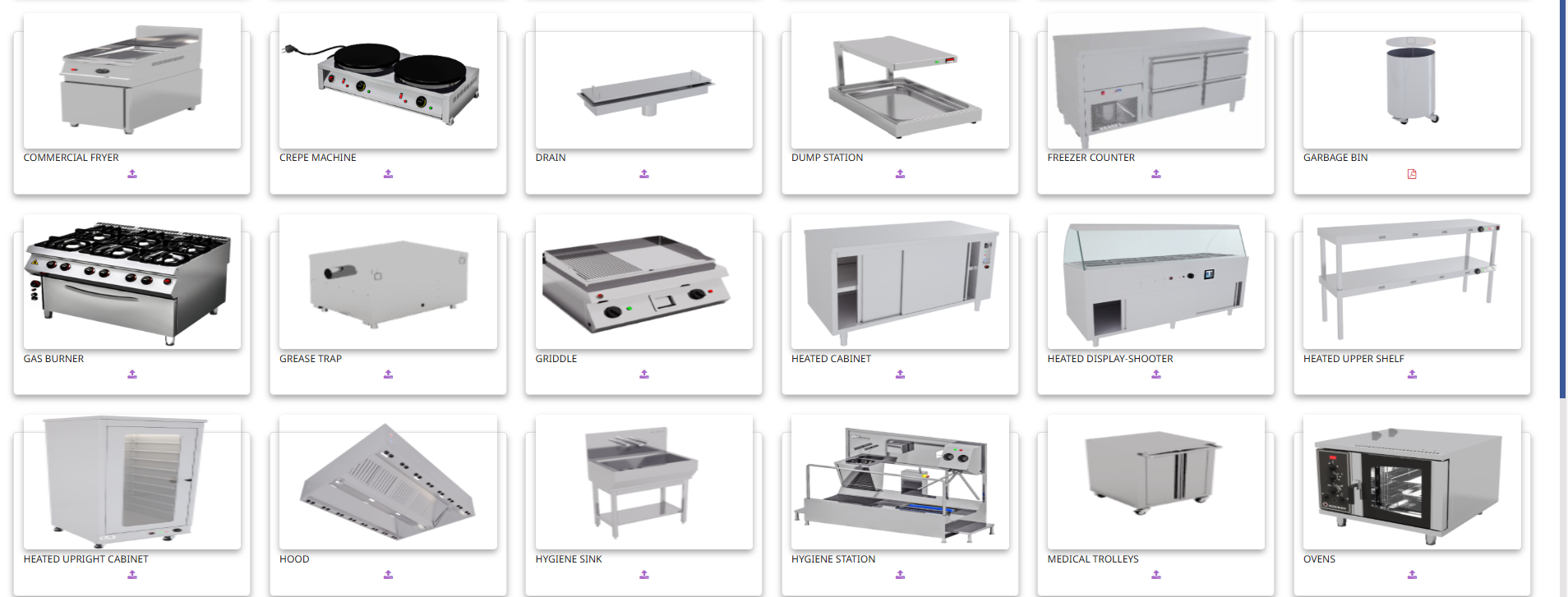
The Catalogue lists products or services offered by the company, including descriptions, prices, and specifications to support sales and procurement.
12. User Management
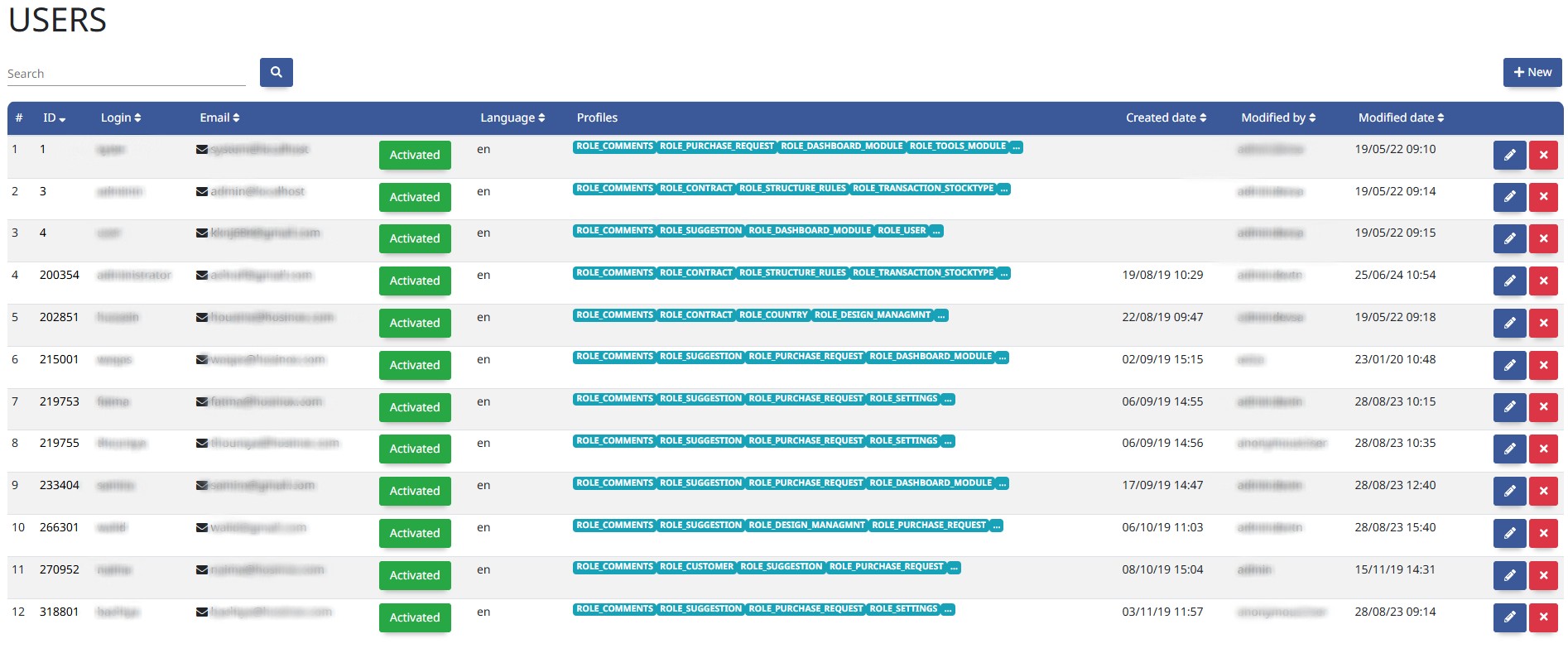
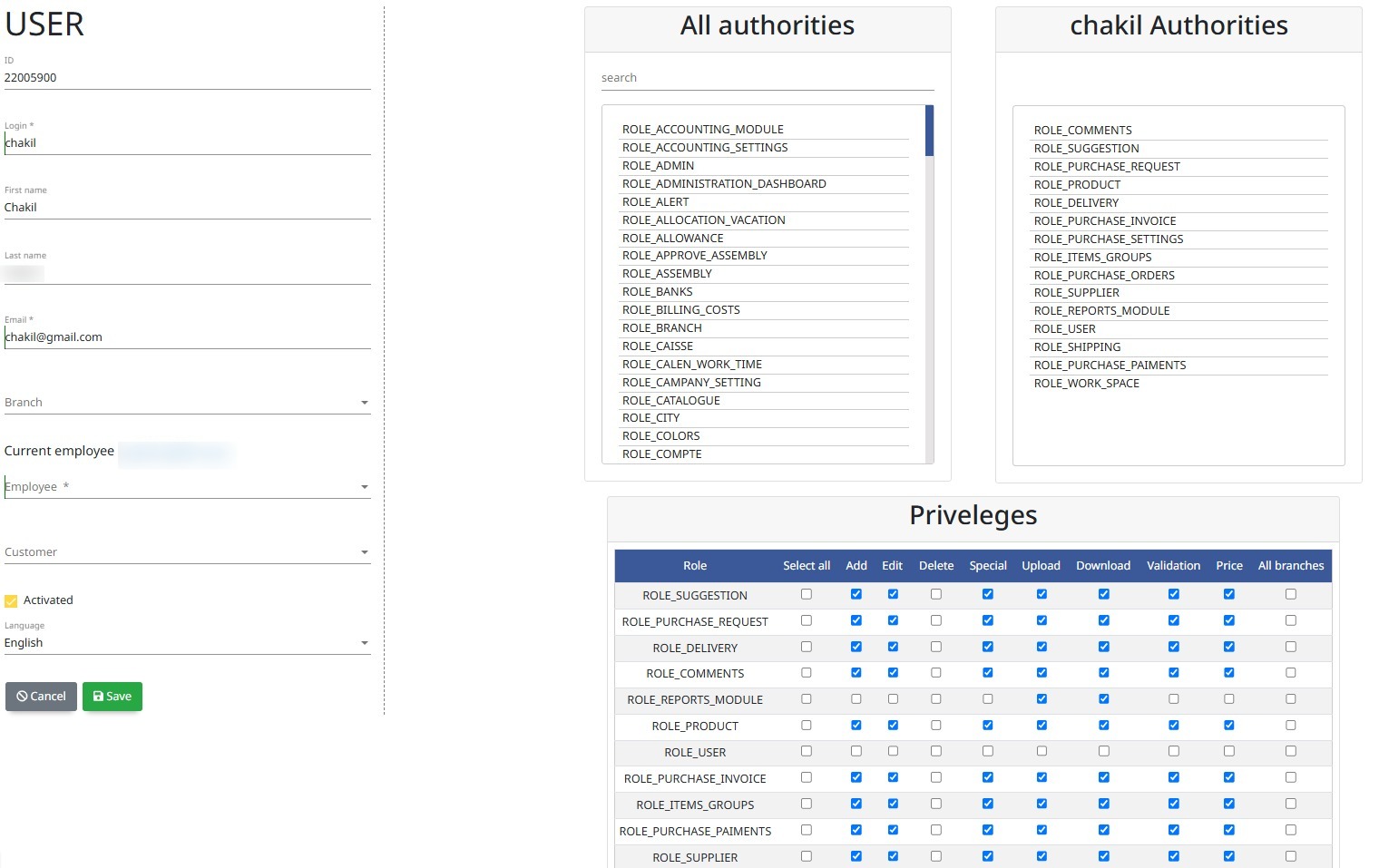
User Management controls access rights, roles, and permissions for system users to ensure secure and appropriate use of the ERP system.
13. Nesting integrated app
The Nesting Integrated App automates the arrangement of cutting patterns on raw materials directly within the ERP, reducing waste and optimizing production efficiency.
14. Additional Modules
Supporting tools including dashboards, portals, mail, storage, and configuration.
- Customer Portal
- Mail Management
- Integrated File Storage and Management (Read/Write)
- Configuration
- Comments
- Multiple languages (you can add other)
- To Do Lists
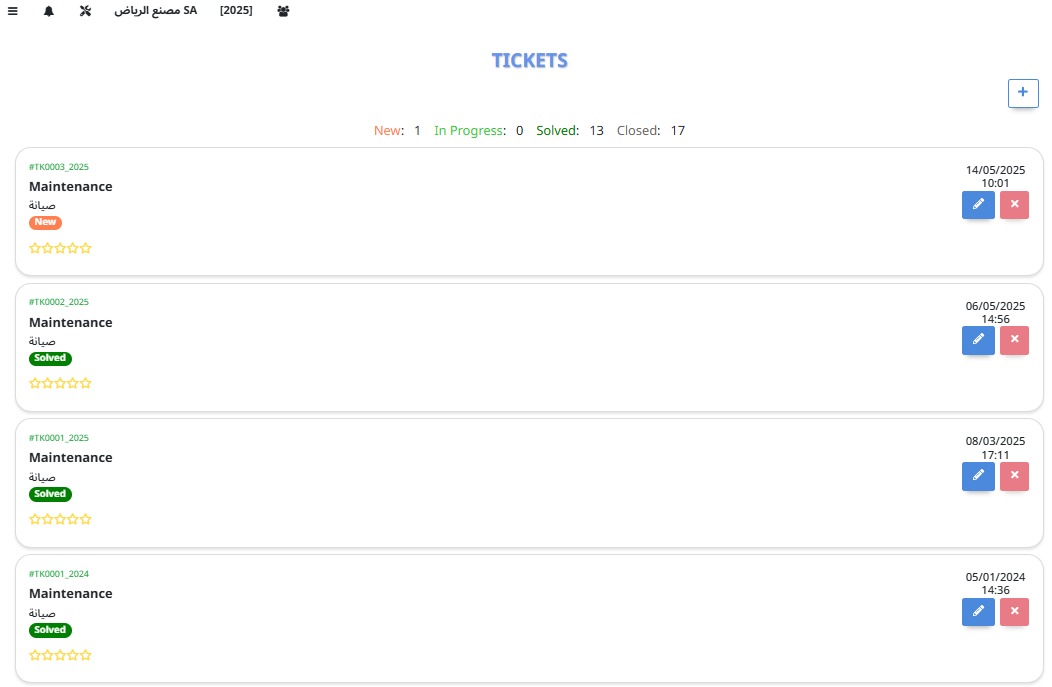
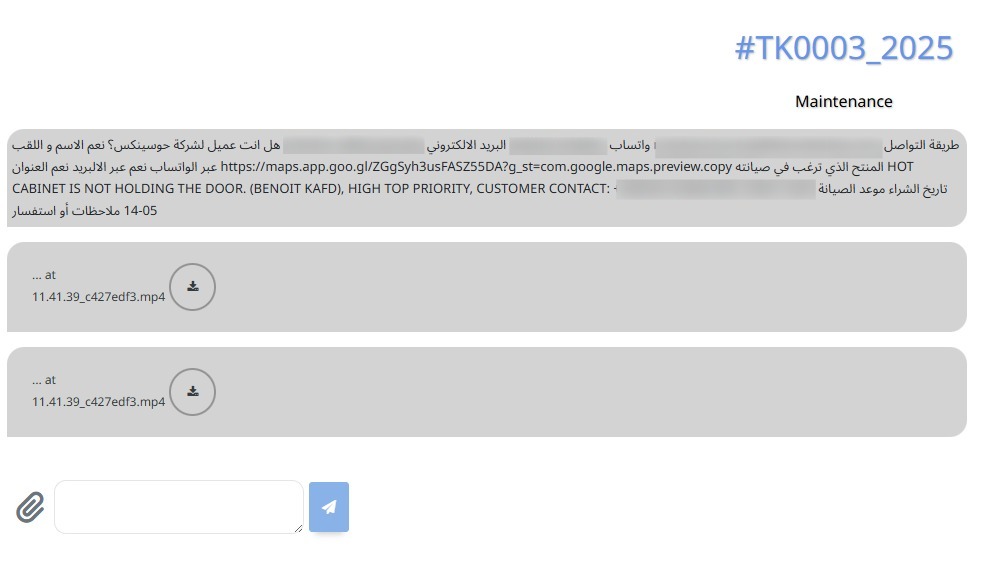
- Tickets
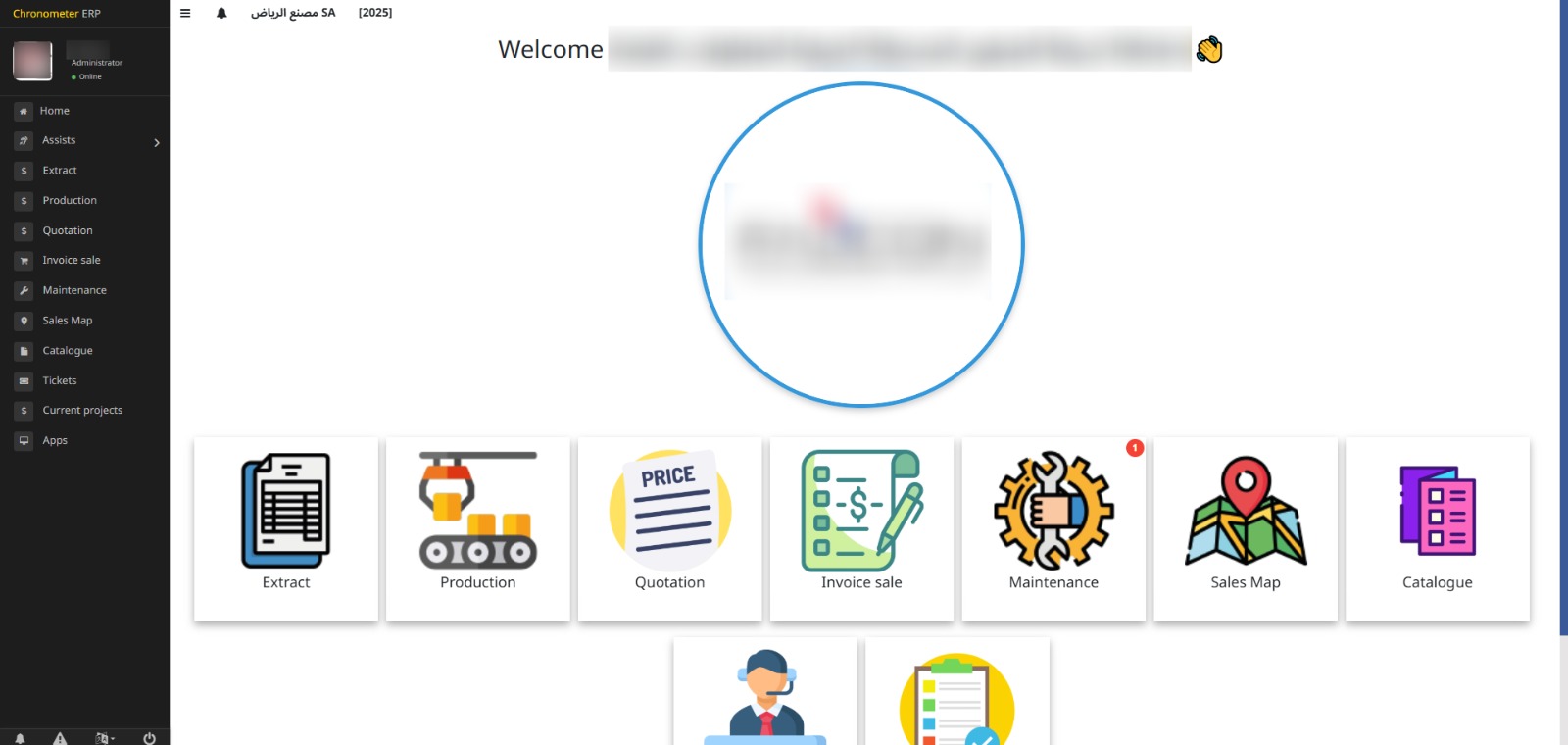
A Customer Portal is a secure online platform where customers can access their account information, place orders, track shipments, and communicate with the company.
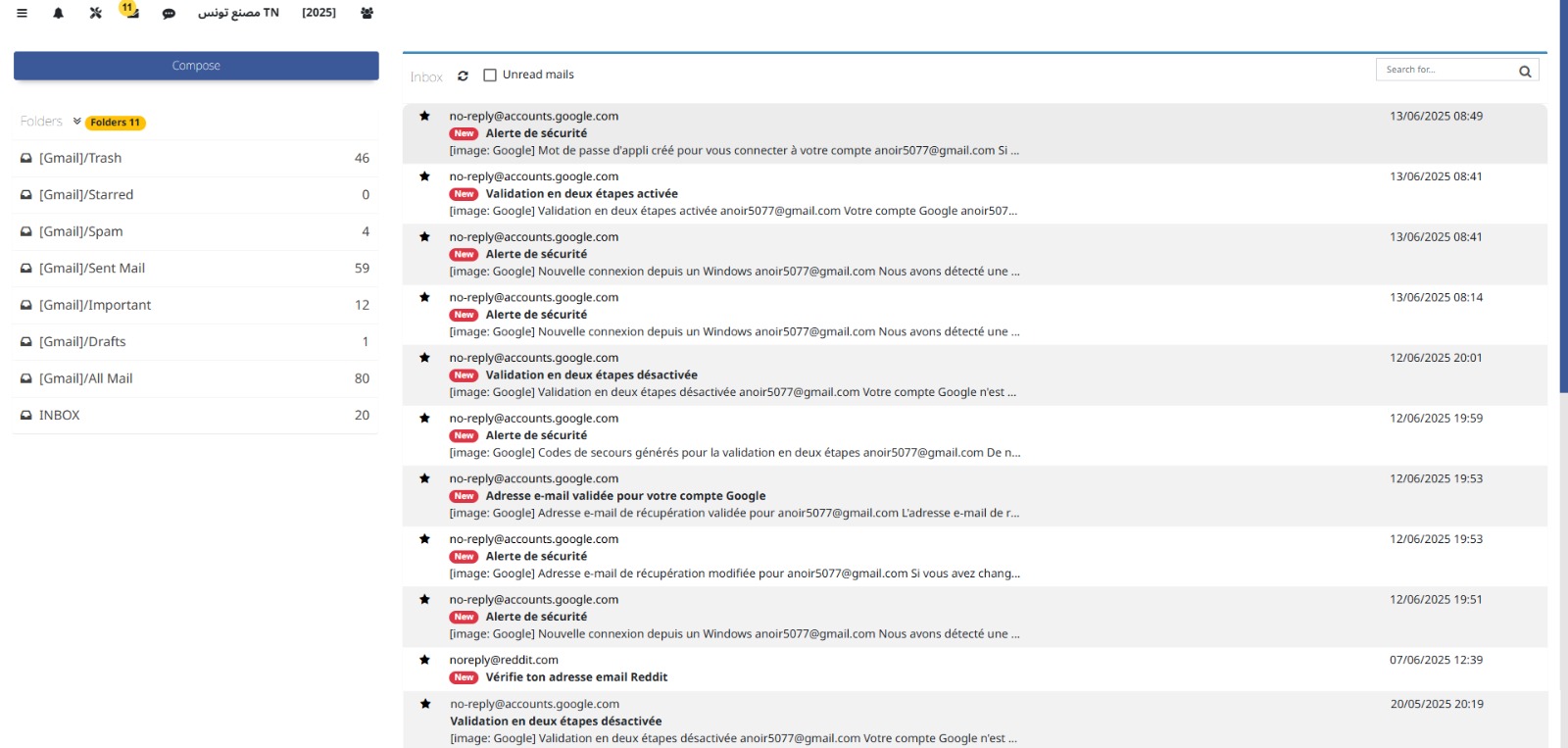
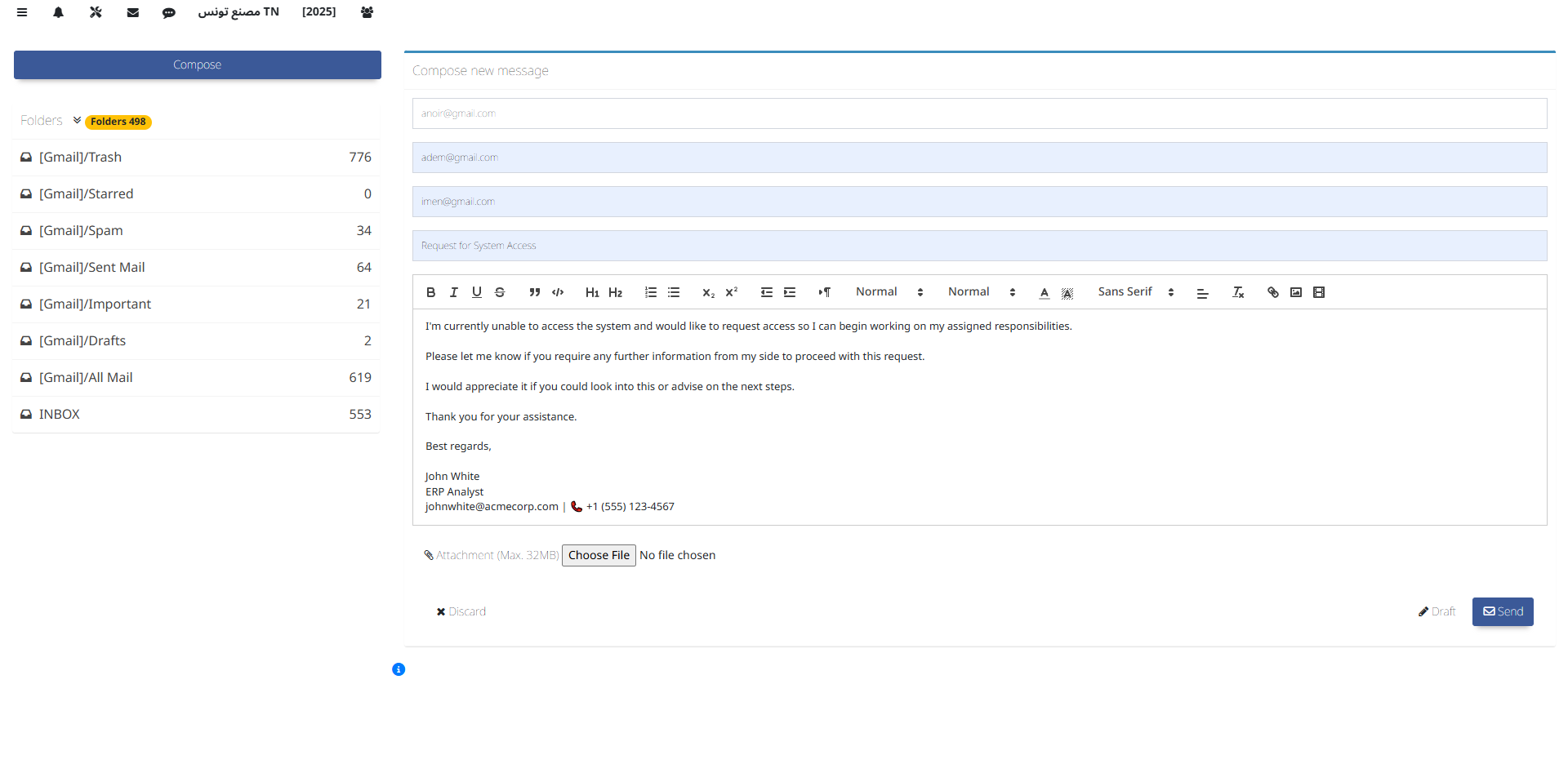
Mail Management handles the organization, tracking, and processing of incoming and outgoing communications within the ERP system.
This feature allows secure storage, retrieval, and editing of files within the ERP system, enabling seamless document management and collaboration.
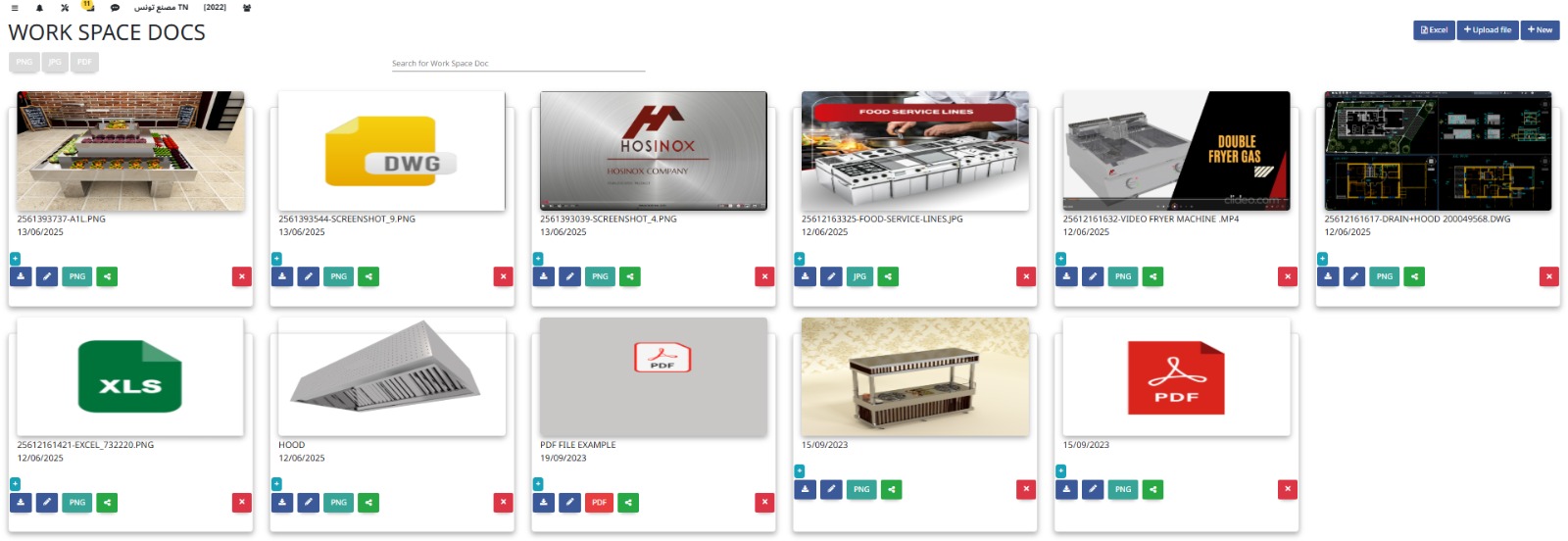
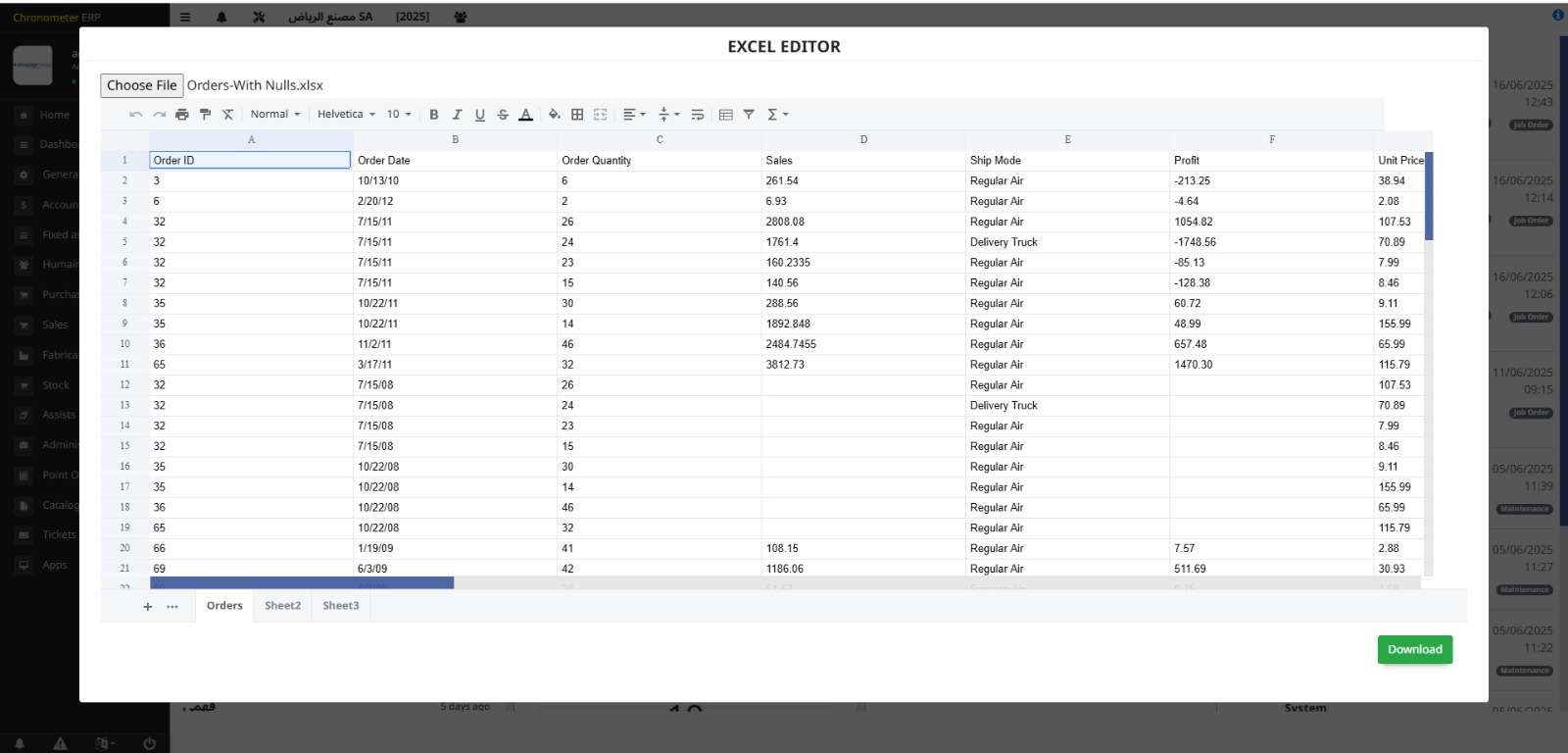
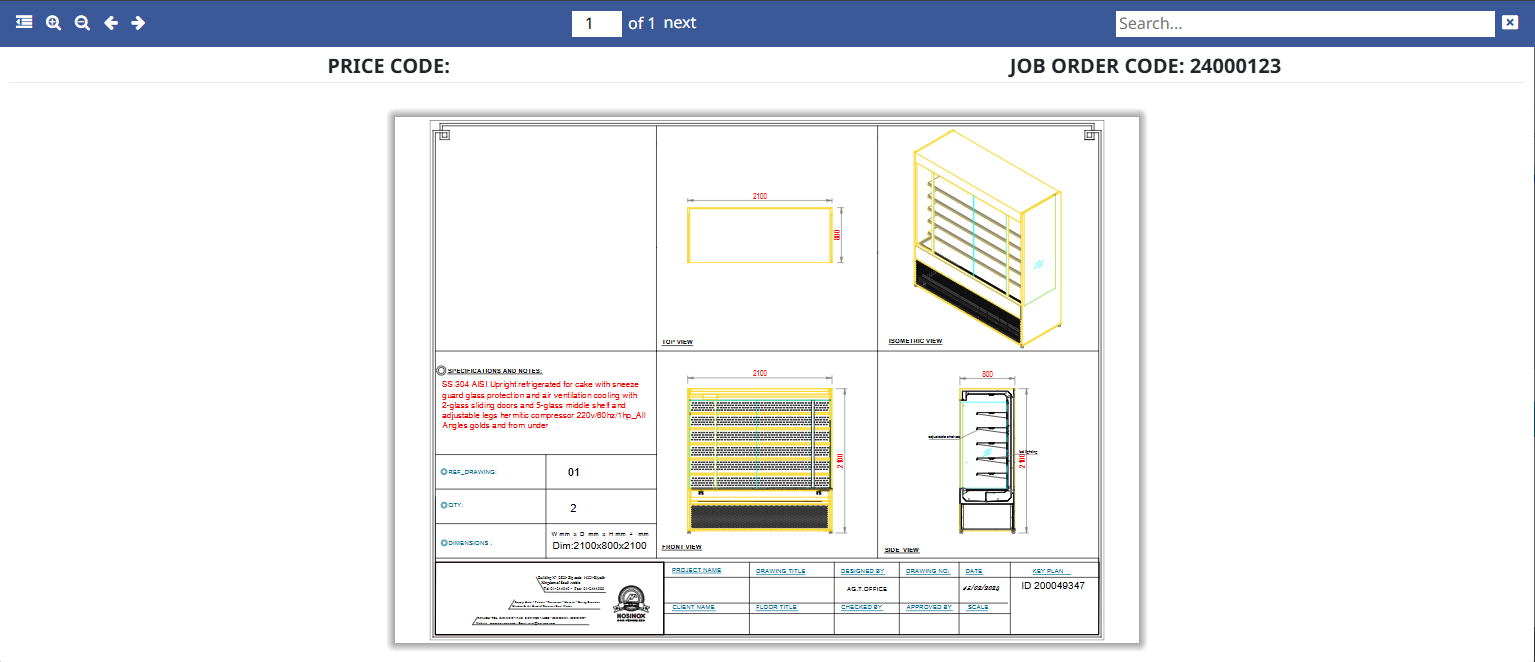
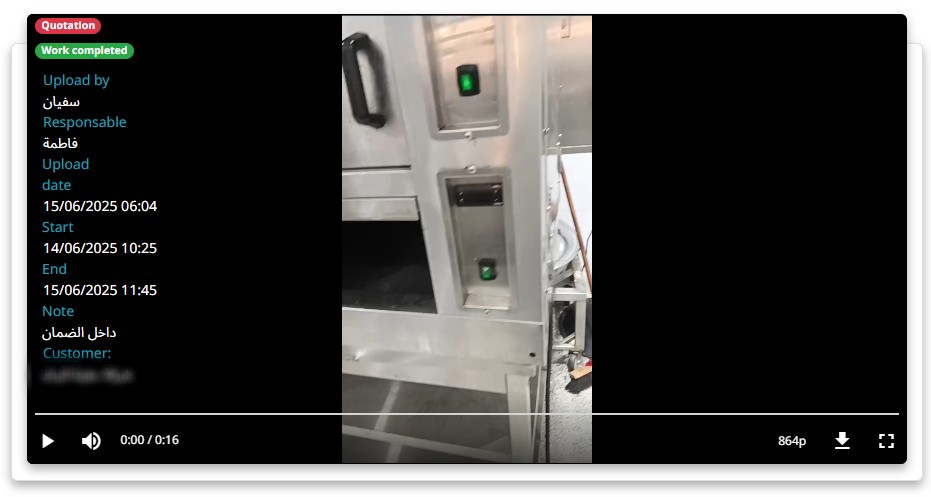
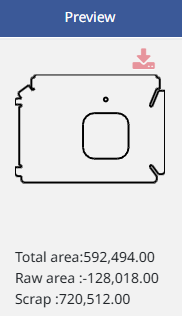

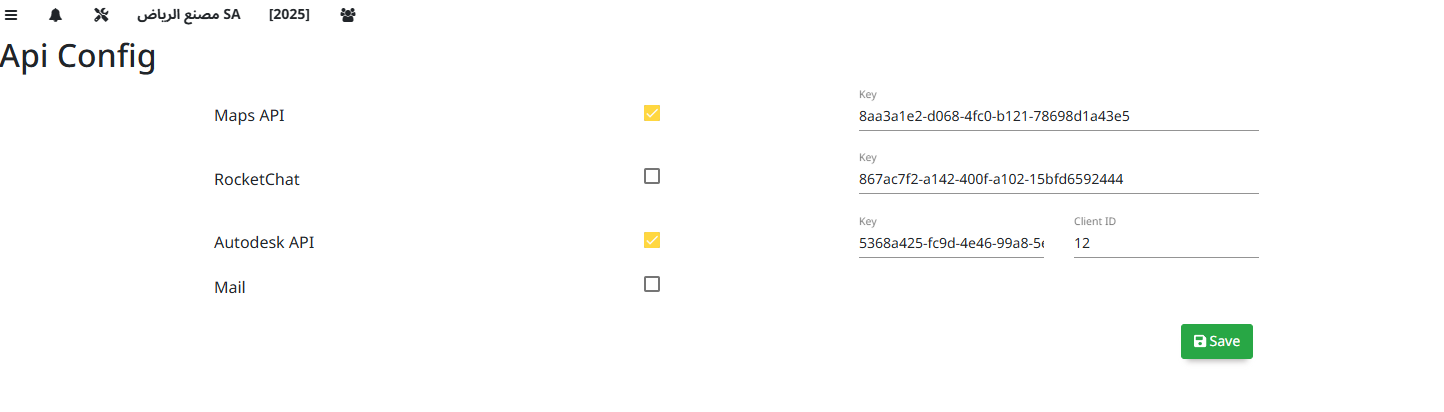
The Configuration module allows setting up and customizing system parameters, workflows, and user preferences to tailor the ERP to organizational needs.
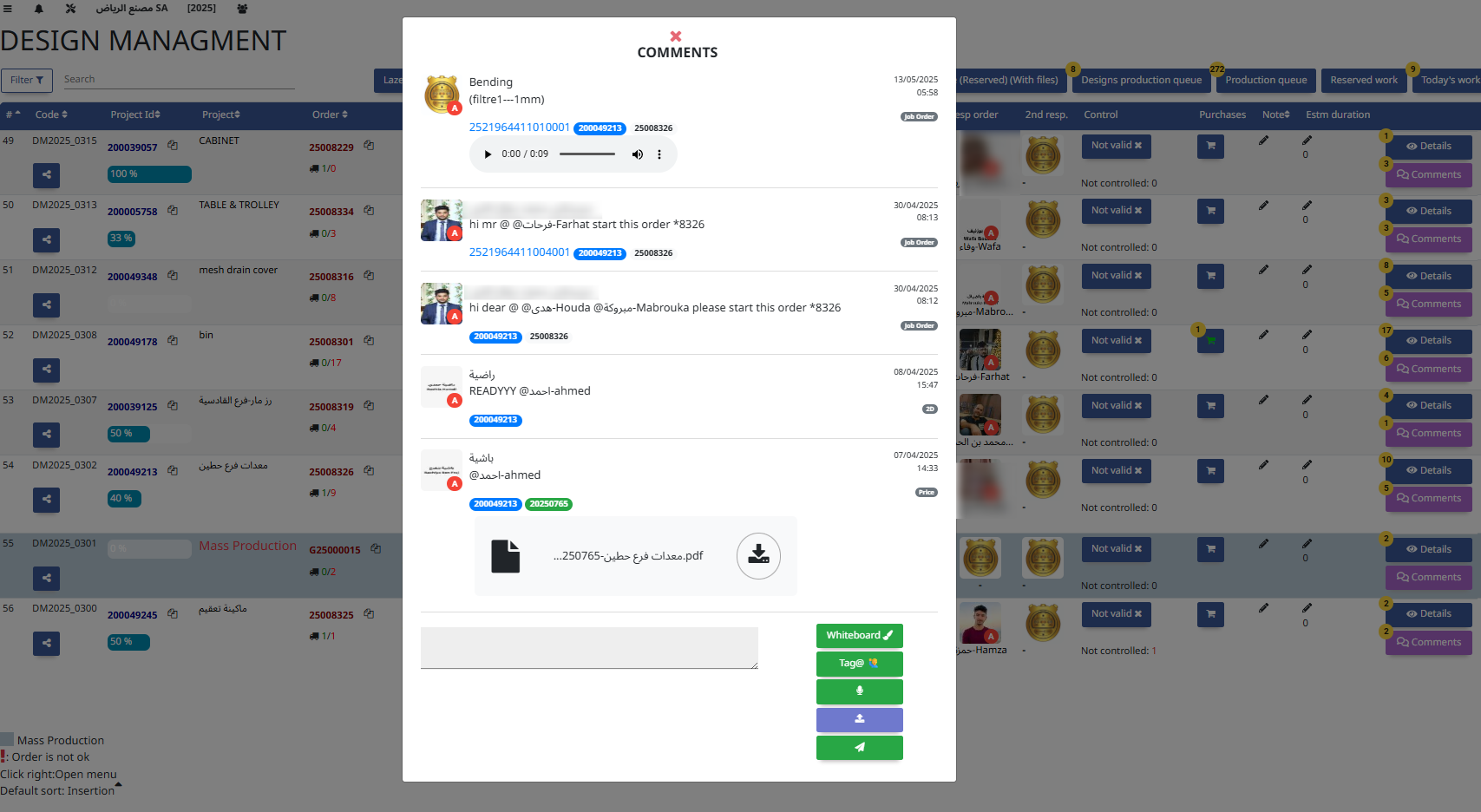
The Comments module allows users to add notes, feedback, or observations on records or transactions to enhance communication and collaboration.
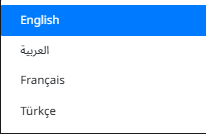
The Multiple Languages module allows the ERP interface and content to be displayed in different languages, supporting multilingual users and global operations.
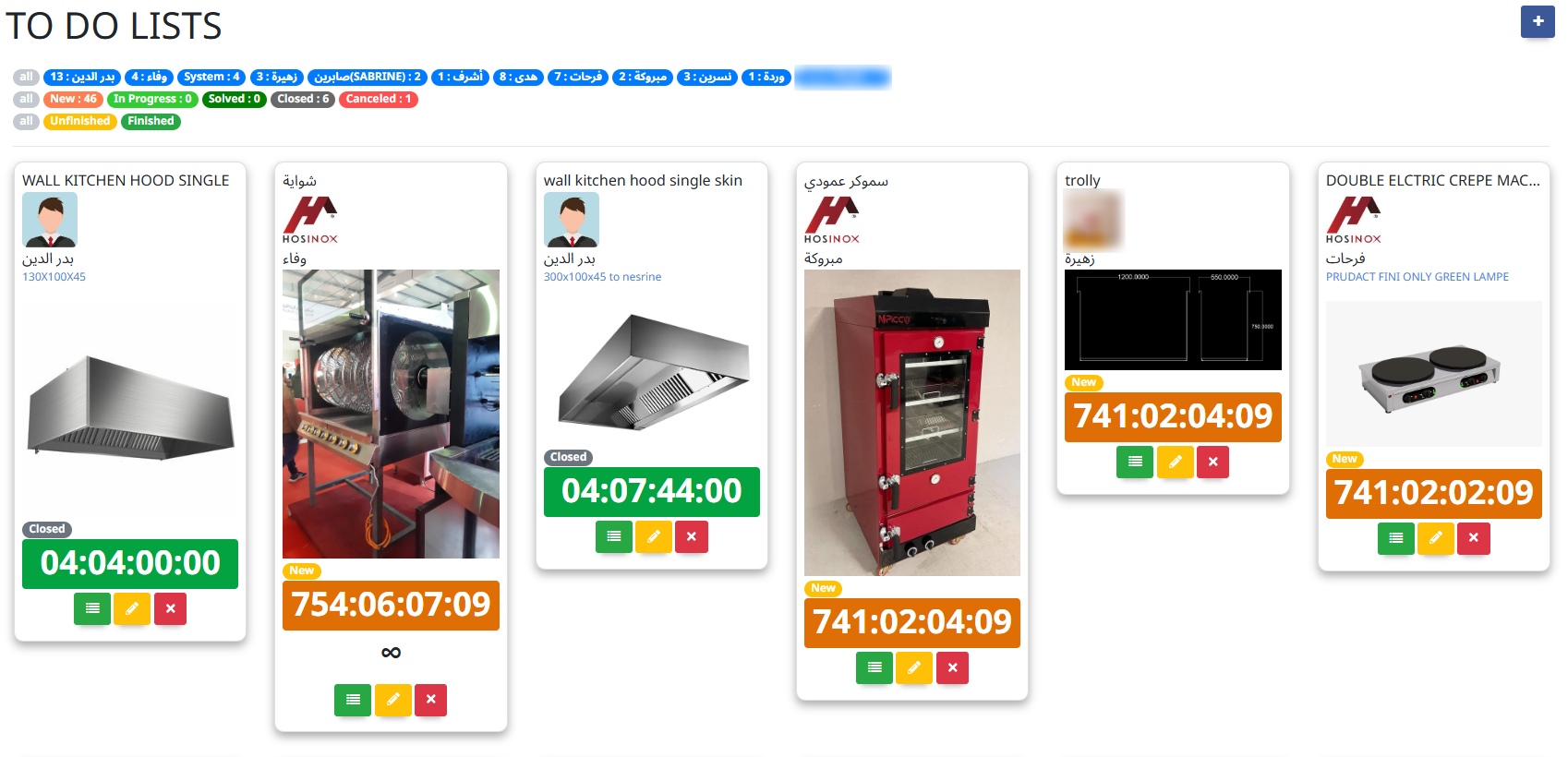
The To-Do List module helps users organize, prioritize, and track tasks and deadlines, improving productivity and workflow management.
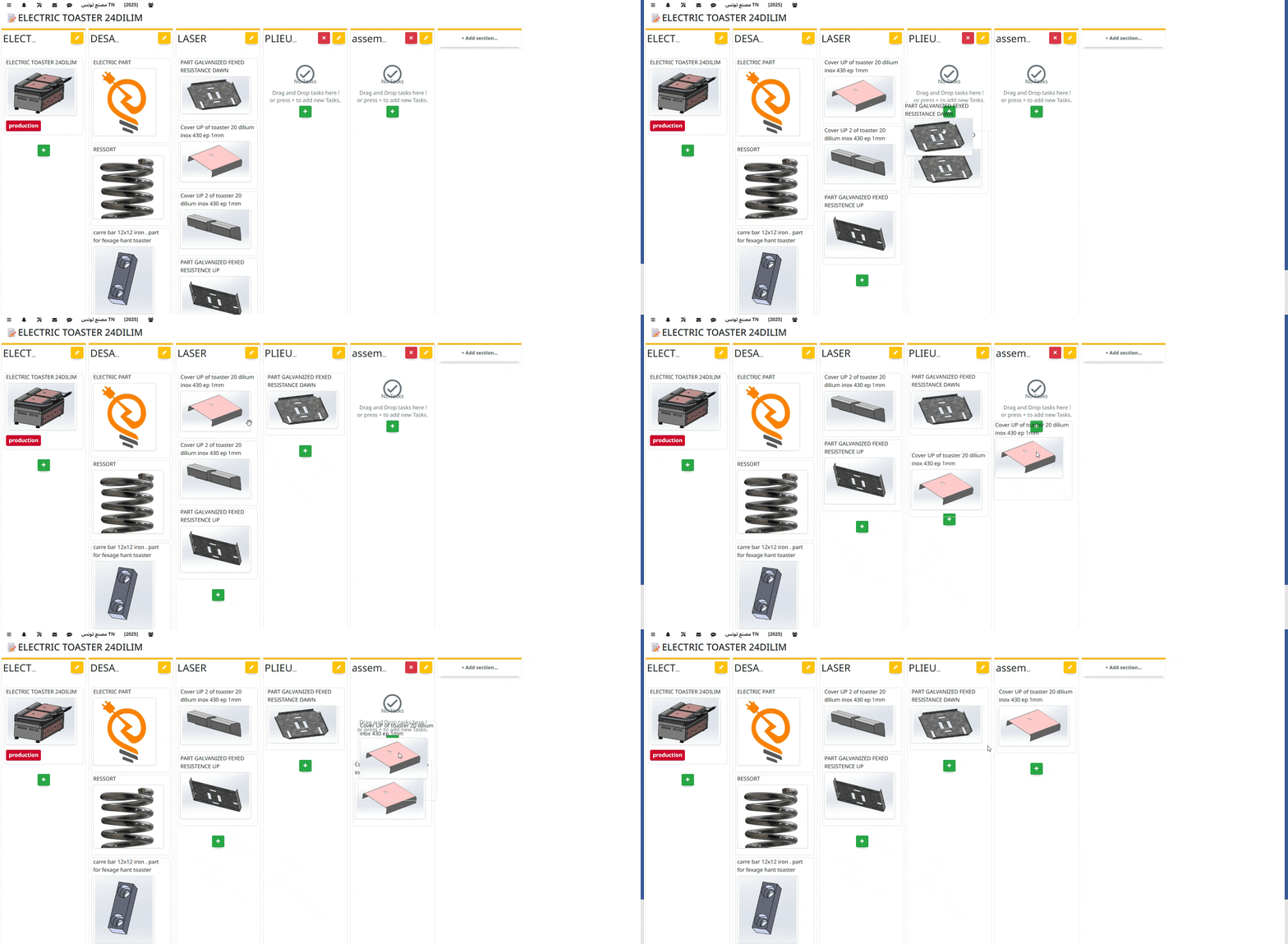
The Support Tickets module manages customer or internal support requests, tracking issues from submission to resolution for efficient service management.
15. Mobile Application
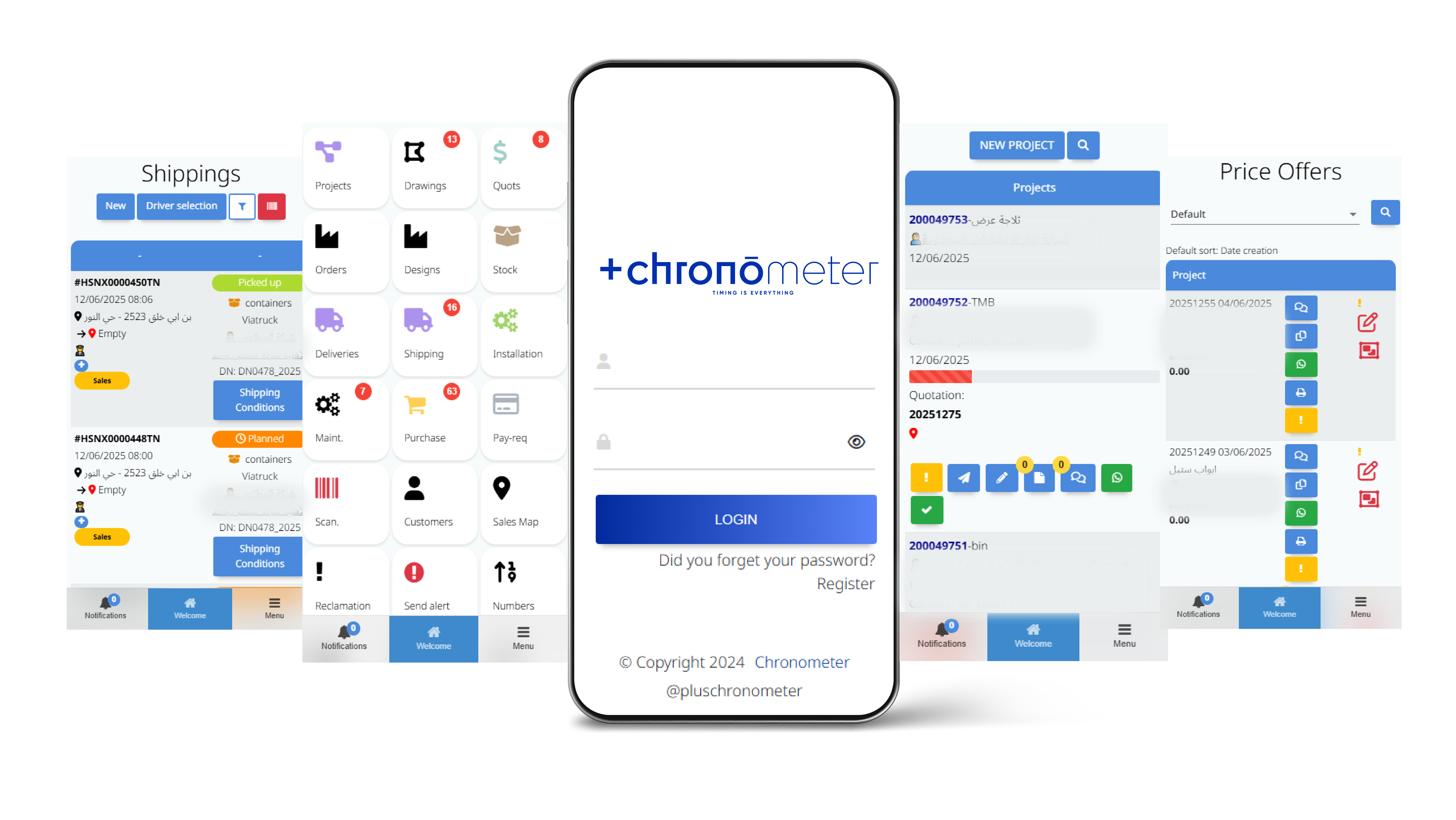
Access to ERP features on mobile devices for field operations and rapid response.
16. Schemas
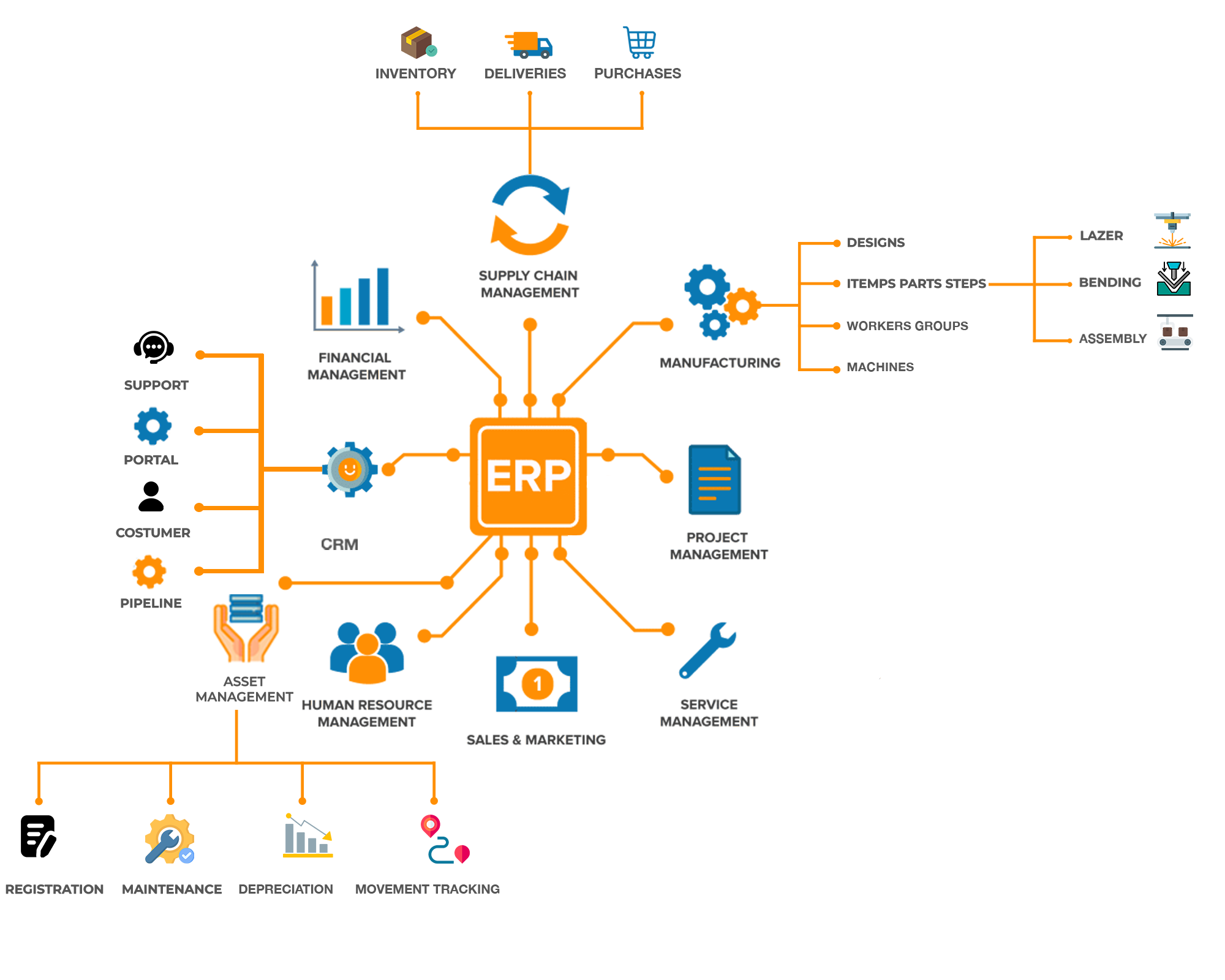
- Components
- Production Flow
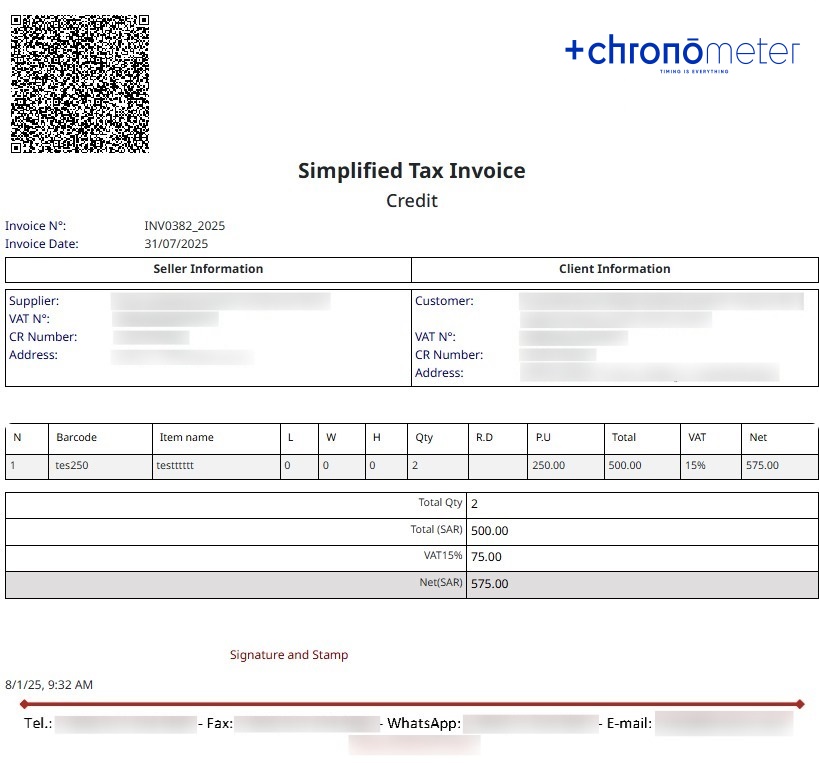
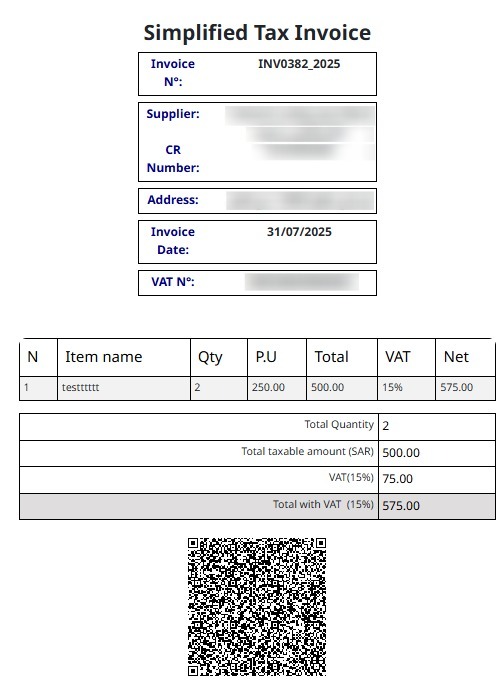
17. E - Invoice
18. Available Options
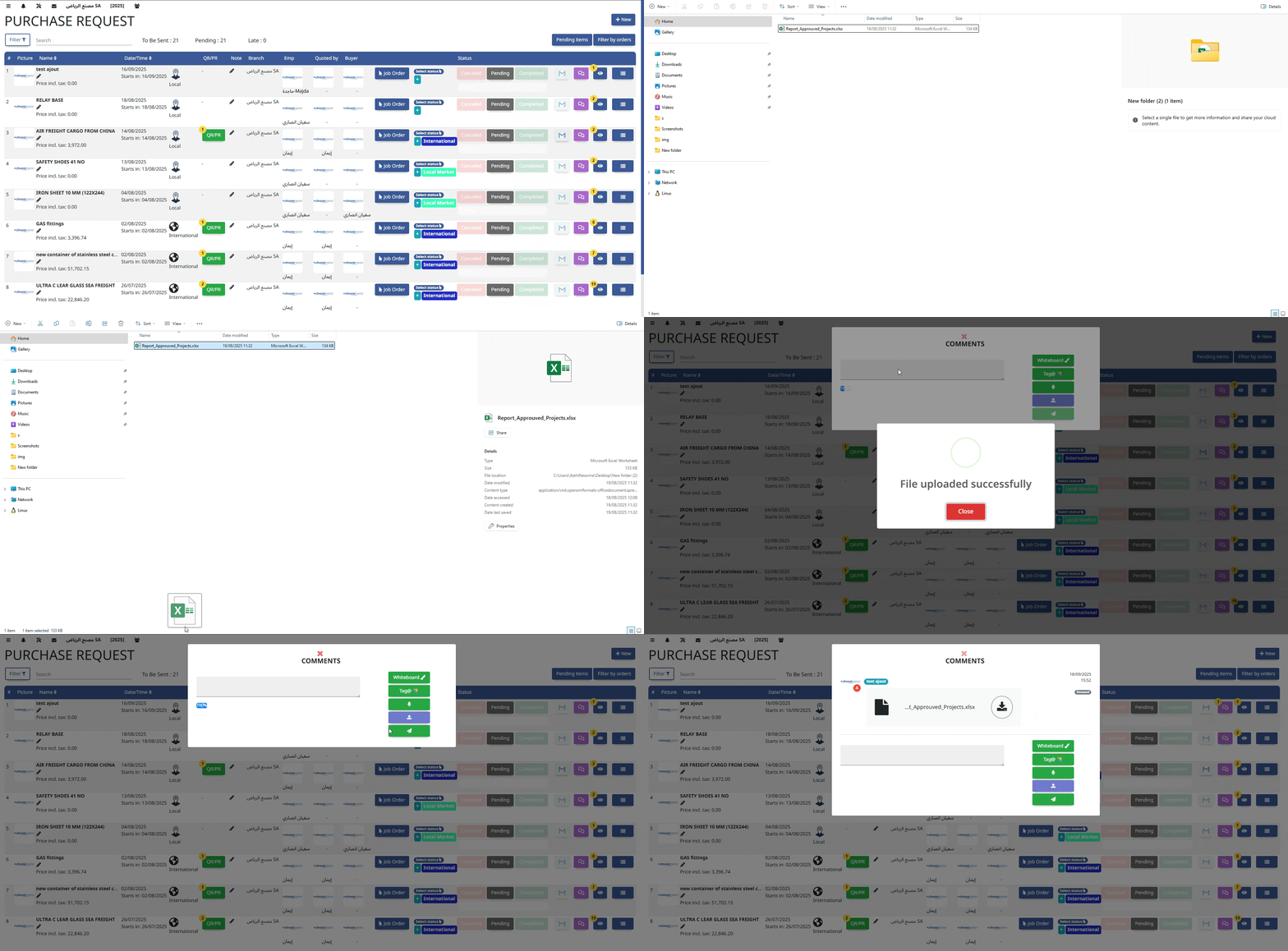
- Drag and Drop Files
You can upload your files by dragging them directly into this area. Accepted formats: PDF, DOCX, JPG, PNG... Upload will start automatically after the file is dropped.